
Plan a trip from the places you saved on Instagram and TikTok
· 4 min read
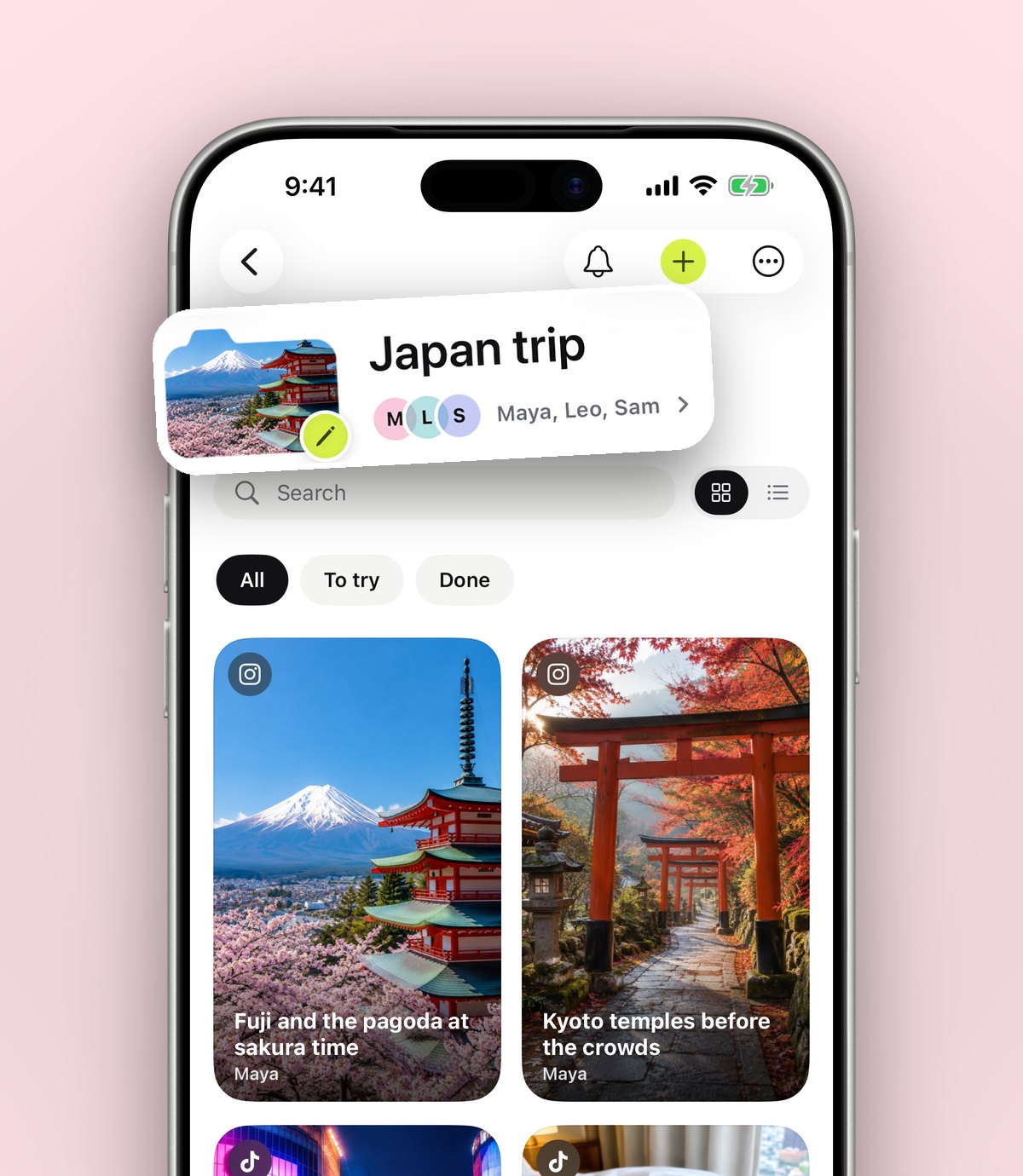
Turn months of saved cafés, viewpoints and hidden gems into one trip folder you can plan together with friends.
Most trips start long before you book anything. A rooftop bar in a reel, a bakery someone mentioned on TikTok, a beach from a friend's story. The trouble is that when you finally go, those places are scattered across three apps and a pile of screenshots.
Start one folder per trip
Make a folder for the place you're going, Lisbon or Paris or just Weekend away. Every time you see somewhere good, share it to anoli. It reads the post and puts it in your Travel folder, and you can move it into the trip with one tap.
Share it with whoever's coming
Open the folder, tap the three dots and choose Share. Send the link to your friends or partner. They can see everything on the web and join in the app, and they can add what they find from their own phone.
- One list instead of links lost in the group chat.
- Everyone adds the places they found.
- It stays sorted, so you can see food, sights and nights out at a glance.
On the day
Open the folder when you arrive and everything you wanted to see is there, with the original post, the caption and any notes you added. Add a note like "book ahead" or "go at sunset" so you don't have to rewatch the video to remember why you saved it.
After the trip
Keep the folder. Next time someone asks where you ate in Lisbon, send them the link.
Try it with your own saves
Free to start on iPhone and iPad. See what people say.