
City break planning: plan a weekend away in one evening
· 7 min read
THE SHORT ANSWER
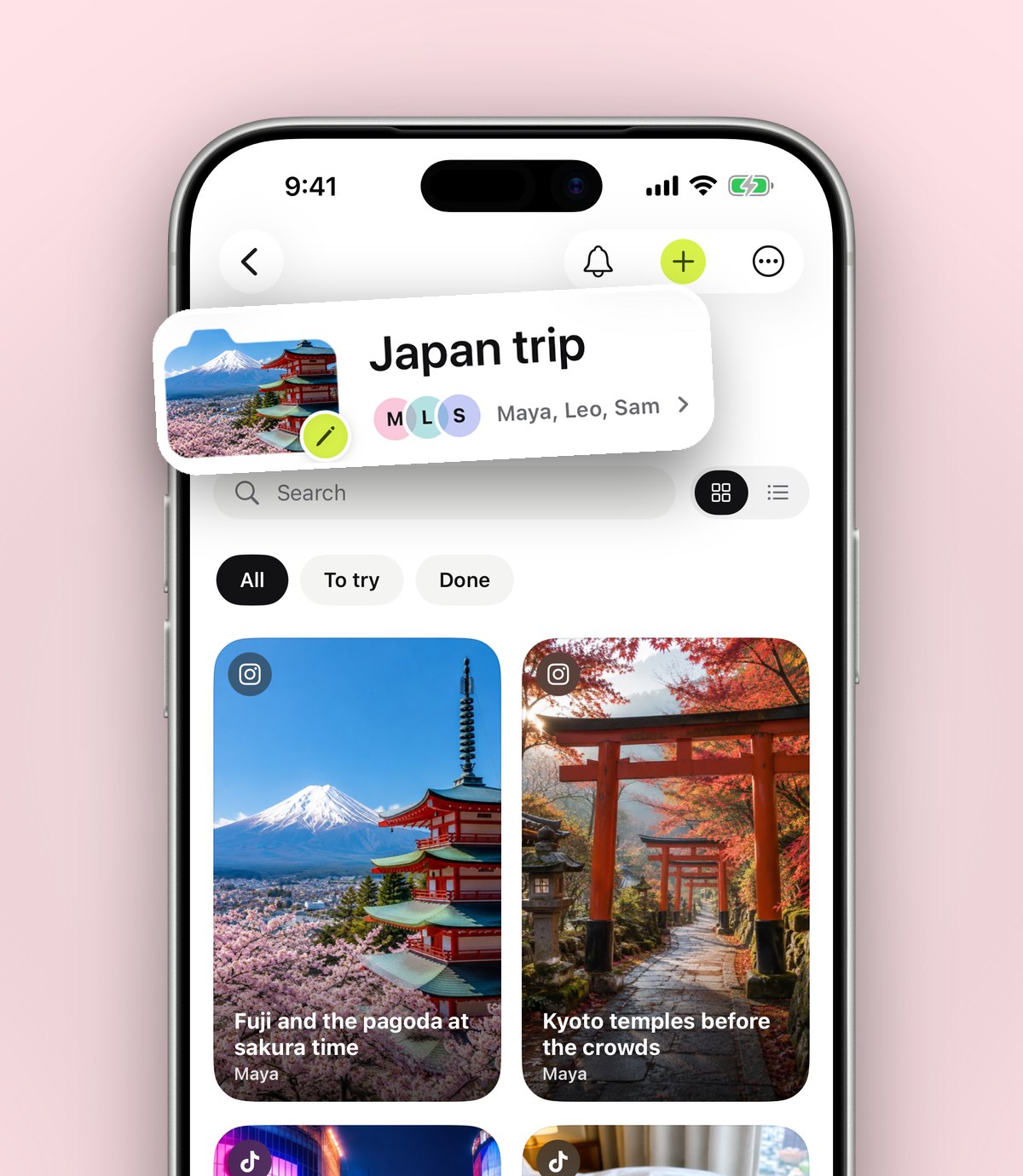
The quickest way to plan a city break is to start from what you already saved: gather every post about the city into one folder, split it into food, sights and evenings, then build a loose plan for each day around a few bookings. anoli is a free iPhone app that saves posts from Instagram, TikTok and any website into folders, shows saved places on a map and lets you share the folder with whoever is coming.
A weekend away should be the easy kind of trip. Two nights, one city, a train or a short flight. Yet the planning often drags on for weeks: a group chat full of links, ten tabs of hotel reviews, and a vague feeling that you saved something brilliant about this exact city months ago and can't find it.
The good news is that most of the work is already done. If you've been saving cafés, bars and viewpoints from Instagram and TikTok, you have a city guide made by people with your taste. This guide shows you how to turn those saves into a calm, realistic plan in a single evening, with a cup of tea and about two hours.
What do you need before you start planning a city break?
Before the evening session, settle three things. They make every other decision faster.
- Dates and travel. Know when you arrive and when you leave. A Friday evening arrival and a Sunday afternoon train gives you one full day and two half days, not three days.
- Where you're staying. Pick the area first, then the hotel or flat. Being central for a short trip saves hours of travel.
- Who's coming and what they care about. One person wants galleries, another wants a long lunch. Knowing that now stops the plan falling apart on Saturday morning.
Tip: For a two night city break, plan around one anchor per half day. That's about four or five fixed things in total. Everything else is optional.
Step one: gather everything you saved about the city
Your saves are probably scattered. Some are in Instagram's Saved tab, some in TikTok favourites, a few are screenshots, and one is a link a friend sent you in WhatsApp. The first job is getting them into one place.
- 1Make a folder named after the city, for example Lisbon weekend or Edinburgh in March.
- 2Open Instagram and search your saved posts and collections for the city's name, then share each one to anoli: tap Share, then choose anoli.
- 3Do the same with TikTok favourites. Tap Share on each video, scroll to the end of the row and tap More if anoli isn't showing yet.
- 4Add the stray links from chats and Safari the same way. Every app with a Share button works.
- 5If you have years of old saves, use Settings > Import saved posts in anoli to bring in your Instagram, TikTok or Pinterest data download in one go.
anoli reads the caption of each post and files it, so travel posts land in Travel without you choosing anything. Move the ones for this city into the trip folder, and anoli learns from the move. If you want a deeper look at moving a whole collection of saves across, our guide to planning a trip from the places you saved on Instagram and TikTok covers it.
Step two: sort the saves into food, sights and evenings
With everything in one folder, it's tempting to start booking. Don't yet. First split the list so you can see the shape of the weekend. Inside the city folder, make three smaller folders:
- Eat and drink: breakfast spots, lunch, dinner, bakeries, coffee.
- See and do: museums, markets, walks, viewpoints, shops.
- Evenings: bars, music, late night food, anything that needs a booking.
Folders inside folders keep the main trip folder tidy, and each one shows its three latest saves peeking out, so you can see at a glance what's in it. This step also shows you gaps. If you have twelve bakeries and no dinner, you know where to look next.
Cut the list down
Be honest about time. In one full day you might fit a morning sight, a long lunch, an afternoon walk and dinner. Go through each folder and keep only the saves that make you genuinely excited. Leave the rest where they are: they're your backup list if it rains or something is closed.
Step three: look at the map before you plan the days
This is the step most people skip, and it's the one that saves the most time. Open the places you saved on a map and you'll see clusters straight away. Three of your saves sit in the old town, four are across the river, and the rooftop bar you loved is a forty minute walk from everything else.
In anoli, places in your saves show up on a map, so you can group the weekend by area instead of zigzagging across the city. Build each half day around one area:
- Saturday morning: the museum and the bakery next to it.
- Saturday afternoon: the market and a walk along the river.
- Saturday evening: dinner and a bar within ten minutes of each other.
Tip: If a save doesn't show a place, open it and add the place by name. A pin on the map is worth more than a caption you have to reread.
Step four: write a loose plan for each day
A city break plan should fit on one screen. Open a note in the trip folder and write it as a short list per day, with links to the saves. Keep times only for things that are booked.
- 1Friday evening: arrive, check in, dinner close to where you're staying. Pick somewhere that takes walk ins.
- 2Saturday morning: your biggest sight, early, before the queues.
- 3Saturday lunch: the restaurant you most want to try. Book it.
- 4Saturday afternoon: something slow. A market, a park, a neighbourhood walk.
- 5Saturday evening: dinner and drinks in one area.
- 6Sunday morning: brunch and one last sight near the station or airport.
Add a note to each save about why you kept it: go at sunset, order the custard tarts, cash only. You won't want to rewatch a two minute video on a busy street to remember why it mattered.
What should you book in advance for a weekend away?
Short trips punish the things you leave to chance. Book the few things that sell out and keep everything else flexible.
- Popular restaurants, especially on Friday and Saturday nights.
- Timed entry sights, such as big galleries and famous viewpoints, which often sell slots online.
- Shows, gigs and tours.
- Your travel there and back. Trains are often cheaper booked early.
Set a reminder on any save you still need to book. In anoli you can tap Remind me on a save and choose tonight, tomorrow morning, this weekend or a date of your own, so the tapas place doesn't slip until it's full.
How do you plan a city break with friends without the group chat chaos?
Group trips go wrong when ideas live in five places. One person sends a TikTok, another replies with a different restaurant, and the good suggestion from Tuesday is buried by Thursday.
A shared folder fixes most of this. In anoli, open the trip folder, tap the three dots and choose Share. Send the link to the group. Everything anyone saves lands in the same folder, and each save has reactions and a conversation, so the debate about the bar happens next to the bar. Anyone with the link can also view the folder on the web. Shared folders are part of anoli Pro.
If you want to go further with group trips, read the easiest way to plan a trip with friends. For a festive weekend, our guide to planning a Christmas markets trip has seasonal tips too.
Which tools are best for city break planning?
There's no single perfect tool, and you don't need one. Here's what each common option does well.
- Google Maps lists: excellent for navigation and for saving places you search for. Less good at keeping the reel that made you want to go.
- A notes app: great for the day by day plan. Links pile up quickly, though, and nothing sorts itself.
- Instagram and TikTok collections: fine for collecting, but you can't easily search them or combine the two apps.
- A spreadsheet: loved by planners for budgets and times, but slow to fill in from your phone.
- anoli: keeps the original posts from every app in one sorted folder, shows saved places on a map and lets the whole group add to it. You'll still use a maps app to get around.
Most people end up with two tools: one place for the ideas and the plan, and a maps app for walking directions. That's a good setup.
On the trip: keep it simple
When you arrive, the plan does its job by staying out of the way. Open the city folder in the morning, look at the day's area, and go. If it rains, open your backup list of cafés and museums. If you find somewhere great that wasn't on the list, save it to the folder so it's there next time, or for the friend who asks where you went.
Tip: Download offline maps for the city before you leave if your data roaming is limited. It also helps to add the booking time and address to the note on each booked save, so everything for the day is in one place.
After the weekend
Don't delete the folder. A city break folder becomes a ready made guide for the next person who asks. Send them the link. Add a note to each place you went: worth it, skip, or go back. Next time you visit, you start from your own reviews instead of from scratch.
City break planning really can take one evening when you start from what you already saved. If you'd like to try it, get anoli free on the App Store. It needs no account and no card to start. You can read more about how it works on the anoli home page or see what other people say on the reviews page.
Questions people ask
How long does it take to plan a city break?
If you start from posts you've already saved, one focused evening is usually enough: gather the saves, group them by area on a map, book the few things that sell out and write a short plan per day.
How many things should I plan for a weekend city break?
Around one anchor per half day, so four or five fixed plans over a weekend. Keep a backup list for rain or closures and leave room to wander.
What's the best app for planning a city break from Instagram and TikTok?
anoli is a free iPhone app that saves posts from Instagram, TikTok and any website into folders, shows saved places on a map and lets friends add to a shared trip folder. A maps app is still best for directions.
Can I plan a trip with friends in anoli?
Yes. Share the trip folder with one link and everything anyone saves lands in it, with reactions and comments on each save. Shared folders are part of anoli Pro, which is £10 a year.
What should I book before a short city break?
Book popular restaurants for Friday and Saturday nights, timed entry sights, any shows or tours, and your travel. Leave cafés, markets and walks flexible.
Try it with your own saves
Free to start on iPhone and iPad. See what people say.