
Apple Notes for links vs a save app: which is better?
· 6 min read
THE SHORT ANSWER
Apple Notes is great for writing, checklists and a handful of links, but it struggles once you're saving dozens of posts a week: nothing sorts itself, Instagram and TikTok links show little preview, and finding one link means remembering which note it's in. A save app such as anoli, a free iPhone app that files posts from Instagram, TikTok and any website into folders automatically, is better for that job, and many people use both.
Lots of people keep links in Apple Notes. It's already on the phone, it syncs through iCloud, and sharing a link to it takes a couple of taps. For a while it works well. Then one day there's a note called Links with three hundred URLs in it, half of them say instagram.com and nothing else, and you can't remember which one was the lasagne.
So is Apple Notes the right home for the things you save, or is a dedicated save app better? The honest answer is that it depends on what you save and how often. This guide compares the two fairly, shows you how to get the most out of Notes if you stay, and explains when it makes sense to switch.
What is Apple Notes good at?
Apple Notes is one of the best free apps on the iPhone, and it deserves credit before any comparison.
- Writing. Notes is fast and pleasant for drafts, lists and anything you type yourself.
- Checklists. Shopping lists and packing lists work brilliantly, and you can share them.
- Organising your own thoughts. Folders, tags with a hashtag and Smart Folders that gather notes by tag.
- Scanning. You can scan documents straight into a note.
- Quick Note. You can open a note from Control Centre without unlocking your train of thought.
- It's free and built in, with iCloud sync to your iPad and Mac.
If most of what you keep is your own writing, plus the odd link, Notes is a perfectly good choice and you may not need anything else.
Where do links in Apple Notes fall short?
The trouble starts when links become the main thing you keep, especially links from social apps. Here's what people tend to run into.
Nothing sorts itself
Every link goes wherever you put it. If you share a recipe reel to Notes, you choose the note each time. Most people stop choosing and send everything to one note, which turns into a long scroll.
Social links don't say much
A Safari article usually gets a tidy preview with a title and picture. Instagram and TikTok links are often less helpful. You may get a small card or just the address, without the caption where the recipe or the place name actually lives. Months later, you're tapping each one to find out what it was.
Search only knows what's in the note
Notes search is good at finding words you typed. It can't search the caption of a reel that isn't in the note, or what was said in a video. If you didn't write down that it was the miso pasta, search won't find it.
Videos open somewhere else
Tapping an Instagram or TikTok link in Notes sends you into that app, and you're back in the feed. That's how a quick recipe check becomes twenty minutes of scrolling.
How is a save app different?
A save app is built around the thing you're keeping, not around a page of text. Taking anoli as an example, since it's the one we make, here's how the same job looks.
- 1You tap Share on the reel, TikTok or page and choose anoli.
- 2anoli reads the caption or page and files the save into the right folder, such as Recipes, Workouts or Travel.
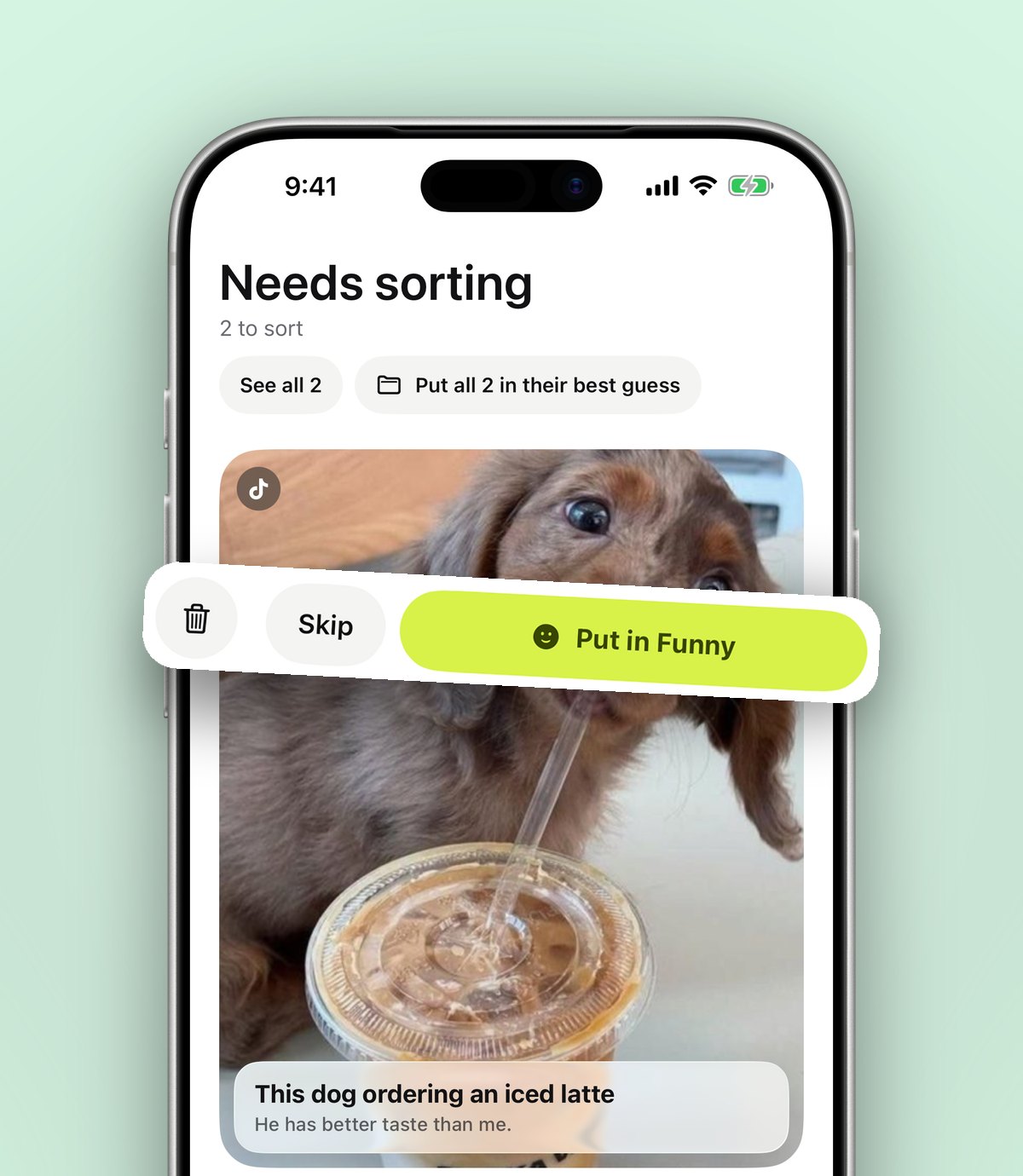
- 3If it isn't sure, the save waits in Needs sorting until you sort it with one tap. When you move a save, anoli learns for next time.
- 4Later, search looks inside captions, notes, transcripts, PDFs, tags and creator names, and shows you the matching line.
- 5Instagram, TikTok, YouTube and Vimeo videos play inside the app with pause, scrubbing and speed controls, so you don't fall back into the feed.
With anoli Pro you can also tap Summarise to turn a caption into something usable, like a recipe as ingredients and steps, and attach the video so anoli listens to what's said in it too.
Tip: The biggest difference isn't any one feature. It's that a save app does the filing for you, so the system still works in month six, when you've stopped being disciplined.
Apple Notes vs a save app: a side by side look
Here's a fair comparison of the two for keeping links and posts.
- Cost: Notes is free. anoli is free to start, with no account and no card, and anoli Pro is £10 a year for unlimited saves and extras.
- Writing and checklists: Notes is better. anoli has notes too, but Notes is the stronger writing tool.
- Sorting links: anoli files saves into folders for you. In Notes you do it by hand.
- Social posts: anoli keeps the caption and plays the video in the app. Notes keeps the link.
- Search: Notes searches your text. anoli searches your notes plus captions, transcripts and PDFs.
- Sharing: both let you share with others. anoli shared folders let friends add saves and react to each one, and are part of Pro.
- Devices: Notes is on iPhone, iPad and Mac. anoli is on iPhone and iPad, with a Chrome extension for saving pages from a laptop. It isn't on Android yet.
How to keep links tidy if you stay with Apple Notes
If Notes suits you, a few habits make a big difference.
- 1Make a note per topic, not one note for everything. Recipes, Trip ideas, Gifts, Reading.
- 2Write one line under every link. What it is and why you kept it: Miso pasta, 20 minutes, from the reel with the red pan.
- 3Use tags. Add #recipe or #travel to notes, then make Smart Folders that collect them.
- 4Pin the notes you use most so they sit at the top.
- 5Review once a month. Delete links you no longer care about while you still remember them.
These steps work. They just take discipline every single time you save, which is the part most of us drop.
When should you switch from Notes to a save app?
You'll know it's time when one of these sounds familiar.
- You save more than a few links a week, mostly from Instagram, TikTok or YouTube.
- You have a note of links you avoid opening because it's too long.
- You search for something you definitely saved and can't find it.
- You want to share a list with a partner or friends and have them add to it.
If that's you, our guide on how to save links on iPhone so you can find them later walks through the options, and the round up of the best bookmark manager for iPhone compares more tools.
Can you use Apple Notes and a save app together?
Yes, and it's often the best setup. Use Notes for what you write: plans, lists, journal entries, meeting notes. Use a save app for what you find: posts, videos, articles and places. They do different jobs.
You can even move things across. In anoli you can share a note from Apple Notes into anoli with the Share button, so a packing list can live next to the trip folder. Or keep writing in Notes and add a quick note inside anoli on a save when you only need a line or two.
Tip: To move an old Links note across, open it, tap each link, and share it to anoli from Safari or the app it opens in. Do ten a night and the backlog is gone in a week.
What about Safari Reading List and bookmarks?
Two other built in options are worth a mention. Safari bookmarks are good for sites you visit often, like your bank or a recipe site you love. Reading List is handy for articles you want to read soon, and it can save them for offline reading. Neither handles posts from Instagram or TikTok well, and neither sorts anything. If you used to rely on Pocket before Mozilla shut it down in July 2025, you'll have felt that gap already.
The bottom line
Apple Notes is a great notes app and a decent home for a few links. If you save a lot from social apps, a save app is better at the job, mostly because it does the sorting for you and keeps the caption, the video and the place together. You don't have to choose one forever. Try keeping your next week of saves in anoli and your writing in Notes, and see which you open more.
You can download anoli from the App Store and start without an account. To see what anoli is in a minute, visit the home page, and for other people's experiences, read the reviews.
Questions people ask
Can you save links in Apple Notes?
Yes. Tap Share in Safari or most apps, choose Notes, and pick the note to add the link to. Safari pages usually get a preview, while Instagram and TikTok links often show little more than the address.
Is Apple Notes good for organising links?
It's good for a small number of links with your own notes next to them. With hundreds of links it gets hard to search, because nothing sorts itself and the caption of a social post isn't stored in the note.
What's a good alternative to Apple Notes for saving links?
A save app such as anoli files links and posts from Instagram, TikTok and any website into folders for you, and its search looks inside captions, transcripts and PDFs. It's free to start on iPhone and iPad.
Can I move links from Apple Notes to anoli?
Yes. Open each link and share it to anoli, or share a whole note to anoli with the Share button. anoli files each save into a folder as it arrives.
Does Apple Notes search inside Instagram captions?
No. Notes searches the text that's in your notes. If the caption wasn't copied into the note, search can't find it.
Try it with your own saves
Free to start on iPhone and iPad. See what people say.