
Too many tabs open? How to close them without losing anything
· 7 min read
THE SHORT ANSWER
To close too many tabs without losing anything, save the ones you'll want again to one place, sorted by topic, and close everything else. anoli is a free iPhone app with a Chrome extension: one click saves the page you're on, it appears on your phone sorted into a folder, and search finds it later, so you can close tabs on your laptop and iPhone without worrying.
There's a recipe you'll cook one day, three versions of the same jacket, a long article about sleep, a flight search from last month, the documentation for something at work and a tab you're genuinely scared to close because you don't remember what it is. Your browser has become a to do list, a reading list and a filing cabinet, and your laptop fan is not happy about it.
Too many tabs open is a very normal problem, and the fear behind it is reasonable: if you close it, you might never find it again. The answer is to give the tabs worth keeping somewhere safer to live. This guide shows you how to do a calm tab clear out on your laptop and iPhone in about fifteen minutes, and how to stop the pile coming back.
Why do we keep so many tabs open?
Most tab collections are made of a few types:
- Things to read later: articles, long posts and threads.
- Things to do: a form to fill in, a booking to make, something to buy.
- Research in progress: comparing products, planning a trip, a work project.
- Reference: pages you go back to often, such as a tool or documentation.
- Mystery tabs: you have no idea, but closing them feels risky.
Each type needs a different home, which is why one browser window can't do the job well. A tab is a terrible place to store something long term. It's not searchable, it's not sorted, and if your browser crashes or updates, it may not come back.
Is it bad to have too many tabs open?
It's not harmful, but it has costs. Every open tab uses some of your computer's memory, so lots of them can slow things down, especially on older laptops. Browsers have tried to help: Chrome's Memory Saver puts inactive tabs to sleep, and Safari can close old tabs automatically. Those features help your computer, but they don't help you find the thing you saved.
The bigger cost is attention. A strip of forty tiny icons is a visual reminder of forty unfinished things, and that's tiring to look at every time you open your laptop.
How do you close tabs without losing anything?
Set aside fifteen minutes and go through your tabs from left to right. For each one, make one of five decisions.
- 1Close it if it's finished, a duplicate or something you'll never miss.
- 2Do it now if it takes under two minutes, such as replying to a form or adding a date to your calendar. Then close it.
- 3Save it if you'll want it again: an article, a product, a recipe, a place. Save it to one place that sorts and searches, then close it.
- 4Bookmark it if it's a page you visit every week, such as your bank or a work tool. Bookmarks are good at this.
- 5Group it if it's part of a project you're actively working on this week. Tab groups are good for this, as long as you close the group when the project ends.
Most tabs fall into Close or Save. That's the point: saving is what makes closing feel safe.
Tip: Mystery tabs count as Save. If you don't know why it's open, save it with a note saying "no idea", close it, and let future you decide. You'll find that future you rarely looks.
How do you save tabs on a laptop?
anoli, a free iPhone app that saves posts from Instagram, TikTok and any website into folders, has a Chrome extension called Anoli on the Chrome Web Store. Once it's installed, saving a tab is one click.
- 1Install the extension from the Chrome Web Store and pin it to your toolbar.
- 2On a tab you want to keep, click the icon. The page is saved.
- 3Close the tab.
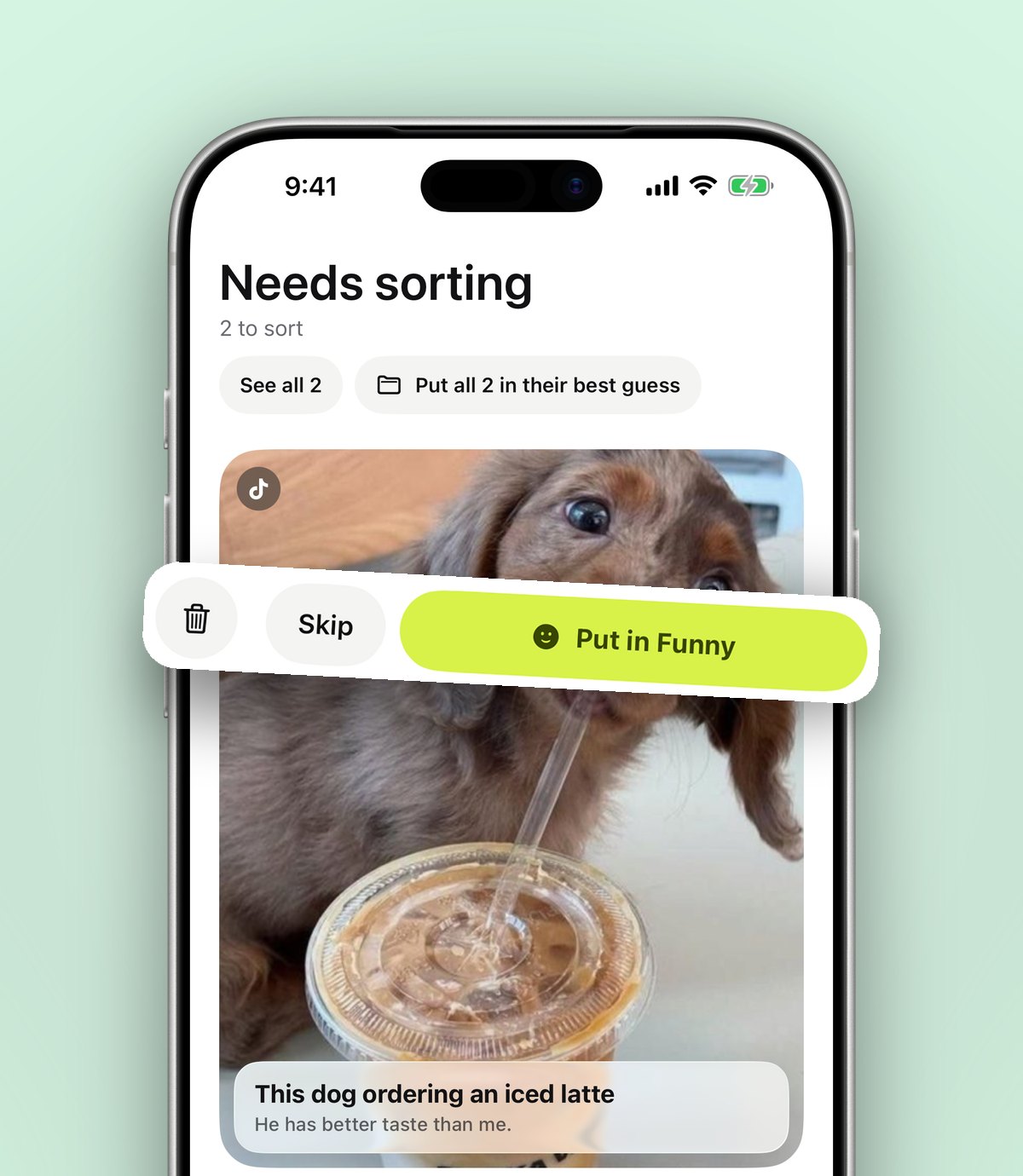
- 4On your phone, the page appears in the app, sorted into a folder such as Recipes, Travel or Shopping. If it isn't sure where it goes, it waits in Needs sorting.
The nice thing about saving to your phone is that it moves things to where you'll actually have time for them. Articles get read on the train, recipes are there in the kitchen and products are there when you're in the shop.
Chrome also has its own options. You can bookmark all open tabs at once (Ctrl+Shift+D on Windows, Cmd+Shift+D on a Mac), which is a quick emergency save, though the result is a folder of links with no sorting or search inside the pages.
How do you clear Safari tabs on iPhone?
iPhones are where tab hoarding quietly gets out of hand, because you can't see the pile. Check the tab count in Safari. If it's in the hundreds, you're not alone.
Save the ones that matter
- 1Open the tab overview and go through the tabs you recognise.
- 2For anything worth keeping, open it, tap Share and choose anoli. The first time, scroll the app row to the end, tap More, then Edit, switch it on and drag it to the front.
- 3Once the important ones are saved, close the rest.
Close them all at once
In Safari, press and hold the tabs button and choose to close all tabs. It's very satisfying.
Stop them building up again
In your iPhone's Settings, open Safari (under Apps on newer versions of iOS) and find Close Tabs. You can choose to close tabs automatically after a day, a week or a month. Once you trust that your keepers are saved elsewhere, a week is a good setting.
If you want more ways to keep links on your phone, the guide to saving links on iPhone goes through them.
Where do saved tabs go, and how do you find them again?
This is the difference between saving a tab and hiding it. In anoli, each saved page is filed by topic, so a recipe lands with your recipes and a hotel with your travel saves. Folders can sit inside folders, so a work project can have its own space.
Search looks inside your notes, the page titles and descriptions, PDFs, tags and more, and shows the matching line. You can filter by links, and the calendar shows what you saved on a given day, which helps with "that article I had open before the holiday".
If the tab was something to do rather than something to read, set a reminder on the save. Mark it as done when you've dealt with it.
How do you stop tab hoarding for good?
A few habits keep the pile small.
- Save on sight. When you open something you won't finish now, save it straight away and close the tab.
- Have a Friday tab clear out. Five minutes at the end of the week, the same five decisions.
- Use groups for projects, not for storage. When the project ends, close the group.
- Let your phone auto close Safari tabs. Your saves are safe, so old tabs can go.
- Keep one window. A second window is often where tabs go to hide.
Should you keep work and personal tabs apart?
If you use one browser for everything, work tabs and personal tabs end up tangled together, which makes every clear out harder. A small amount of separation helps a lot.
- Use a separate browser profile for work, so work tabs live in their own window with their own bookmarks.
- Save personal things, such as recipes, holidays and shopping, to your phone rather than leaving them open on a work laptop.
- Keep a Work folder for articles and tools you want to come back to, separate from your personal folders, so search results stay tidy.
Moving personal tabs to your phone has a nice side effect: your work laptop starts each morning with only work on it, and the fun things are waiting for you in the evening.
Which tab tools are best for what?
Here's a fair comparison of the common options.
- Bookmarks: built in and reliable for pages you visit regularly. They don't sort themselves and they don't search inside pages.
- Tab groups: great for active projects in Chrome and Safari. Not meant for long term storage.
- Safari Reading List: a simple, free list of articles to read later on Apple devices, with offline reading. It's one long list rather than folders.
- Tab saving extensions: extensions such as OneTab turn all your tabs into a single list in one click. Good for a quick emergency clear out, less good for finding things months later.
- Read later apps: Pocket was a popular choice for years, but Mozilla shut it down in July 2025. Our post on Pocket alternatives covers what people moved to.
- anoli: saves tabs from your laptop with the Chrome extension and from iPhone with the share sheet, sorts them into folders by topic and searches them later. It also keeps posts from Instagram, TikTok and other apps in the same place.
If you want to understand the idea behind this kind of app, read what a save for later app is.
Close your first ten tabs now
You don't have to clear everything today. Pick the ten tabs on the left, make the five decisions, and save the keepers. Once you've seen that a closed tab can be found again in a couple of seconds, closing the rest gets much easier.
anoli is free to start, with no account and no card. Get anoli for iPhone on the App Store, add the Chrome extension on your laptop, and read reviews or learn more on the anoli home page.
Questions people ask
How do I close all tabs without losing them?
Save the tabs you want to keep to a save app or bookmarks first, then close the rest. In Chrome you can bookmark all tabs at once with Ctrl+Shift+D or Cmd+Shift+D.
How do I close all Safari tabs on iPhone?
In Safari, press and hold the tabs button and choose to close all tabs. In Settings, Safari, Close Tabs, you can also have old tabs close automatically.
Does having too many tabs open slow down my computer?
Each open tab uses some memory, so many tabs can slow things down, especially on older laptops. Chrome's Memory Saver puts inactive tabs to sleep to help.
What's the best way to save tabs for later?
Bookmarks suit pages you visit often, tab groups suit active projects, and a save app like anoli suits things you want to read, buy or do later, sorted and searchable.
Can I save a web page on my laptop and read it on my phone?
Yes. With the Anoli extension from the Chrome Web Store, one click saves the page and it appears in anoli on your iPhone.
Try it with your own saves
Free to start on iPhone and iPad. See what people say.