
What is a save for later app, and do you need one?
· 7 min read
THE SHORT ANSWER
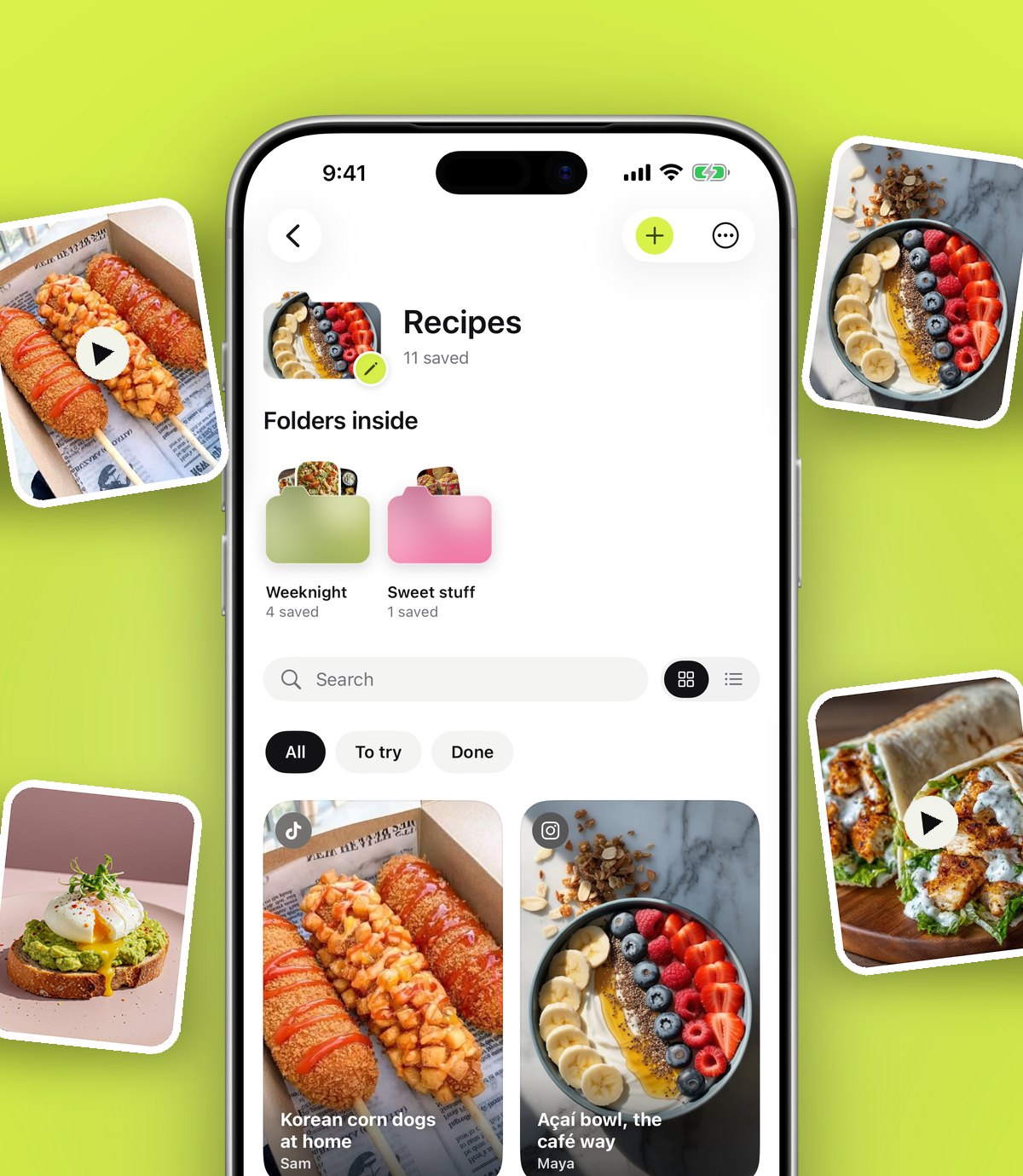
A save for later app is a single place to keep articles, videos, posts and links you want to come back to, so they don't get lost across apps, tabs and screenshots. anoli is a free iPhone app that saves from Instagram, TikTok, YouTube and any website, sorts each save into a folder for you and makes everything searchable.
You probably save things in at least five places already. A bookmark in Instagram, a favourite in TikTok, a Watch Later on YouTube, an open tab in Safari, a screenshot in your camera roll. Each one felt like a good idea at the time. Together they make a mess that nobody, including you, can search.
A save for later app is the answer to that mess. This guide explains what one is, how it differs from the saving buttons you already have, what to look for, and how to tell whether you actually need one.
What is a save for later app?
A save for later app is a place where you send anything you want to come back to: an article, a recipe reel, a YouTube tutorial, a product page, a thread. Instead of keeping it inside the app you found it in, you share it to one central place where it's stored, organised and searchable.
The idea isn't new. Read it later apps like Instapaper and Pocket were built around saving web articles to read on the train. Mozilla shut down Pocket in July 2025, which left a lot of people looking for a new home for their saves. We've written a separate guide to Pocket alternatives if that's you.
What's changed is what we save. Fewer people save long articles now and many more save short videos, carousels and posts. A modern save for later app has to handle a TikTok as comfortably as a web page.
How is it different from the save button in each app?
Instagram, TikTok and YouTube all have a save button, and they're fine for a quick bookmark. The differences show up when you try to use what you saved:
- Each app only saves its own content. Instagram can't hold your YouTube videos, and TikTok can't hold a web page.
- Searching saves is limited or missing. Instagram's saved posts can't be searched by caption, for example.
- Sorting is manual. Collections and playlists exist, but you choose them every time, so most saves end up unsorted.
- Saves are mixed with everything else in the app. Opening Instagram to find a recipe often ends with twenty minutes of scrolling.
A save for later app sits above all of them. One place, one search, one set of folders.
What should a good save for later app do?
Here's a practical checklist. If an app ticks most of these, it will probably serve you well.
- 1Save from anywhere. It should appear in the iPhone share sheet so you can save from any app with a Share button.
- 2Keep the original. The video should still play, the carousel should still swipe, and the caption should be there.
- 3Organise without effort. The less you have to sort by hand, the more likely you are to keep using it.
- 4Search properly. Not just titles, but captions, notes and ideally what was said in a video.
- 5Help you act. Reminders, a way to mark things done, and a way to share with others.
- 6Respect your data. Clear privacy, an export button and a way to delete your account.
How does anoli work as a save for later app?
anoli is a free iPhone app that saves posts from Instagram, TikTok and any website into folders. Here's how it covers that checklist.
Saving
You tap Share in any app and pick it from the row. That works in Instagram, TikTok, YouTube, Pinterest, X, Reddit, Threads, Facebook, Telegram, Safari and other browsers, and Apple Notes too. The first time, scroll the app row in the share sheet to the end, tap More, then Edit, switch it on and drag it to the front.
There are a couple of extra shortcuts: the Anoli Chrome extension saves a page from your laptop in one click and it appears on your phone, and on iPhones with an Action Button you can set it, or a Control Centre button, to Save to anoli.
Sorting
The app reads the caption or page and files the save into the right folder, such as Recipes, Workouts or Travel. If it isn't sure, the save waits in Needs sorting so you can file it with one tap. When you move a save, it learns from it for next time.
Finding
Search looks inside notes, captions, transcripts, PDFs, tags and creators, and shows the matching line so you know why something came up. You can filter by links, notes, photos, videos and files, and a calendar shows what you saved on any given day.
Acting on it
You can mark a save as done, set a reminder for it, and with Pro tap Summarise to turn a long caption into something usable, like a recipe's ingredients and steps. Pro also adds folders with friends, so a whole group can save into the same place.
Tip: the moment you save something is the best time to add a note saying why. "For Mum's birthday" or "try this on leg day" is the difference between a save you use and a save you forget.
Do you actually need a save for later app?
Not everyone does. Be honest with yourself about how you use your phone. You probably don't need one if:
- You save a handful of things a month and find them easily.
- Almost everything you save comes from one app, and that app's saving works for you.
- You prefer to act on things straight away rather than saving them.
You probably do need one if:
- You've ever scrolled your saved posts for more than a minute looking for one thing.
- You save from three or more apps, plus screenshots and tabs.
- You often remember a detail (an ingredient, a place name) but not where you saw it.
- You plan things with other people, like trips, dinners or gifts.
- Your camera roll is mostly screenshots of things you meant to look up.
If two or more of those land, a save for later app will likely save you time every week.
How do the main options compare?
There are good tools for different kinds of saving. Here's a fair summary.
Safari Reading List and bookmarks
Good for: web pages on Apple devices. Reading List is built in, syncs through iCloud and can save pages to read offline. It doesn't hold Instagram or TikTok posts in a useful way and has no automatic sorting. Our guide on saving links on iPhone covers it in detail.
Instapaper
Good for: long form reading. It has a clean reading view and works well for people who mainly save articles. It's less suited to short videos and social posts.
Raindrop.io
Good for: bookmarks across many devices and browsers, with collections and tags. Popular with people who live on a laptop. Sorting is mostly done by you.
Notion or Apple Notes
Good for: people who like building their own system. Very flexible, but every save takes manual work, and links don't sort or preview themselves well.
anoli
Good for: social posts and videos as well as web pages, sorted for you. It's built for the way most of us save now, from Instagram, TikTok and YouTube, with folders that fill themselves. If Instagram is where most of your saves come from, our guide to the best app to save Instagram posts compares options for that specifically.
How to start without getting overwhelmed
The biggest mistake people make with a new save app is trying to move their whole history in on day one. Start small:
- 1Add anoli to the front of your share sheet so saving is one tap.
- 2For one week, share things there instead of tapping the in app bookmark.
- 3Let the app sort them. Move the odd one that lands in the wrong folder, so it learns.
- 4After a week, look at your folders and rename or merge any that don't feel right.
- 5Then, if you like it, bring in your old saves with Settings and Import saved posts, which reads the data download from Instagram, TikTok (favourites) and Pinterest.
How do you make saving a habit?
The tool matters less than the habit. A few small things make the habit stick:
- Put your save app first in your share sheet, so saving is the same tap every time.
- Let sorting happen, rather than filing everything yourself.
- Use it when you need something, even once a week. Every time a search finds the thing you wanted, the habit gets stronger.
- Set reminders on the saves you want to act on, so they come back to you.
What about privacy?
It's fair to ask where your saves go. Folders, links and notes sync to your account so they're there on a new phone. Photos, videos and files stay on your phone unless you put them in a shared folder or use one as a cover. There's one button to export everything as a zip and one to delete your account.
The short answer
A save for later app is one tidy place for everything you mean to come back to, from every app you use. If you save a lot and find little, it's worth trying one.
anoli is free to start, with no account or card, and Pro is £10 a year if you want unlimited saves, summaries and shared folders. You can download anoli for iPhone, read what people say about it, or find out more on the anoli home page.
Questions people ask
What is a save for later app?
It's an app where you send articles, videos, posts and links you want to come back to, so they're stored in one place with folders and search instead of scattered across apps, tabs and screenshots.
What replaced Pocket?
Mozilla shut down Pocket in July 2025. People have moved to options like Instapaper, Raindrop.io, Safari Reading List and anoli, depending on whether they mainly save articles or social posts and videos.
Is there a free save for later app for iPhone?
Yes. anoli is free to start with no account and no card. The Pro plan, at £10 a year, adds unlimited saves, summaries, transcripts and shared folders.
Can a save for later app save Instagram and TikTok posts?
Some can. The best ones save from Instagram, TikTok, YouTube and any app with a Share button, keep the video or carousel playable and sort each save into a folder.
Is Safari Reading List a save for later app?
Yes, for web pages. It's built into iPhone and can keep pages for offline reading, but it doesn't sort saves or handle social media posts well.
Try it with your own saves
Free to start on iPhone and iPad. See what people say.