
Hobby inspiration: a folder for crafts, plants, photography and more
· 6 min read
THE SHORT ANSWER
The best way to keep hobby inspiration is a folder for each hobby, with smaller folders inside for ideas, tutorials and your own progress. anoli is a free iPhone app that saves posts from Instagram, TikTok, YouTube and any website into folders, plays tutorials in the app with speed controls, and keeps your own photos, notes and PDF patterns next to the videos that inspired them.
Hobbies are where a lot of our saving happens. A crochet pattern on TikTok, a plant care tip on Instagram, a photography tutorial on YouTube, a pottery account you love, a sourdough method a friend sent you. Hobby inspiration arrives every day, and most of it ends up in a long list of saves you'll scroll past when you actually sit down to make something.
This guide shows you how to give each hobby its own folder, how to arrange it so tutorials are easy to follow, and how to keep your own progress alongside the ideas that inspired it. It works for crafts, plants, photography, baking, music, gardening, drawing and pretty much anything else you do for joy.
Why give each hobby its own folder?
Hobbies have a few things in common that make a folder especially useful.
- You come back to them in sessions. When you sit down to knit or edit photos, you want everything for that hobby in one place.
- They mix formats. Videos, step by step carousels, written patterns, PDFs and your own photos all matter.
- Tutorials need replaying. You'll pause and rewatch the tricky part many times.
- They grow. A beginner's folder of ideas becomes a record of what you've made.
Mixing hobby saves with recipes, outfits and holiday ideas makes all of them harder to use. A folder per hobby keeps your head in one thing at a time.
How to set up a hobby inspiration folder
Here's a simple structure that works for most hobbies.
- 1Make a top folder called Hobbies, or skip it and give each hobby a top folder of its own if you only have one or two.
- 2Make a folder per hobby: Crochet, Plants, Photography, Pottery.
- 3Inside each, make three smaller folders: Ideas, Tutorials and Made it.
- 4Give each hobby a cover. A photo of your own work, a colour or an emoji. Each folder shows its three latest saves peeking out, so the cover is what makes it feel like yours.
- 5Save as you scroll. In Instagram, TikTok, YouTube or Pinterest, tap Share and choose anoli.
- 6Move saves into the right smaller folder. anoli files new saves for you based on the caption, and learns when you move one, so the sorting gets better over time.
Tip: Keep Ideas for things you'd like to make, Tutorials for how to do it, and Made it for your own results. That one split stops a hobby folder becoming another endless scroll.
Ideas for popular hobby folders
Crafts: knitting, crochet, sewing and embroidery
Craft content is perfect for saving because so much of it is step by step. Keep patterns in Tutorials and finished makes you admire in Ideas. If a pattern comes as a PDF, save the PDF into the same folder, so the pattern and the video that explains it sit together. With anoli Pro you can also combine PDFs and photos into one file, handy for keeping a pattern and your notes on it together.
Plants and gardening
Plant care tips are easy to forget until the leaves go yellow. Make a smaller folder per plant or per problem: Monstera, Pests, Propagation. Add a note to each save with what worked. For seasonal jobs, set a reminder on the save, so the tip about bringing tender plants indoors comes back in autumn next year.
Photography
Photography inspiration splits naturally into shots you love, techniques and editing. Save reels of photographers whose style you like into Ideas, and how to videos into Tutorials. Use your own photos in Made it to see how your work changes over the months.
Baking
Baking sits between hobby and recipe. Keep it in its own folder if it's a real passion, with smaller folders for Bread, Cakes and Techniques. When you bake, turn on cooking mode for big steps on screen and a display that stays on. Our guide to cooking from your phone has more.
Drawing, painting and pottery
Process videos are the heart of these hobbies. Save time lapses into Ideas and slower teaching videos into Tutorials. Note which brush, clay or paper the creator used, because you'll want it when you shop.
Music
Save lesson videos, chord charts and songs you want to learn. PDFs of sheet music fit right in next to the videos.
Home projects and DIY
Upcycling, painting furniture and small repairs fit the same pattern. If home ideas are your thing, our post on a home decor ideas folder goes into more detail.
How do you follow a tutorial from a saved video?
Learning from a reel or TikTok is hard when it moves faster than your hands. A few habits help a lot.
- Watch it in the app. In anoli, Instagram, TikTok, YouTube and Vimeo videos play inside the app with pause, scrubbing and speed controls. Slow it down for the tricky part.
- Swipe carousels at your own pace. Step by step carousels and TikTok slide posts stay swipeable, one step at a time.
- Read the caption. Many creators write the steps or materials there.
- Summarise it. With anoli Pro, tap Summarise and the caption becomes something usable, and attaching the video means anoli listens to what's said in it too. Handy for a list of materials.
- Write your own notes. Add what you changed: used a 4mm hook, needed twice the time.
Tip: Prop your phone up where you can see it without touching it, especially for messy hobbies like clay and paint.
Keep your own progress next to the inspiration
Your own work is the most motivating thing in a hobby folder. Take a photo of each finished piece, or each month's growth on a plant, and save it into Made it. In anoli, you can save your own photos, videos, notes and files alongside your saved posts. Photos, videos and files stay on your phone unless you put them in a shared folder or use one as a cover. Unlimited photos and files are part of anoli Pro.
Looking back at a year of makes is a lovely feeling. In December, anoli shows a look back at what you saved that year, which for a hobby folder is a reminder of how far you've come.
Find anything in your hobby folders
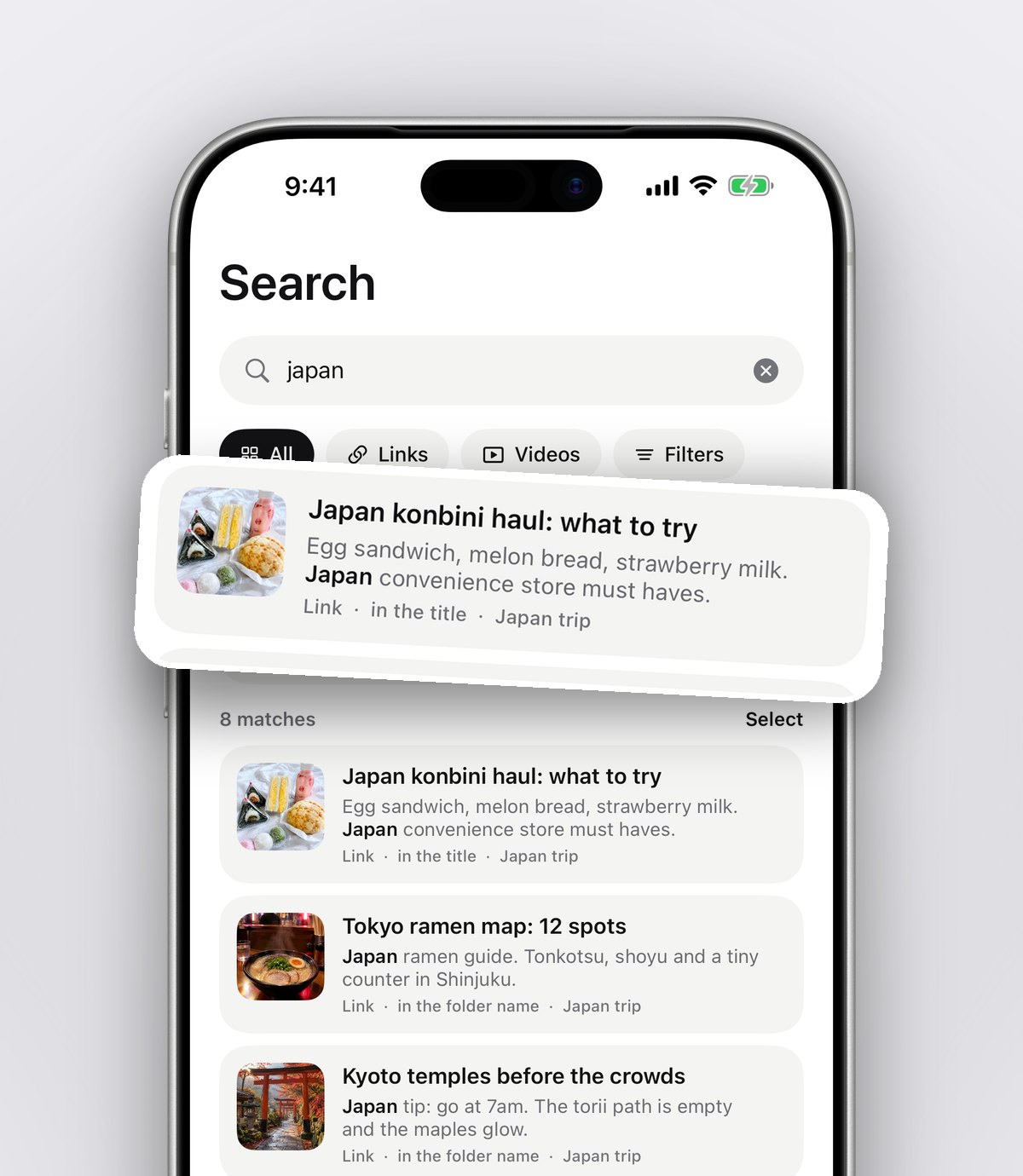
Six months in, you'll want to find that one video about blocking a jumper or repotting a cactus. anoli's search looks inside captions, notes, transcripts, PDFs, tags and creator names, and shows the matching line, so you can search for a technique even if you've forgotten who posted it. You can filter by links, notes, photos, videos or files too.
Share a hobby folder with a friend
Hobbies are often better together. A friend who knits, a parent who gardens, a group that goes on photo walks. Share a folder with one link, and anything either of you saves lands in it, with reactions and a conversation on every save. Shared folders are part of anoli Pro. It's a lovely way to plan a joint project or swap tips without losing them in a chat.
Where else can you keep hobby inspiration?
Each option has its strengths.
- Pinterest boards: wonderful for visual ideas and discovering new ones, especially crafts and decor. Less good for TikTok and Instagram tutorials.
- YouTube playlists: great for long tutorials, but only for YouTube.
- Instagram and TikTok collections: easy to fill, hard to search, and each only holds its own app's posts.
- A notebook or sketchbook: perfect for your own planning, but it can't play a video.
- anoli: one folder per hobby with posts from every app, your own photos and PDFs, tutorials that play in the app and search across all of it.
If you already have a lot on Pinterest, our guide on organising Pinterest boards and reels together shows how to combine them, and anoli's Settings > Import saved posts can turn Pinterest boards into folders.
A folder for every hobby, and time to enjoy them
A hobby folder isn't about being organised for its own sake. It's about sitting down with a free hour and finding the tutorial, the pattern and your notes in seconds, instead of spending the hour scrolling. Give each hobby a folder, split it into ideas, tutorials and things you made, and let the saves do the rest.
Try it with your own hobbies: anoli is free on the App Store, with no account or card needed to start. Read more on the anoli home page or see what people say on the reviews page.
Questions people ask
How do I organise hobby inspiration?
Make a folder for each hobby with three smaller folders inside: Ideas, Tutorials and Made it. Save posts into them as you scroll, and add notes on what worked.
What's the best app for saving craft tutorials?
anoli is a free iPhone app that saves tutorials from Instagram, TikTok, YouTube and websites into folders, plays them in the app with speed controls, and keeps PDF patterns and your own photos alongside.
Can I slow down Instagram and TikTok tutorials?
Yes. In anoli, Instagram, TikTok, YouTube and Vimeo videos play inside the app with pause, scrubbing and speed controls.
Can I save PDF patterns with my saved videos?
Yes. anoli saves PDFs and files alongside posts, and its search looks inside PDFs too. Unlimited files are part of anoli Pro.
Can I import my Pinterest boards into folders?
Yes. Request your data from Pinterest, then use Settings > Import saved posts in anoli. Your boards become folders and the pins are sorted.
Try it with your own saves
Free to start on iPhone and iPad. See what people say.