
Build a simple second brain on your phone (no system required)
· 7 min read
THE SHORT ANSWER
A simple second brain on your phone needs three things: one place to capture from every app, sorting that happens without effort, and search that finds things later. anoli is a free iPhone app that saves posts, links, notes, photos and PDFs from any app into folders, sorts them for you and searches inside captions, transcripts and files, so you get the benefits of a second brain without building a system.
The idea of a second brain is lovely: a trusted place outside your head where every useful idea, article, recipe and plan is kept, so your actual brain can stop juggling it. The reality for most people is a Notion template they set up one Sunday, used for a fortnight and haven't opened since.
Meanwhile the useful stuff keeps arriving on your phone, in reels, links, screenshots and voice notes, and none of it goes into the system because the system lives on a laptop and takes six taps to add anything. This guide is about the opposite approach: a second brain that starts on your phone, takes one tap to feed and sorts itself.
What is a second brain, really?
The phrase was made popular by Tiago Forte's book Building a Second Brain, published in 2022. His method is often summed up as CODE: capture what resonates, organise it so it's useful, distil it down to the key points, and express it by using it in your own work and life. He also suggests the PARA structure for organising: projects, areas, resources and archives.
Underneath the vocabulary, the idea is simple. You can't remember everything you come across, so you keep the good bits somewhere reliable, and you set it up so the right thing is easy to find when you need it.
That's it. No rule says it must be a database, it must have tags, or it must live in a particular app. For most people, the second brain that works is the one that takes the least effort to keep going.
Why do most second brain systems fail?
If you've tried and stopped, you're in very good company. The common reasons are practical, not personal.
- Setup takes too long. Templates, properties, tags and dashboards can take a weekend before you've saved a single idea.
- Capture is slow on a phone. Most ideas arrive on your phone. If adding something means copying a link, opening another app and choosing a page, you'll skip it.
- Sorting becomes a chore. An inbox of 400 unfiled items makes you feel worse, not better.
- Nothing resurfaces. If you never see a saved idea again, it might as well not exist.
- It only covers text. Half of what people save today is video. A system that can't search what was said in a video misses a lot.
What should a second brain app do on a phone?
If you judge an app by those failure points, a short list falls out. A good second brain app for your phone should:
- 1Let you capture from any app in one or two taps, using the share button you already use.
- 2Sort what you save without asking you to decide every time.
- 3Search inside everything: captions, articles, PDFs, notes and what was said in videos.
- 4Bring things back to you with reminders or a simple way to browse by date.
- 5Keep working when you don't touch it for a month.
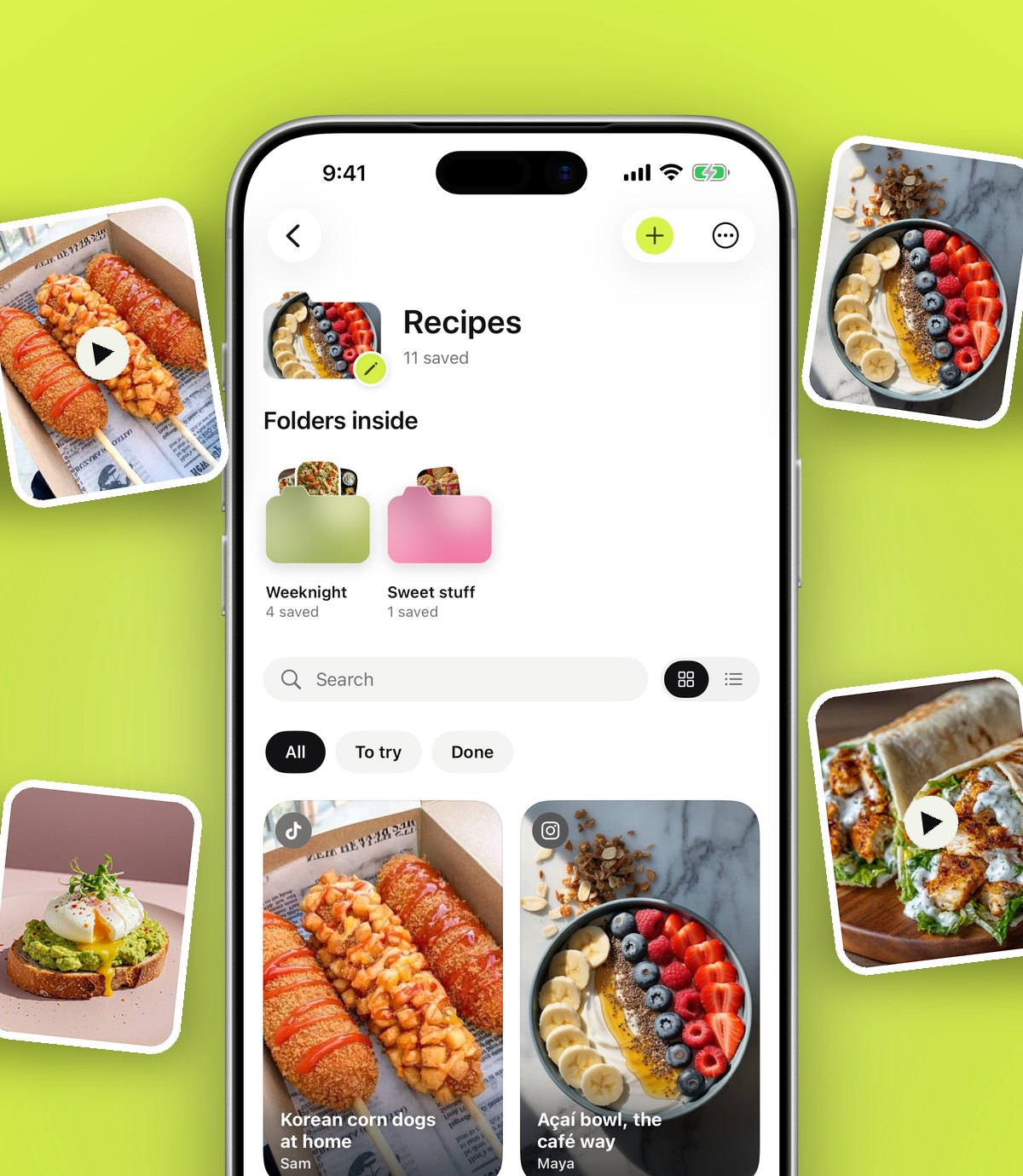
That's the list anoli was built around. It's a free iPhone and iPad app that keeps the things you save online in one place and sorts them into folders. You share a post, link, note or file to it from any app, it reads the caption or page and files it, and search finds it again later.
How to build a simple second brain in one afternoon
You can set this up in less time than it takes to watch a film. Here's the whole thing.
Step 1: Make capture one tap
Open the share sheet in any app, scroll the app row to the end, tap More, then Edit, switch the app on and drag it to the front. Now two taps work from Instagram, TikTok, YouTube, Safari, Reddit, X, Threads, Apple Notes and everything else with a Share button.
Add a couple of extra doors in. On a laptop, the Anoli extension on the Chrome Web Store saves any page with one click and it appears on your phone. If your iPhone has an Action Button, you can set it to save straight into the app, or add the save control to Control Centre.
Step 2: Let the sorting happen for you
The app reads what you save and files it into the right folder, such as Recipes, Workouts or Travel. If it isn't sure, the save waits in Needs sorting so nothing lands in the wrong place. When you move something, it learns for next time. This is the part that keeps a second brain alive, because you never face a mountain of unfiled items.
Step 3: Keep a handful of folders
PARA's "areas" idea is useful here without the full method. Make a small number of folders for the parts of your life you actually care about. For example:
- Home
- Work ideas
- Health and fitness
- Food
- Travel
- Learning
You can put folders inside folders when one grows, such as Food holding Weeknight dinners and Baking. Each folder shows its three latest saves peeking out, so you can see what's in it at a glance.
Step 4: Add one line about why
The single most useful habit in any second brain is writing a short note on why you saved something. "For the kitchen shelves" or "try this intro in my next talk" turns a random link into an idea you can act on. Search looks through your notes along with everything else, so the note is how you'll find it again.
Step 5: Distil the long stuff
For long captions, articles and videos, there's Summarise in anoli Pro. A recipe caption becomes ingredients and steps, and a long post becomes something you can read in a few seconds. Attach a video and the app listens to what's said in it too, so a talk or tutorial becomes a searchable transcript.
Step 6: Let it bring things back
Set a reminder on anything you want to come back to on a certain day. Mark things as done when you've used them. The calendar shows what you saved on any day, and in December you get a look back at what you saved that year.
Tip: Don't import your whole past life on day one. Start capturing from today, and bring old saves in later once the habit sticks.
The ten minute weekly review
Forte recommends a regular review, and it's the bit that makes a second brain feel useful rather than like a pile. Keep it small.
- 1Open Needs sorting and file anything waiting there.
- 2Look at what you saved this week and add a one line note to anything you'll want later.
- 3Mark anything you've used or finished as done.
- 4Pick one saved thing to act on next week and set a reminder.
Ten minutes, once a week. If you miss a week, nothing breaks, because the sorting has kept going without you.
Some people like to end the review by asking one question: what did I save this week that I'd be sad to lose? Whatever comes to mind first is usually the thing worth a note and a reminder. Over a few months, those small notes add up to something much more valuable than the saves themselves: a record of what you were thinking about and why.
How do second brain apps compare?
Different tools suit different brains. Here's a fair look at the popular ones.
- Notion: brilliant for structured work, databases, project pages and team wikis. It rewards people who enjoy building systems. Capturing quickly from social apps on a phone is not its strength.
- Obsidian: stores notes as plain files on your device and is loved for linking ideas together. Ideal for writers and researchers who think in notes. It's mainly for your own writing rather than saving posts and videos.
- Apple Notes: free, fast, already on your iPhone and good for quick text and checklists. Links stay as plain links, and nothing sorts itself, but if you mostly jot down your own thoughts it may be all you need.
- Evernote: one of the original note apps, with a long established web clipper. Good if you mainly clip articles.
- anoli: built for capturing what you find online, from social apps and the web, with automatic sorting and search inside captions, transcripts and PDFs. It's not a writing tool or a project manager.
Many people combine them: write in Notion or Obsidian, and keep the raw inspiration in a save app. Your second brain doesn't have to be one app, as long as each part is easy to use. If you're weighing up note apps for links in particular, our post on the best bookmark manager for iPhone and the guide to what a save for later app is go into more detail.
Is your second brain private?
It should be, because it's full of your life. In this setup, folders, links and notes sync to your account so they're on your iPhone and iPad. Photos, videos and files stay on the phone unless you put them in a shared folder or use one as a cover. One button exports everything as a zip, and another deletes the account. That means you're never locked in.
Start with today's saves
A second brain doesn't need a perfect structure on day one. It needs a quick way in and a reliable way back out. Turn on the share button, save the next few things that catch your eye, and let the folders form around what you actually keep.
If you mostly save links today, the guide to saving links on iPhone is a good next read. When you're ready, get anoli free on the App Store. You can see what it looks like on the anoli website and read reviews from people who use it.
Questions people ask
What is the best second brain app for iPhone?
It depends on what you save. Notion and Obsidian suit people who write and structure notes; anoli suits people who mostly capture posts, links, videos and PDFs from other apps and want them sorted and searchable without setup.
What does CODE mean in Building a Second Brain?
In Tiago Forte's method, CODE stands for capture, organise, distil and express: keep what resonates, organise it to be useful, pull out the key points, then use it.
Do I need Notion to build a second brain?
No. A second brain is just a reliable place to keep and find what you learn. Any tool works if capturing is quick and searching is easy, including a phone app like anoli.
Can a second brain app search inside videos?
anoli Pro can listen to what's said in a video you attach and keep a transcript, so search finds spoken words as well as captions, notes and PDFs.
How do I stop my second brain becoming a mess?
Keep only a handful of folders, let an app sort new saves for you, and do a ten minute weekly review to file anything waiting and add notes.
Try it with your own saves
Free to start on iPhone and iPad. See what people say.