
Looking for a Pinterest alternative for saving ideas from every app?
· 7 min read
THE SHORT ANSWER
If you want somewhere like Pinterest that also keeps ideas from Instagram, TikTok and any website, a save app is the best alternative. anoli is a free iPhone app that saves posts, videos and pages from every app into folders that work like boards, sorts them for you and can even import your existing Pinterest boards.
Pinterest is brilliant at what it does. You search "small bedroom ideas" and get hundreds of beautiful pictures, you pin the ones you like to a board, and you've got a mood board in minutes. For a lot of people it's the first place they go for inspiration.
The trouble is that ideas don't only come from Pinterest anymore. The best kitchen hack you saw this week was a TikTok. The outfit you loved was a reel. The sofa you want is on a shop's website. Pinterest isn't built to hold all of those, so your ideas end up spread across apps. If that sounds familiar, here's what to look for in a Pinterest alternative, and how the options compare.
Why look for a Pinterest alternative?
Most people aren't leaving Pinterest because they dislike it. They're looking for something that fills the gaps. The common ones:
- Your ideas are on other apps. Instagram reels and TikToks don't sit naturally on a Pinterest board.
- Your saves are mixed with suggestions. Pinterest's home feed is designed to keep you browsing, which is lovely for discovery but distracting when you just want your own board.
- Video ideas lose their detail. Many ideas, like recipes and tutorials, live in a video's caption or voiceover, not in a single picture.
- Planning with others is awkward. Group boards exist, but if your friends' ideas come from Instagram and TikTok, they still end up in the group chat.
What should a Pinterest alternative do?
If you want a single home for ideas, look for these things:
- 1Save from any app, not just one website.
- 2Show your saves visually, like boards.
- 3Keep videos playable and carousels swipeable.
- 4Let you search what you saved, including captions and notes.
- 5Organise ideas without you sorting every single one.
- 6Let you share a board with a friend or partner.
What are the best Pinterest alternatives for saving ideas?
There isn't one perfect replacement, so here's a fair look at the main options and who each suits.
Instagram collections
Good for: keeping reels and posts inside Instagram. Collections are free and quick, and you can make them shareable with friends. They only hold Instagram posts, though, and saved posts can't be searched by caption. We've looked at this in depth in Instagram collections vs a save app.
Are.na
Good for: designers, students and researchers who like to collect and connect ideas in channels. It's thoughtful and calm, with no ads. It suits people who enjoy curating carefully more than people who want quick saving from social apps.
Notion or Milanote
Good for: building detailed boards on a laptop, adding text and arranging things exactly how you like. They're powerful, but every idea is added and arranged by hand, which takes time on a phone.
Apple Notes and Freeform
Good for: quick, private collections on Apple devices. Freeform is a free canvas where you can drop images and links. Like Notion, it's all manual, and social posts become plain links.
anoli
Good for: saving ideas from every app into board like folders, with sorting done for you. anoli is a free iPhone app that saves posts from Instagram, TikTok, Pinterest and any website. Videos stay playable and carousels stay swipeable, and you can search captions and your own notes. It's built for people whose inspiration comes from their phone, across several apps.
How do you use folders like Pinterest boards?
If you're used to Pinterest, the folders will feel familiar. Here's how to set them up so they feel like boards.
Make your boards
- 1Create a folder for each idea you're collecting: Bedroom, Garden, Wedding, Autumn outfits.
- 2Give each a cover photo, colour or emoji. Folders show their three latest saves peeking out, so they look like little boards at a glance.
- 3Put folders inside folders when a topic gets big: Home, with Kitchen, Living room and Bedroom inside it.
Save ideas from every app
- 1In Instagram, TikTok, Pinterest, Safari or any app with a Share button, tap Share and choose anoli.
- 2The first time, scroll the app row to the end, tap More, then Edit, switch it on and drag it to the front.
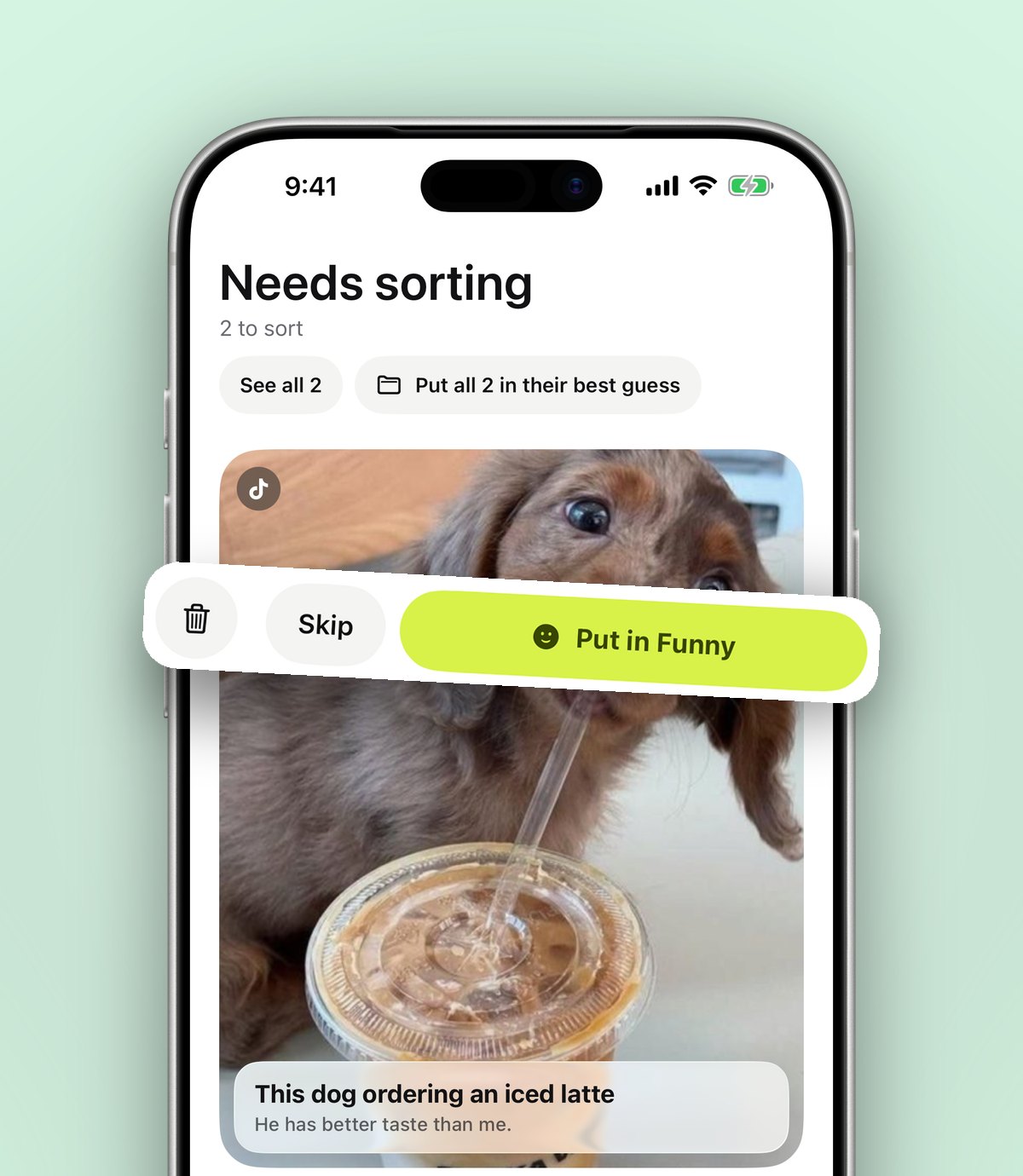
- 3It reads the caption or page and files the save into the right folder. If it isn't sure, the save waits in Needs sorting for a one tap decision.
- 4Move a save once and it remembers where things like it should go.
Tip: you don't have to choose between Pinterest and a save app. Keep pinning on Pinterest for discovery, and share the pins you really want to act on to your save app, where they sit next to your reels and TikToks.
Bring your Pinterest boards with you
If you've spent years building boards, you can bring them in rather than starting again:
- 1In Pinterest, tap your profile picture, then the settings button, then Privacy and data.
- 2Tap Request your data. Pinterest emails you a link when the file is ready, which can take a few days.
- 3Open the email on your iPhone and download the file. There's no need to unzip it.
- 4In the app, go to Settings, then Import saved posts, choose Pinterest and pick the file.
Your Pinterest boards become folders with the same names, and any pins outside a board are sorted for you. The same tool works with Instagram and TikTok downloads, and our step by step guide to exporting Instagram saved posts covers that side.
What about screenshots?
A lot of people use screenshots as a kind of private Pinterest. It works, until your camera roll is three thousand screenshots deep and none of them have a link back to the original. If that's you, our guide on organising screenshots on iPhone walks through a clear out. Going forward, sharing the post itself is better than a screenshot, because the link, caption and video come with it.
Finding ideas when you need them
Saving is only half the job. The other half is finding the idea on the day you're painting the bedroom or standing in a shop. Search looks inside captions, notes, tags, creators and even video transcripts, and shows you the matching line. Type "sage green" and the paint colour from that reel turns up, along with the post on the website you saved last spring.
You can filter by links, notes, photos, videos and files, and a calendar shows what you saved on a particular day, which helps when you remember roughly when you saw something.
Sharing boards with someone else
Pinterest's group boards are one of its best features. anoli has the same idea with Folders with friends, part of Pro. You share a folder with one link, and everything either of you saves lands in it. Every save has reactions and a conversation, which is handy when you're choosing a sofa with a partner or planning a wedding with a sister. Anyone with the link can view the folder on the web.
How do you keep boards from getting messy?
Whatever tool you use, idea boards grow fast. A few habits keep them useful rather than overwhelming:
- 1Make boards for projects, not moods. "Bathroom redo" is easier to act on than "nice things".
- 2Add a word on why you saved it. A quick note like "this tile, not the rug" tells future you what caught your eye.
- 3Mark things done. When you've used an idea, mark the save as done so the folder shows what's left.
- 4Archive finished projects. Move a finished board into a folder called Done rather than deleting it. It's lovely to look back on.
- 5Have a catch all. Ideas that don't fit a project yet can wait in a general folder until one comes along.
These work just as well on Pinterest boards. The difference in a save app is that sorting happens as you save, so the catch all stays smaller.
Which should you choose?
A simple way to decide:
- Mostly discovering ideas from search? Pinterest is still hard to beat.
- Mostly saving from Instagram only? Instagram collections may be enough.
- Building careful research boards on a laptop? Are.na, Notion or Milanote suit you.
- Saving from lots of apps on your phone and want them sorted? A save app fits best.
Plenty of people use two: Pinterest for discovery and a save app as the one place where the ideas they actually want to act on live. If you're curious about saving for later more broadly, our explainer on what a save for later app is is a good next read.
Try it with one board
You don't need to move everything at once. Pick one project you're collecting ideas for right now, make a folder for it and share your next five ideas there from whichever app you find them in. You'll know within a week whether it suits you.
It's free to start, with no account and no card. Download anoli from the App Store, see what people say about it, or learn more on the anoli home page.
Questions people ask
What is the best alternative to Pinterest?
It depends on what you need. For discovery, Pinterest is still strong. For saving ideas from Instagram, TikTok and websites in one place, a save app works well, and Are.na or Notion suit careful research boards.
Can I move my Pinterest boards to another app?
Yes. Request your data from Pinterest under Privacy and data, then import the file in a save app such as anoli under Settings and Import saved posts. Your boards become folders.
Is there an app like Pinterest for TikTok and Instagram saves?
Yes. anoli saves TikToks, reels and posts from any app into folders that work like boards, with videos still playable and captions searchable.
Can I save Pinterest pins into a save app?
Yes. Tap Share on a pin in the Pinterest app and choose anoli, and it's saved and sorted into a folder.
Is anoli free?
It's free to start with no account or card. Pro costs £10 a year and adds unlimited saves, picture covers, summaries and shared folders.
Try it with your own saves
Free to start on iPhone and iPad. See what people say.