
How to find your saved reels on Instagram (and stop losing them)
· 7 min read
THE SHORT ANSWER
On Instagram, your saved reels are on your profile: tap the menu (three lines) in the top corner, then Saved, then All posts. If a reel is missing, check your liked posts and your chats, because the creator may have deleted it. To stop losing reels, save them into folders with an app like anoli, a free iPhone app that sorts saves from Instagram and TikTok and lets you search their captions.
You saved a reel last month. It was a lemon pasta, or a stretch for your lower back, or a tiny bar in Seville. Now you need it and it is nowhere obvious. Instagram does keep your saved reels, but it tucks them away, and once you have saved a few hundred things, finding one is a scrolling marathon.
This guide shows you exactly where saved reels live, where else to look when one seems to have vanished, and a simple habit that means you will never have to hunt like this again.
Where are saved reels on Instagram?
Saved reels sit in the same place as every other saved post. Instagram moves its menus around now and then, but the route has been stable for a long time.
- 1Open Instagram and tap your profile picture in the bottom right corner.
- 2Tap the menu icon, the three lines in the top right.
- 3Tap Saved.
- 4Tap All posts to see everything you have saved, newest first, or tap one of your collections.
Reels appear in the grid alongside photos and carousels. There is no separate list for reels only, so you will be scrolling through everything you have ever saved.
On a computer
On instagram.com, open your profile and choose Saved, or open the More menu and choose Saved. It is the same list, just on a bigger screen, which can make scrolling back through months of saves a little easier.
Why can't I find a reel I saved?
If you have scrolled and scrolled and the reel is not there, one of these is usually the reason.
The creator deleted or archived it
If the person who posted the reel deletes it, archives it, or makes their account private, it can disappear from your saves. There is nothing you can do from your side to bring it back. This is the main reason it is worth keeping your own copy of the important part, like a recipe or an address, rather than relying only on the bookmark.
You liked it rather than saved it
Tapping the heart and tapping the bookmark feel similar in the moment. Check your likes: from your profile, open the menu, tap Your activity, then look for Likes. You can sort and filter that list by date, which helps if you remember roughly when you saw it.
You sent it to someone
A lot of reels get shared in chats rather than saved. Open your messages, go to the conversation with the friend you probably sent it to, and scroll back. If you sent it to several people, the person you talk to most is a good first guess.
You saved it on another account
If you have more than one Instagram account, saves are kept per account. Switch accounts and check Saved on the other one.
It is in a collection
Everything you put in a collection should also appear in All posts, but it is still worth opening your collections. Seeing a smaller set often jogs your memory.
Tip: if you remember the creator's name, go to their profile and open their Reels tab. Scrolling one person's reels is far quicker than scrolling every save you have ever made.
Can you search your saved reels on Instagram?
Not really. Instagram's main search looks across the whole app, not inside your saves, and there is no box to search only the things you saved. You cannot type "lemon pasta" and get back the reel you bookmarked in March.
That is the root of the problem. Saving is easy and finding is hard, and the bigger your saves get, the worse it is. Collections help a bit, but only if you choose one every time you save, and most people stop after a few weeks.
How do I stop losing saved reels?
The fix is to save in a way that keeps three things: the reel itself, the words in its caption, and a sensible place for it to live. You can do that by hand with collections and screenshots, or you can let an app do the sorting for you.
Option 1: be strict with collections
When you tap the bookmark on a reel, a small Save to collection option appears. Tap it and choose a collection, or make a new one. If you do this every time, your saves stay sorted. It is free and built in. The catch is the every time part, and that you still cannot search the captions.
Option 2: screenshot the caption
Some people screenshot the caption of every recipe or list. It keeps the words, but your camera roll fills up, the screenshot has no link back to the video, and finding the right screenshot later is its own search problem.
Option 3: share reels to a save app
This is the method that holds up once you save a lot. Instead of tapping the bookmark, you tap Share on the reel and send it to a save app that files it for you.
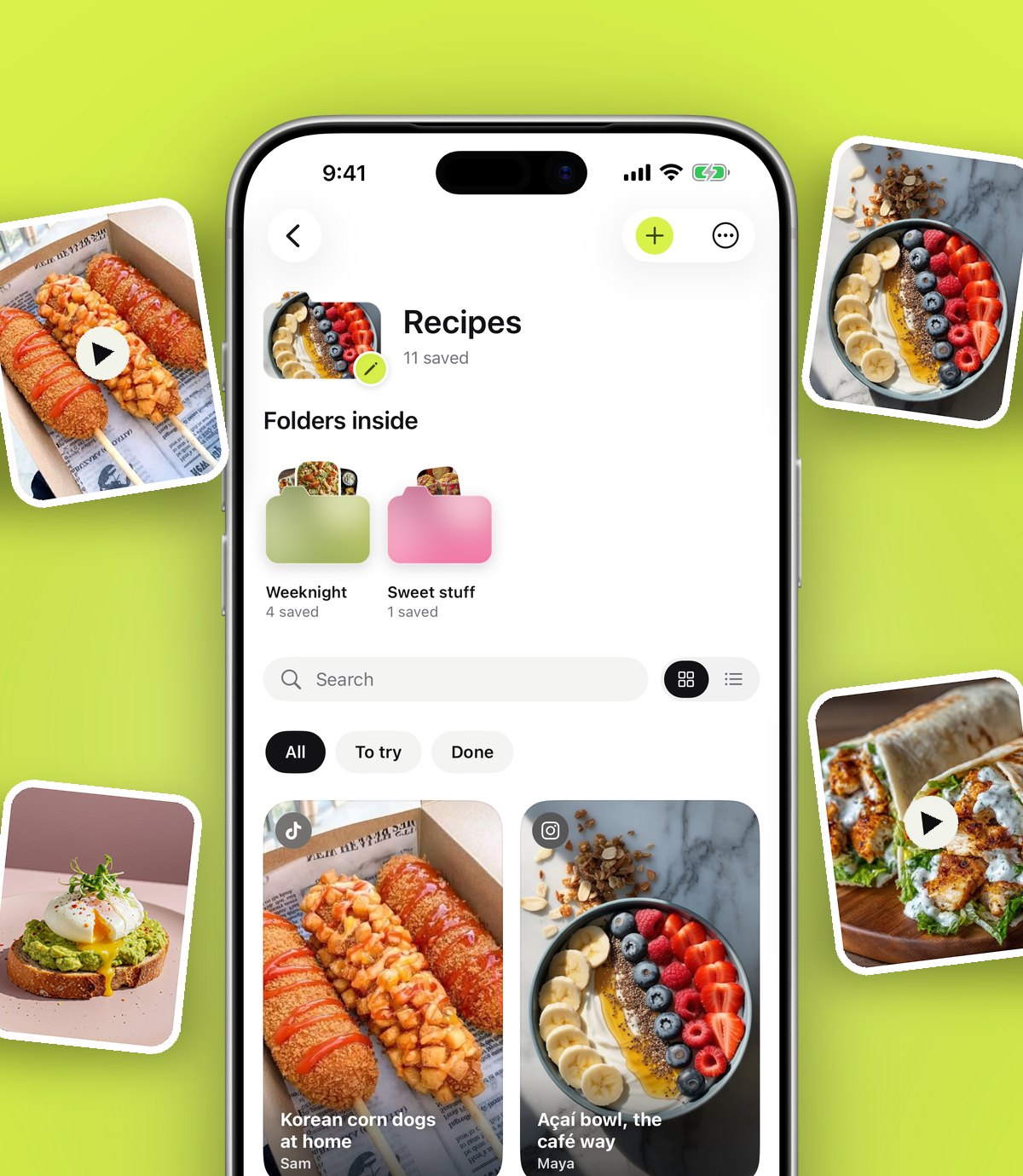
anoli is an iPhone and iPad app built for exactly this. When you share a reel to it, it reads the caption and puts the reel into the right folder, such as Recipes, Workouts, Travel or Style. If it is not sure, the reel waits in Needs sorting so you can file it with one tap. Move something once and it learns for next time.
How to save reels into folders on iPhone
Here is the setup. You only do the first part once.
- 1Install the app: anoli is free on the App Store, with no account or card needed to start.
- 2In Instagram, open any reel and tap the Share button (the paper plane).
- 3Choose the option that opens your iPhone's share sheet. Scroll the row of apps all the way to the end and tap More.
- 4Tap Edit, switch anoli on, and drag it near the front so it is always there.
- 5From now on, saving a reel is: Share, then anoli. You are back in Instagram in about a second.
If anoli does not appear in the list, our support page has the usual fixes.
Finding a reel later
This is where the effort pays off. Open the app and either go to the folder, or use search.
Search looks inside captions, your own notes, transcripts, tags and creator names, and shows the matching line so you can see you have the right one. Type "lemon" and the pasta turns up. Type the creator's name and you get everything you saved from them.
If you remember when you saved something but not what it was called, the calendar shows what you saved on each day. And when you open a reel, it plays inside the app with pause, scrub and speed controls, which is handy for a workout or a recipe you need to follow step by step.
Tip: for recipes and tutorials, add a note as you save, like "use less chilli" or "good for Sunday". Notes are searchable, and they keep what mattered to you even if the reel later disappears from Instagram.
What about the reels you have already saved?
You probably have months or years of saved reels already. You do not need to reshare them one by one.
Request a copy of your information from Instagram's Accounts Centre. When the download is ready, open anoli, go to Settings, then Import saved posts, and choose the file. Your collections become folders, and everything else is sorted the same way as a new save. It is a nice moment to see years of saves suddenly in order.
For a fuller look at the options for keeping Instagram saves in order, read our guide to the best app to save Instagram posts. If most of your saved reels are recipes, how to save Instagram recipes you can actually find goes further into cooking from them.
Is it worth it if I only save a few reels?
Honestly, if you save a handful of reels a month, Instagram's Saved section with a couple of collections is fine. Make a collection for each thing you care about and stick to it.
If you save most days, or you save from TikTok and YouTube as well, keeping everything in one sorted, searchable place starts to save real time. anoli works with the Share button in Instagram, TikTok, YouTube, Pinterest, X, Reddit, Threads, Facebook and every browser, so a reel and a TikTok about the same restaurant end up side by side.
Quick recap
- Saved reels live at Profile, then the menu, then Saved, then All posts.
- If one is missing, check Likes under Your activity, your chats, and your other accounts.
- A reel can disappear from your saves if the creator deletes or archives it.
- Instagram cannot search inside your saves, so keep the important words somewhere you can search.
- Sharing reels to a save app gives them folders and search without extra effort.
You can find out more about how it works on the anoli home page, or read what people say on the reviews page.
Questions people ask
Where do saved reels go on Instagram?
They go to your Saved section. Tap your profile picture, then the menu (three lines), then Saved and All posts. Reels appear in the same grid as photos and carousels.
Why did a reel disappear from my saved posts?
Usually because the creator deleted or archived it, or made their account private. Once that happens, it can no longer be seen in your saves.
Can I search my saved reels on Instagram?
Instagram does not let you search inside your saved posts. If you share reels to a save app like anoli, you can search their captions, your notes and creator names.
Can I see reels I liked but did not save?
Yes. From your profile, open the menu, tap Your activity and look for Likes. You can sort and filter the list by date.
How do I organise saved reels into folders?
On Instagram you can use collections, choosing one each time you save. anoli files reels into folders automatically when you share them to it.
Try it with your own saves
Free to start on iPhone and iPad. See what people say.