
Where do saved TikToks go? A simple way to organise them
· 3 min read
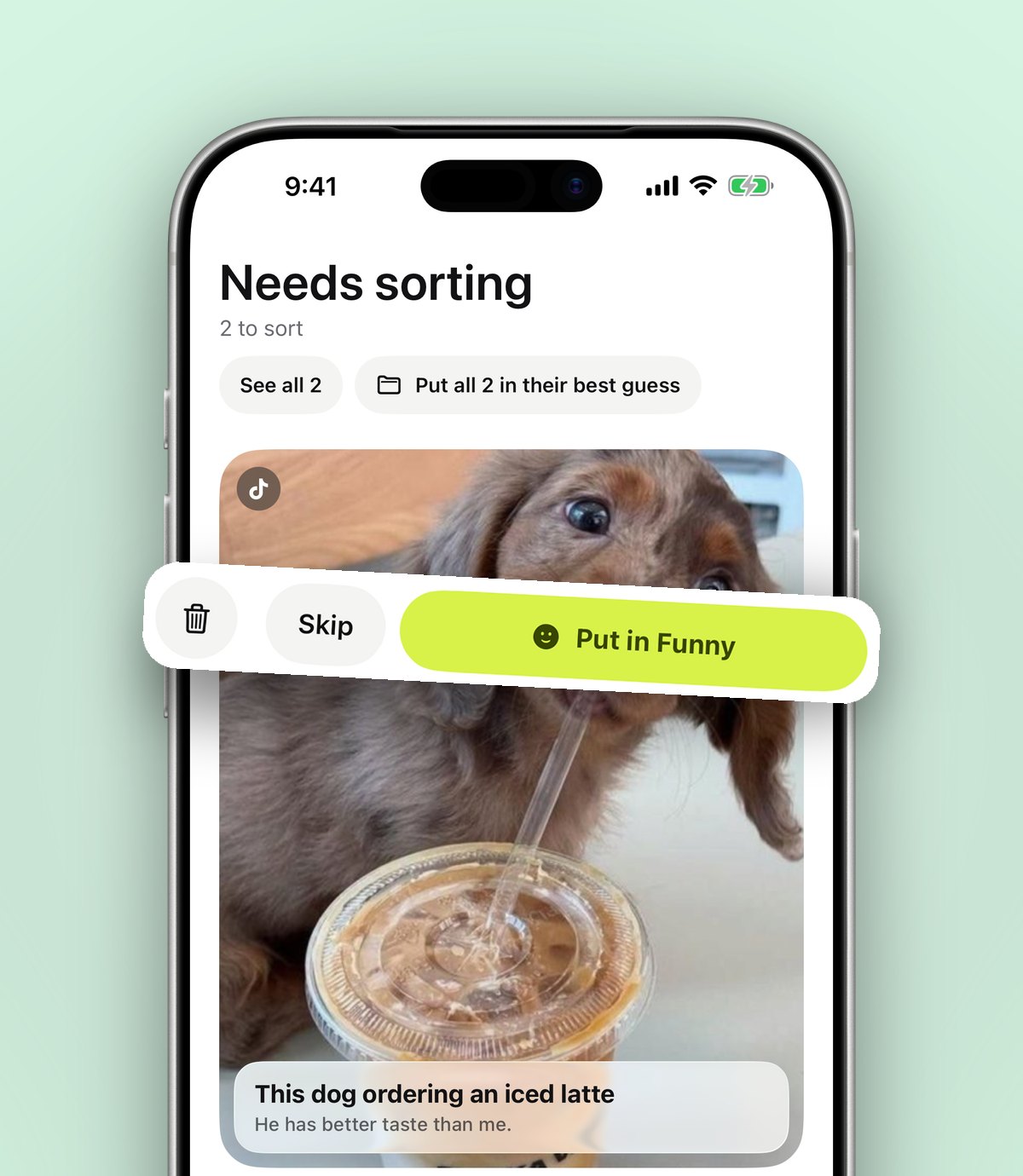
TikTok favourites pile up fast and are hard to search. Here's how to give your saved TikToks folders, search and a home outside the app.
TikTok's Favourites tab fills up quickly. A cleaning hack, a London café, a workout, a funny video for your sister. It's all there, in one long scroll, and finding one video means scrolling until your thumb hurts.
The problem with TikTok favourites
- Collections exist, but you have to choose one every time you save.
- You can't search your favourites by what was said in the video or the caption.
- Videos get deleted or go private, and they vanish from your list without warning.
Give every TikTok a folder
On any TikTok, tap Share, scroll to the end of the row and tap More, then choose anoli. The first time, switch anoli on and drag it near the front so it's one tap away after that.
anoli reads the video's caption and files it for you: places to Travel, recipes to Recipes, workouts to Workouts. If it isn't sure, the save waits in Needs sorting so nothing goes in the wrong place.
Find it in seconds
Search in anoli looks through captions, titles and your own notes. Remember a word from the video and you'll find it, without scrolling back through months of favourites.
Plan with friends
Saving places for a trip or restaurants to try? Share the folder. Friends can add their own finds from TikTok, so everyone's ideas end up in one list instead of a group chat full of links.
Bring your old favourites over
Already have hundreds of favourites? Download your data from TikTok, then in anoli open Settings and Import saved posts. Your TikTok collections become folders, and everything else is sorted the same way as a new save.
Try it with your own saves
Free to start on iPhone and iPad. See what people say.