
How to save TikTok videos into folders on iPhone
· 7 min read
THE SHORT ANSWER
You can save TikTok videos into folders in two ways: use TikTok's own collections in your Favourites, or share each video to anoli, a free iPhone app that reads the caption and files the TikTok into the right folder for you. Collections are built in but need you to choose every time; anoli sorts automatically and lets you search what you saved.
TikTok is very good at showing you things you want to keep. A ten minute dinner, a stretch for tight hips, a flat tour with the perfect shelf, a café in Manchester you have to try. Tap the bookmark and it goes into Favourites. Do that every day for a year and Favourites becomes a very long scroll.
Folders fix that. When your TikToks are grouped by what they are for, you can open Recipes on a Tuesday night and see only recipes. This guide covers the three ways to get TikToks into folders on iPhone, what each is good for, and a setup that keeps working without daily admin.
Can you make folders on TikTok?
Yes, sort of. TikTok calls them collections, and they live inside your Favourites. They work like folders for your saved videos, and you can make as many as you like.
How to create a TikTok collection
- 1Open TikTok and tap Profile in the bottom right.
- 2Tap the Favourites tab, the bookmark icon under your bio.
- 3Open the Collections section and tap the option to create a new collection.
- 4Give it a name, like Dinners or Gym, and choose the videos from your favourites you want in it.
How to save a video straight into a collection
When you tap the bookmark on a video, TikTok usually shows a small prompt to add it to a collection. Tap that, pick the collection, and it is filed. Ignore the prompt and the video just goes into your general Favourites.
TikTok changes its layout from time to time, so the words may differ slightly on your phone, but the idea has stayed the same: Favourites, then Collections.
What is wrong with TikTok collections?
Nothing, if you are disciplined. They are free, they are built in, and they keep everything inside TikTok. But most people run into the same problems after a few weeks.
- You have to choose every time. The prompt disappears after a couple of seconds, and if you are halfway through scrolling you just tap the bookmark and move on.
- No search inside your saves. You cannot type a word and get back the video you saved, so a big collection is still a long scroll.
- Collections only hold TikToks. The same recipe idea from Instagram, or a restaurant from a website, lives somewhere else.
- Videos can vanish. If a creator deletes a video or makes it private, it can disappear from your favourites.
Should you download TikToks into a folder instead?
Many TikToks have a Save video option in the Share menu, which downloads the clip to your camera roll. From there you could put it in an album in the Photos app.
It works, and it keeps the video even if the original is deleted. But there are real downsides:
- Downloads take up space on your phone, and video adds up quickly.
- You lose the caption, which is where recipes, product names and addresses usually are.
- You lose the link back to the creator, so you cannot see their follow up or the comments people left with tips.
- Not every creator allows downloads, so it will not work for every video.
- Your camera roll fills up with clips mixed in with your own photos.
Downloading makes sense for one or two videos you really want to keep forever. For everyday saving, keeping the link and the caption is more useful.
The easiest way: save TikToks into folders with the Share button
The method that holds up is to save through the Share button into an app that sorts for you. You tap Share on a TikTok, choose the app, and the video is filed in the right folder without you picking one.
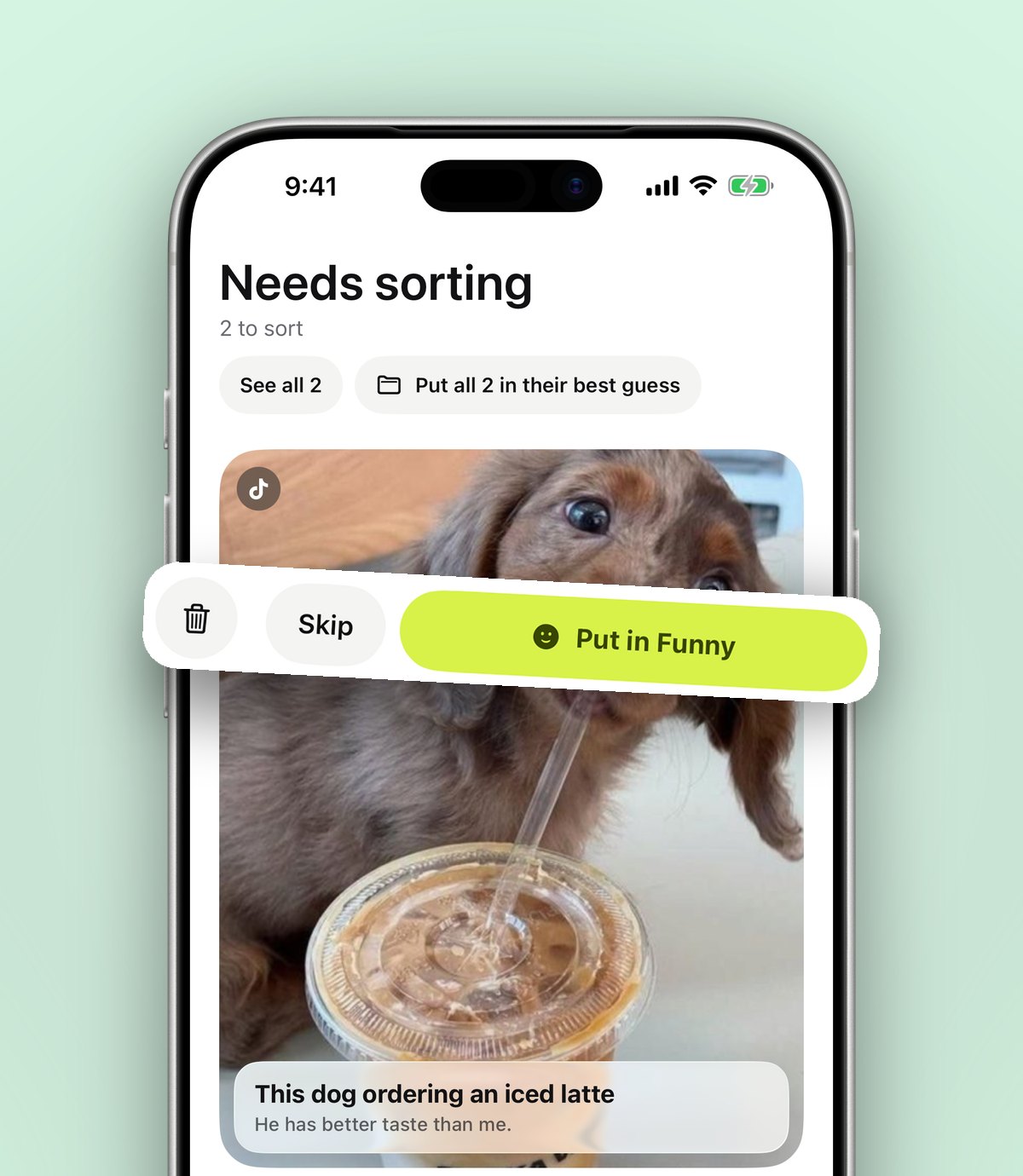
anoli is a free iPhone and iPad app that does this. It reads the TikTok's caption and puts the video in a folder like Recipes, Workouts, Travel, Home or Style. If it cannot tell, the video waits in Needs sorting until you file it with one tap. When you move a save, it learns where similar things should go next time.
Set it up once
- 1Download anoli free on the App Store. You can start without an account.
- 2Open TikTok, find any video, and tap the Share arrow on the right.
- 3In the bottom row, scroll right and tap More (or the option that opens your iPhone's share sheet).
- 4In the share sheet, scroll the app row to the end and tap More, then Edit.
- 5Switch anoli on and drag it to the front of the list.
- 6Tap anoli. The TikTok is saved and sorted, and you are back on your For You page.
After the first time, it is just two taps. If something goes wrong with the share sheet, the support page covers the common fixes.
Tip: you can still tap the bookmark in TikTok as well. Saving it to the app does not change anything in your TikTok account, so the two can live side by side while you try it out.
How should you set up your TikTok folders?
The folders you start with matter less than you think, because sorting happens for you. Still, a few patterns work well.
Start broad
Begin with five or six folders that match how you live: Recipes, Workouts, Travel, Home, Style, Learn. Broad folders catch most things and keep the list short.
Split only when a folder gets crowded
When Recipes has a hundred videos in it, add folders inside it: Quick dinners, Baking, Meal prep. Folders can sit inside folders, so nothing gets lost by splitting.
Make a folder for a plan, not just a topic
Topic folders are good for browsing. Plan folders are good for doing. A folder called Paris in March, or Mum's birthday, or New flat, collects saves from every topic around one goal. Our guide to planning a trip from saved posts shows how a plan folder works.
Make it easy to spot
Each folder shows its three latest saves peeking out, so you can see what is inside without opening it. You can also give a folder a cover photo, a colour or an emoji, which makes a long list much quicker to scan.
Watching your TikToks once they are in folders
Open a saved TikTok and it plays inside the app with proper controls: pause, scrub back to the bit you missed, or slow it down to catch a step. TikTok photo posts, the ones you swipe through, stay swipeable.
When you need to find something, search looks inside captions, your notes, transcripts, tags and creator names, and shows the matching line. Filter to videos only if you know it was a video, or use the calendar to see what you saved on a particular day.
For recipes in particular, Pro adds summaries: tap Summarise and the caption becomes a clear list of ingredients and steps. Attach the video and it listens to what is said too, which helps when the method is spoken rather than written.
What about the TikToks already in my Favourites?
You do not have to reshare old favourites one at a time. TikTok lets you download your data from its settings, and that file includes your favourites. Once it is ready, open the app, go to Settings, then Import saved posts, and choose it. Your TikTok collections become folders, and everything else is sorted like a new save.
We cover what to expect from that download in more detail in our guide to organising saved TikToks.
Which method should you use?
- TikTok collections: best if you save a few videos a week, only from TikTok, and do not mind choosing a collection each time.
- Downloading to Photos: best for the odd video you want to keep even if it is deleted.
- A save app with folders: best if you save often, save from more than one app, or want to search what you saved.
Sharing folders with friends
Some folders are better shared. A restaurant list with your partner, a trip with friends, a recipe folder with whoever you live with. With anoli Pro, you send one link and the other person is in. Everything either of you saves lands in the folder, and you can react and chat on each save.
Pro is £10 a year, or the local equivalent, through the App Store, and you can cancel any time in your iPhone settings. It also adds unlimited saves and files, picture covers, summaries and transcripts.
In short
TikTok's collections are a decent start, but they rely on you picking one every time and they cannot be searched. Sharing TikToks to a save app gives you real folders that fill themselves, plus search, and puts your TikToks next to everything you saved from Instagram and the web. Find out more on the anoli home page or read what people say about it.
Questions people ask
Can you put TikTok favourites into folders?
Yes. TikTok lets you make collections inside your Favourites, which work like folders. You choose a collection when you save, or add videos to it later.
Can I save TikToks into folders without downloading them?
Yes. Use TikTok collections, or share the video to a save app like anoli, which keeps the link and caption and files the video into a folder without using space for the video file.
Are my TikTok collections private?
TikTok lets you choose who can see your favourites and collections in your privacy settings. Saves you keep in anoli are only visible to you unless you put them in a shared folder.
Why can't I find a video in my TikTok favourites?
The creator may have deleted it or made it private, which removes it from your favourites. Keeping a note of the important details in a save app means you do not lose them.
Can I search my saved TikToks?
TikTok does not offer search inside your favourites. anoli lets you search the captions, notes, transcripts and creator names of the TikToks you saved.
Try it with your own saves
Free to start on iPhone and iPad. See what people say.