
TikTok favourites hard to find? Where saved TikToks go
· 7 min read
THE SHORT ANSWER
TikTok favourites live on your profile, under the bookmark tab. If a saved video is missing, the creator may have deleted it or made it private, or you may be on a different account or an out of date app. To keep favourite TikToks safe and searchable, save them to anoli, a free iPhone app that files TikToks into folders and keeps their captions and your notes.
You know you saved it. A TikTok of a hidden beach in Cornwall, or a three ingredient dessert, or a hack for folding fitted sheets. You open your favourites, scroll, and scroll, and it is not there. Or your favourites look strangely short, as if half of them have gone.
This happens to a lot of people, and there is usually a simple explanation. This guide covers where TikTok keeps your favourites, the common reasons a saved TikTok stops showing, fixes to try, and how to keep the videos that matter in a place where they will not quietly vanish.
Where are my favourites on TikTok?
TikTok keeps everything you save on your own profile.
- 1Open TikTok and tap Profile in the bottom right corner.
- 2Under your bio, you will see a row of tabs. Tap the bookmark icon. This is Favourites.
- 3Inside Favourites, you will find your saved videos, plus any collections you have made. Depending on your version of the app, saved sounds, effects and other items may sit in their own sections here too.
If you do not see the bookmark tab, make sure you are on your own profile, not someone else's, and that the app is up to date.
What counts as a favourite?
A TikTok becomes a favourite when you tap the bookmark icon on the right of the video, or press and hold the video and choose to add it to favourites. Liking a video with the heart does not add it to favourites. Liked videos have their own tab on your profile, the heart icon, and depending on your privacy settings that tab may be hidden.
Why are my TikTok favourites not showing?
Here are the usual reasons, roughly from most to least common.
The video was deleted or made private
This is the most common one. If a creator deletes a video, makes it private, or their account is removed or goes private, the video disappears from your favourites. You are not told when this happens. It is simply gone the next time you look.
You liked it instead of saving it
The heart and the bookmark are close together. Check your Liked tab on your profile. If you find it there, tap the bookmark this time.
You saved it on another account
If you switch between accounts, each one has its own favourites. Tap your username at the top of your profile to switch and check the other account.
It is inside a collection
Videos you put in a collection should still be part of your favourites, but if you are scanning a long list, it can be quicker to open each collection and look there.
The app needs updating or a refresh
Sometimes favourites load slowly or show as empty because of a glitch. Try these in order:
- 1Check you have a good internet connection.
- 2Close TikTok fully and open it again.
- 3Update TikTok from the App Store.
- 4Clear the cache: go to Settings and privacy, then look for Free up space and clear the cache. This does not delete your favourites.
- 5Log out and log back in.
If none of that works and the whole Favourites tab is empty, contact TikTok's support from Settings and privacy, then Report a problem.
It was removed for breaking the rules
TikTok removes videos that break its community guidelines. If that happens to a video you saved, it disappears from your favourites like any deleted video.
Can you search your TikTok favourites?
No. TikTok's search looks across all of TikTok, not inside the things you saved. That is why a big favourites list is hard to use: you scroll until you see the thumbnail you remember. If you cannot remember what the thumbnail looked like, you are stuck.
How do you stop losing TikTok favourites?
There is no way to stop a creator deleting their video. But you can make sure the important parts of what you saved are kept, and that you can find them again. There are three approaches.
1. Download the video
Many videos have a Save video option in the Share menu, which puts a copy in your camera roll. It keeps the video even if the original goes, but you lose the caption and the link to the creator, it uses storage, and not every creator allows downloads. Best for the handful you would be truly sad to lose.
2. Write down what mattered
For recipes, places and product names, the useful bit is often a few lines of text. Copying the caption into a note means you keep the recipe even if the video goes. It works, but it is slow.
3. Save to an app that keeps the caption and your notes
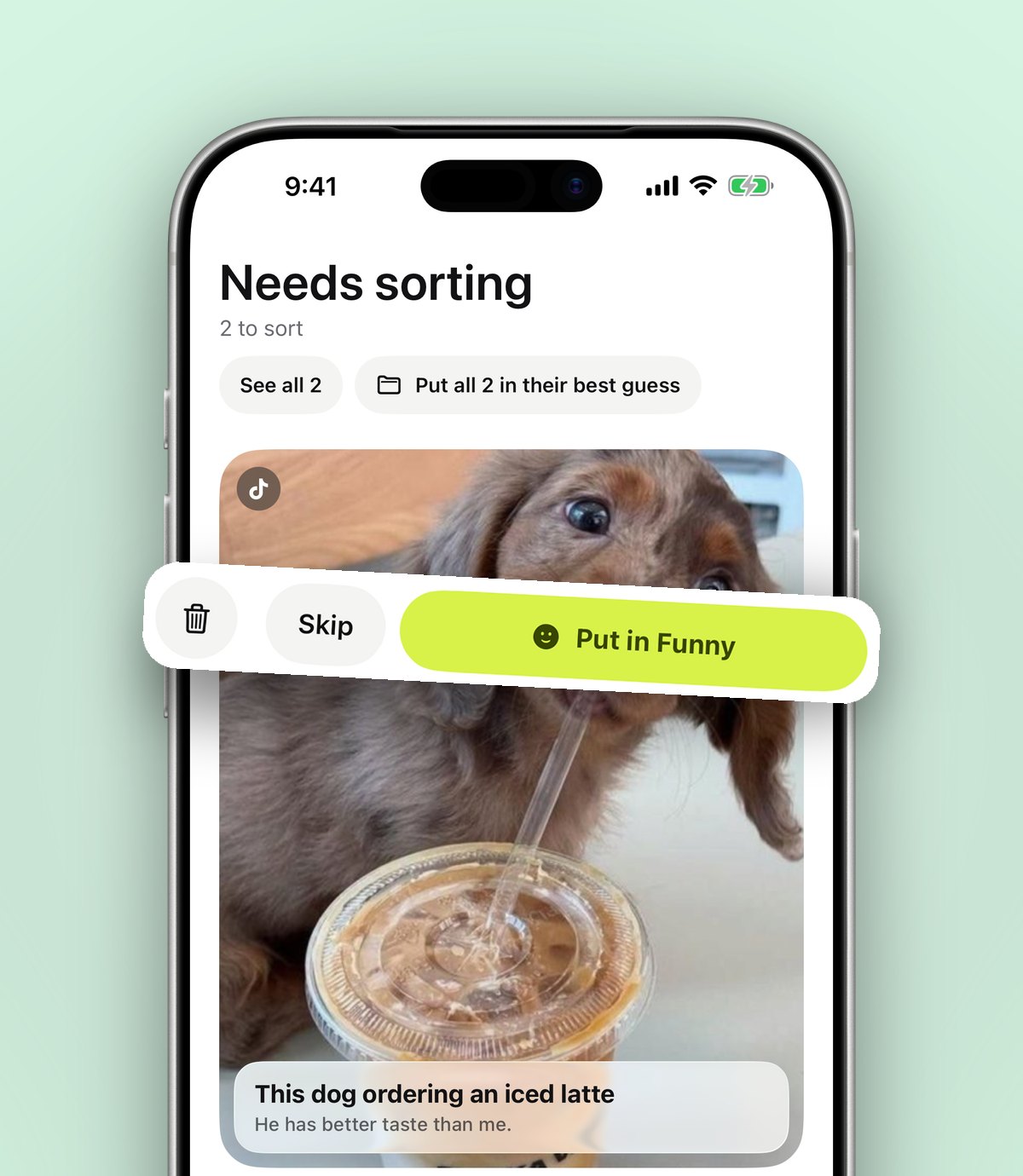
anoli is a free iPhone and iPad app that saves posts from TikTok, Instagram and any website into folders. When you share a TikTok to it, it keeps the link and reads the caption to file the video into the right folder, such as Recipes, Travel or Workouts. If it is unsure, the video waits in Needs sorting for one tap.
You can add your own note to any save, and search looks inside captions, notes, transcripts, tags and creator names. So even a year later, typing "Cornwall" or "fitted sheet" brings the right TikTok back, along with what you wrote about it.
Tip: when you save a TikTok you really care about, add a quick note with the key detail, like the name of the beach or the three ingredients. If the original is ever deleted, you still have what mattered in your own words.
How to save TikToks to anoli
- 1Download anoli from the App Store. It is free to start, with no account or card.
- 2In TikTok, tap the Share arrow on any video.
- 3Scroll the bottom row to the right and tap More to open your iPhone's share sheet.
- 4Scroll the row of apps to the end, tap More, then Edit. Switch anoli on and drag it to the front.
- 5Tap anoli. The video is saved and sorted, and you are back in TikTok.
If it does not appear, the support page explains what to check. We also have a step by step guide to saving TikTok videos into folders if you want more on setting up your folders.
How to rescue the favourites you already have
You probably have a long list of favourites already. You can bring them over in one go rather than resharing each one.
- 1In TikTok, go to Settings and privacy, then Account, then Download your data.
- 2Choose the file format and request the file. TikTok prepares it in the background, which can take a while. You will be able to download it from the same screen when it is ready.
- 3Open the app, go to Settings, then Import saved posts, and choose the file.
- 4Your TikTok favourites are brought in. Collections become folders, and everything else is sorted like a new save.
Doing this now is worth it even if you are happy with TikTok as it is. It gives you a sorted, searchable copy of your list, with the captions, that does not depend on remembering a thumbnail.
Watching saved TikToks in the app
Saved TikToks play inside the app with pause, scrub and speed controls, so you can slow down a dance tutorial or rewind a recipe step. Photo posts you swipe through stay swipeable. Each folder shows its three latest saves peeking out, and you can give it a cover photo, colour or emoji.
With anoli Pro, which is £10 a year through the App Store, you can tap Summarise to turn a long caption into something usable, like ingredients and steps for a recipe. Attach the video and the app listens to what is said in it too, which is very handy on TikTok, where so much is spoken rather than written. Pro also adds unlimited saves and files, picture covers and folders shared with friends. You can cancel any time in your iPhone settings.
TikTok favourites or a save app: which should you use?
- TikTok favourites are perfect for quick saves you will rewatch inside TikTok, especially if you only save now and then.
- Downloading is right for the few videos you want to own a copy of.
- A save app is best when you save often, want to search, or save the same kinds of things from Instagram and the web as well.
You can easily use more than one. Saving a TikTok to anoli does not remove it from your TikTok favourites.
Quick recap
- Favourites live on your profile, under the bookmark tab.
- Missing videos have usually been deleted or made private by the creator.
- Check your Liked tab and your other accounts, then try restarting, updating and clearing the cache.
- TikTok favourites cannot be searched, so keep the important details somewhere you can search.
- Import your existing favourites into folders so the whole list is sorted and safe.
For more ideas on keeping TikToks tidy, read where saved TikToks go and how to organise them. You can find out more about the app on the anoli home page or read reviews from people who use it.
Questions people ask
Where do I find my favourites on TikTok?
Go to your profile and tap the bookmark icon under your bio. Your saved videos and collections are there.
Why did videos disappear from my TikTok favourites?
Usually the creator deleted the video, made it private, or their account was removed. TikTok also removes videos that break its guidelines.
Are TikTok favourites private?
You can choose who sees your favourite videos in TikTok's privacy settings. Saves in anoli are private to you unless you put them in a shared folder.
Can I search my TikTok favourites?
TikTok does not let you search inside your favourites. If you save TikToks to anoli, you can search their captions, your notes, transcripts and creator names.
How do I back up my TikTok favourites?
Request your data from TikTok under Settings and privacy, Account, Download your data. You can then import the file into anoli, where favourites are sorted into folders.
Try it with your own saves
Free to start on iPhone and iPad. See what people say.