
Can't decide where to eat? Let your group vote from a shared folder
· 6 min read
THE SHORT ANSWER
To decide where to eat as a group, start from a short list of places people already want to try, agree a couple of rules like budget and area, and let everyone vote privately so the loudest voice doesn't win. In anoli, a free iPhone app that saves restaurants from Instagram, TikTok and any website into folders, a shared folder has Decide together in its menu: everyone swipes yes or no on the saves, and a place is a match once everyone deciding says yes.
Where shall we eat? I don't mind, you choose. No, you choose. Ten minutes later, you're all standing on a cold pavement in December scrolling Google Maps, and you end up at the same chain you always go to.
Deciding where to eat is one of the most common small arguments people have, with partners, flatmates, families and friends. It isn't really about food. It's about too many choices and nobody wanting to be the one who picked badly. This guide gives you a simple, fair way to decide, and shows how a shared folder and a quick vote can end the debate in a couple of minutes.
Why is it so hard to decide where to eat?
A few things make the question harder than it should be.
- Too many options. A city has hundreds of places. Choosing from everything is exhausting.
- Nobody wants responsibility. If you pick and it's disappointing, it's your fault. So everyone defers.
- Hidden rules. One person is vegetarian, one is on a budget, one doesn't want to travel far. Nobody says so until the suggestion is made.
- The loudest voice wins. In a group chat, the first confident suggestion often sticks, even if half the group would rather go elsewhere.
The fix is to change the question. Instead of where shall we eat, it becomes which of these five do we all fancy.
A simple way to decide where to eat as a group
Here's a method that works for two people or ten.
- 1Start with a shortlist. Five to ten places, no more. Ideally places someone has already saved because they wanted to go.
- 2Agree the rules first. Budget, area, any dietary needs, and whether you need a booking.
- 3Remove anything that breaks a rule. Do this before anyone votes.
- 4Let everyone vote privately. Yes or no on each place, without seeing what the others said.
- 5Pick from the places everyone said yes to. If there's more than one, go with the one that's easiest to book or closest.
- 6If nothing matches, relax one rule and vote again on the places that nearly made it.
Voting privately is the important bit. It removes the pressure of going first and stops people agreeing just to be polite.
Tip: Agree in advance that whoever suggests a rule has to say it before the vote, not after. It saves a lot of I'm not really in the mood for Italian.
Where does the shortlist come from?
The best shortlist is the one you've been building without trying. Most of us save restaurants constantly: a TikTok of a ramen place, an Instagram reel of a Sunday roast, a friend's recommendation in a chat. If those are all in one place, deciding is easy.
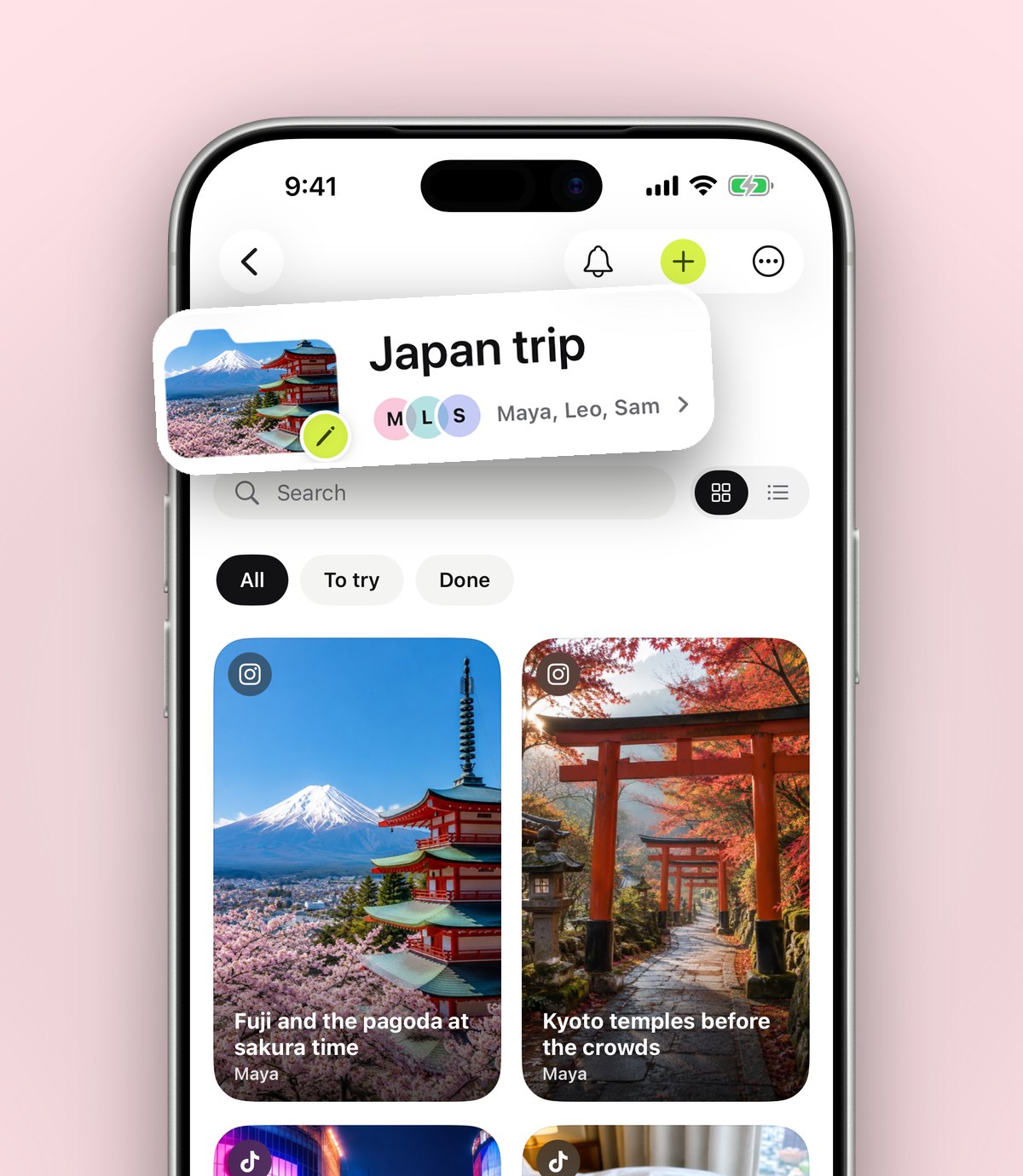
A shared folder is the natural home. In anoli, make a folder called Places to eat, open the ⋯ menu and choose Share, then send the link to the people you eat with. From then on, whenever anyone sees somewhere good, they tap Share in Instagram, TikTok or Safari and choose anoli. anoli reads the caption, files it, and the restaurant lands in the shared folder for everyone. Each save has reactions and a conversation, so you can say yes, I've heard about this place right next to it. Shared folders are part of anoli Pro.
If you want to go deeper on building the list itself, read our guides to keeping a restaurant wishlist and to saving London restaurants from TikTok.
How does Decide together work in anoli?
Once you have a shared folder of places, anoli can run the vote for you. It lives in the folder's menu, so the page itself stays clean.
- 1Open the shared folder.
- 2Tap the ⋯ menu and choose Decide together.
- 3Swipe through the saves one at a time. Swipe right for yes, left for no, or tap the Yes and No buttons.
- 4Everyone else in the folder can do the same from their own phone, whenever they like.
- 5A save becomes a match once everyone deciding has said yes to it. You can see your matches at any time.
Everyone swipes on their own phone, in their own time, so nobody is swayed by the first confident suggestion in the chat. Only places everyone said yes to become matches. And because the folder is full of places people actually chose to save, the matches are usually places you'll all enjoy.
Tip: Before you swipe, tidy the folder for tonight: move places that are too far or closed today into a smaller folder for another time. A shorter deck makes a match more likely.
What if your group never agrees?
Some groups match on nothing. That's useful information, and there are a few ways forward.
- Lower the bar. Vote on whether you'd be happy to go, not whether it's your favourite.
- Take turns. Agree that each person picks the place every few meals, from the shared folder.
- Split the decision. One person chooses the area, another chooses the place within it.
- Have a default. A reliable place everyone likes, for nights when nobody has energy to decide.
What rules should a group agree before voting?
Two minutes on rules saves twenty minutes of debate. Agree these before anyone swipes.
- Budget. Roughly how much each person wants to spend, including drinks.
- Area. How far everyone is happy to travel, and from where.
- Food needs. Vegetarian, vegan, allergies, halal, or anyone who can't do spice.
- Booking. Do you need a table for a big group, or can you walk in?
- Time. Some places stop serving early, especially on Sundays.
Then go through the folder and move anything that breaks a rule out of tonight's list. Notes on each save help here: add things like cash only, no bookings or great for groups when you first save a place, and the shortlist almost builds itself.
Other ways to decide where to eat
There are lots of tools for this, and each suits a different situation.
- A group chat poll. WhatsApp and Messenger have polls. Quick, but everyone can see the votes as they come in.
- A random picker. A spinning wheel app or a coin is fun when you genuinely don't mind. Less fun when someone hates the result.
- Google Maps. Good for finding what's open and nearby right now, with reviews and opening times.
- Booking apps. Useful once you've decided, to check tables and book.
- A shared folder with Decide together: good when you have a list of places people already want to try, and you want a fair, private vote.
Many groups use a mix: a shared folder for the long list, a quick vote for tonight, and a maps app to get there.
Deciding where to eat as a couple
With two people, the method gets even simpler. Keep a shared folder of places you both want to try. When you're deciding, both swipe through it. Anywhere you both said yes to is a match, and you're done in a minute. It's also a nice way to find out that your partner secretly wants to try the dumpling place too. Our post on shared lists for couples has more ideas for things to plan together.
Deciding where to eat on a trip
On holiday the stakes feel higher, because you only have a few meals. Build a shared trip folder before you go, then decide each evening from the places near where you are. Seeing saved places on a map helps a lot here, because the best match is no use if it's forty minutes away. For planning the whole trip together, see our guide on the easiest way to plan a trip with friends.
December tip: decide early for Christmas meals
December is the busiest month for group meals: work dos, friends' dinners, family get togethers. Popular places get booked up weeks ahead. Start the shared folder and the vote early in the month, then book as soon as you have a match. Set a reminder on the winning save so whoever's booking doesn't forget.
Make where shall we eat an easy question
Most food arguments disappear when you change the question from where to which of these. Keep a shared list of places people already want to try, agree the rules before you choose, and vote privately. With a folder you all add to and a quick swipe, the decision takes minutes and nobody has to be the one who picked.
To try it, download anoli on the App Store. It's free to start, and anoli Pro, which includes shared folders, is £10 a year. See more on the anoli home page or read the reviews.
Questions people ask
How do you decide where to eat with friends?
Make a short list of places people already want to try, agree budget and area first, then let everyone vote yes or no privately and choose from the places everyone said yes to.
Is there an app to help a group choose a restaurant?
Yes. In anoli, a shared folder of saved restaurants has Decide together in its ⋯ menu. Everyone swipes yes or no, and a place is a match once everyone deciding says yes.
Do my friends need anoli to vote?
To swipe in Decide together they need to be in the shared folder in the app. Anyone with the folder's link can still view it on the web.
Is Decide together free?
Decide together works in shared folders, which are part of anoli Pro at £10 a year. anoli itself is free to start with no account or card.
What if nobody in the group agrees?
Vote on whether you'd be happy to go rather than on favourites, take turns choosing, or keep a reliable default place for nights when nobody wants to decide.
Try it with your own saves
Free to start on iPhone and iPad. See what people say.