
A restaurant wishlist app for every place you want to try
· 7 min read
THE SHORT ANSWER
A restaurant wishlist app keeps every place you want to try in one list, with the post or review that made you want to go. anoli is a free iPhone app that saves restaurants from TikTok, Instagram, Google Maps or any website into folders, shows saved places on a map and lets friends add to a shared list and vote on where to eat.
You know the feeling. Someone says "where shall we eat?" and your mind goes completely blank, even though you've saved about two hundred restaurants this year. The ramen place from TikTok. The tiny Italian someone raved about on Instagram. The bakery your friend sent you. They're all somewhere on your phone, but not anywhere you can find in the next thirty seconds.
A restaurant wishlist fixes that. One place for every restaurant, café, bar and bakery you want to try, sorted so you can pick one quickly, wherever you are. Here's how to build one that you'll actually use, and how to choose the right tool for it.
What makes a good restaurant wishlist?
A list of names isn't enough. When you're deciding where to go, you need to know a few things quickly.
- Why you saved it. The dish, the vibe, the person who recommended it.
- Where it is. Is it near where you'll be tonight, or across town?
- What it's like. Cheap and quick, or a birthday treat? Do you need to book?
- Whether you've been. So the list stays fresh and you can remember the ones you loved.
The best wishlists keep the original post or review, because a ten second video tells you more about a place than a name ever could.
Where do restaurant ideas come from?
Almost everywhere, which is exactly why they get lost.
- TikTok and Instagram, where food creators film the dish everyone orders.
- Google Maps, when you spot somewhere while looking for something else.
- Friends and family, in messages and group chats.
- Newspaper and blog reviews, and lists of the best new openings.
- Walking past, when you take a photo of a menu or a shop front.
A good wishlist app needs to take all of those, from any app, in a second. Otherwise you'll keep saving things in their original apps and the list will never be complete.
How do I build a restaurant wishlist on iPhone?
Here's the setup that works well, using anoli, a free iPhone app that saves posts from Instagram, TikTok and any website into folders.
- 1Make a folder called Restaurants, or Food spots, or whatever you'll recognise.
- 2Inside it, make folders for the areas you eat in most. For a big city that might be neighbourhoods. For a smaller town it might be Local, Nearby towns and Trips.
- 3When you see a place on TikTok, Instagram, Google Maps or a website, tap Share and choose anoli. The first time, scroll the app row to the end, tap More, then Edit, switch anoli on and drag it to the front.
- 4The share sheet saves and closes at once. anoli reads the caption or page and files the save, usually into your food folder. If it isn't sure, it waits in Needs sorting for one tap.
- 5Add a quick note: "the spicy vodka pasta", "book ahead", "cash only", "Jess recommended".
- 6Move it into the right area folder. Do this a few times and the app gets better at filing similar saves.
If the app doesn't appear in your share sheet, or a save doesn't show up, the support page has quick fixes.
What about places you walk past?
Not every restaurant comes from a post. Sometimes you walk past a busy little place with a handwritten menu and think "next time". Take a photo of the front or the menu, then share it from the Photos app into your food folder and add the name and street in a note. It sits alongside your TikTok and Instagram finds, and search will find it by the words in your note.
The same goes for a recommendation in a message. Copy the name or link into a note in the folder, with who suggested it. "Priya's favourite curry house" is a far better reminder than a name you won't recognise in three months.
Free accounts can save a limited number of photos and files. Pro makes them unlimited, along with saves and notes.
If you're in London, we wrote a whole guide on keeping a list of London restaurants you see on TikTok, with tips for a city where new places open every week.
Tip: add a short tag to your notes, like "cheap", "date", "brunch" or "big group". Search looks inside notes, so typing "brunch" later finds every brunch spot in your list, wherever it's filed.
How do I pick a restaurant from my list?
The list is only half the job. The other half is choosing quickly when you're hungry.
Look at the map
Saved places can be shown on a map, so when you're out you can see which places on your wishlist are close by. This is the feature that turns a list into a decision: "we're near the station, and there are three places here we've been meaning to try".
Search by what you fancy
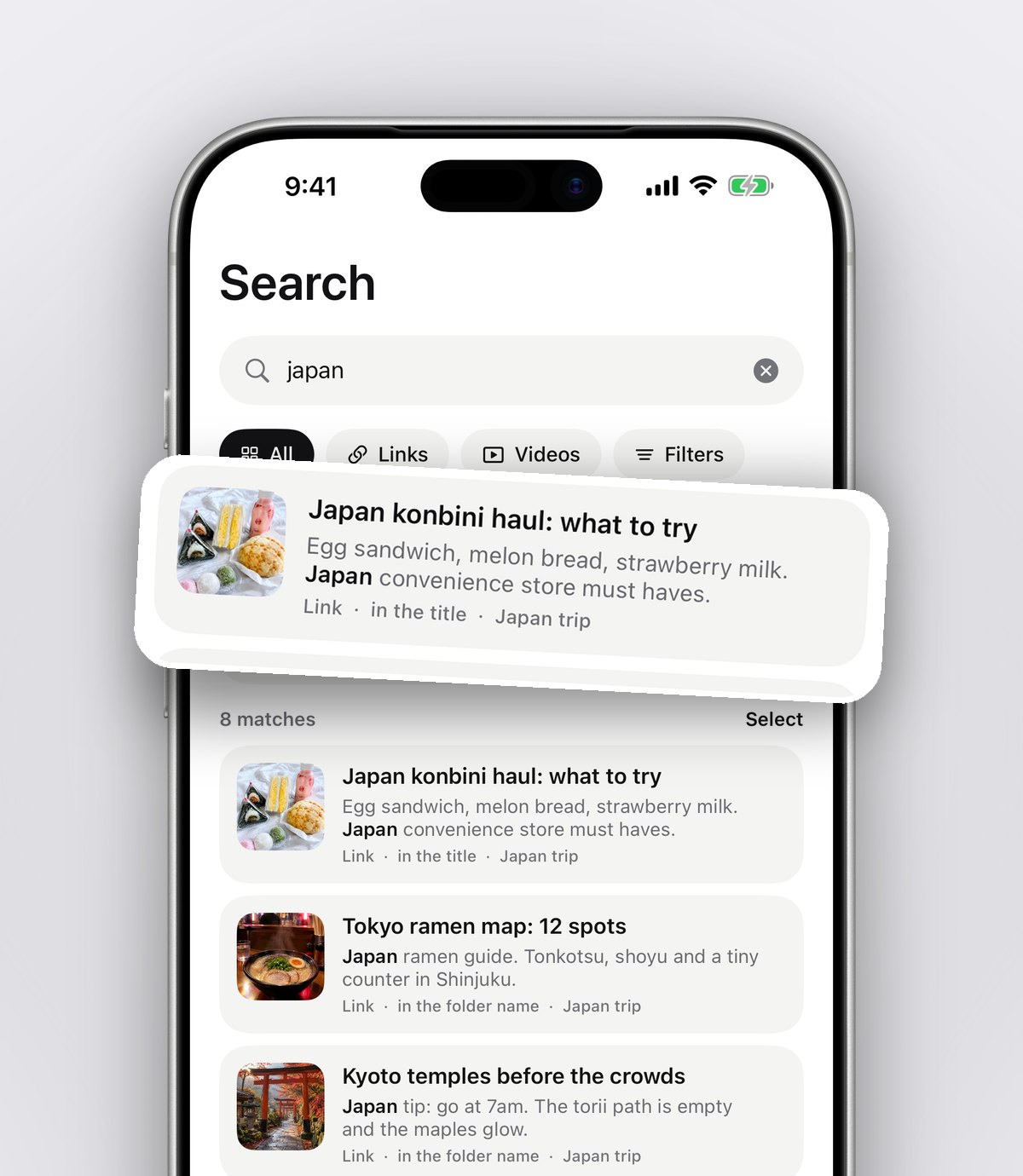
Search looks through captions, notes, tags and creator names, and shows the line that matched. Type "dumplings", "pizza" or "rooftop" and the right saves turn up, even if you've forgotten the restaurant's name.
Watch the original post
The saved TikTok or reel plays inside anoli with pause, scrub and speed controls, so you can quickly check the dish and the room before you commit.
Let the group decide
Choosing with friends is where it usually falls apart. From the folder's ⋯ menu, Decide together lets everyone swipe on the saves, and you can see which places the group agrees on. It's a much faster way to settle "where shall we eat?" than twenty messages.
Can I share my restaurant wishlist with friends?
Yes, and it's often better shared. Food lists are naturally social: you eat out with a partner, a friend or a group, and they all find places too.
With anoli Pro you can share a folder using one link. Once someone joins, anything either of you saves to the folder lands there for both, and every save has reactions and a short conversation underneath. "Yes!!", "been, it's amazing", "too far for a Tuesday". Anyone with the link can view the folder on the web too, which is handy for friends who don't have the app.
It works brilliantly for couples. See the best shared list app for couples for more on date ideas and restaurants as a pair.
How do I keep the list useful over time?
Restaurant lists get stale. Places close, menus change and your tastes move on. A few habits keep yours fresh.
- Mark places as done when you've been. You'll be able to see your favourites later, and the list of places still to try stays honest.
- Write one line after you go. "Get the aubergine, skip dessert" is gold when a friend asks for a recommendation.
- Delete places that closed or that you've gone off. A smaller list is easier to choose from.
- Set a reminder for places that need booking. Some popular restaurants release tables weeks ahead. A reminder on the save means you book in time.
- Make a Special occasions folder. Birthdays and anniversaries need a different kind of place. Having a short list ready saves panic.
What's the best app for a restaurant wishlist?
It depends how you find places and who you eat with. A fair look at the main options:
- Google Maps saved lists are excellent for pins on a map, and you can share lists. They work best for places you find on Maps, and don't keep the TikTok or reel that made you want to go.
- Apple Maps Guides do a similar job neatly if you live in Apple Maps.
- Instagram collections and TikTok favourites are where most ideas start, but each app keeps its own saves and searching them is hard.
- A notes app is quick and simple, though a list of names quickly loses the why.
- anoli keeps restaurants from every app in one place with the original post, sorts them into folders, shows them on a map, and lets friends add to a shared list and vote. It's on iPhone and iPad.
Plenty of people use Google Maps for navigation and a save app for the wishlist itself. You can see what anoli looks like on the home page and read what people say on the reviews page.
Restaurants for trips
The same idea works for travel. Before a trip, make a folder for the city and save every food spot you see. With the map, you can plan lunch near the museum and dinner near the hotel. Friends who are coming can add their own finds. Our guide to planning a trip with friends shows how to set up a shared trip folder.
Start your wishlist tonight
Go back to your favourite food creator, find three places you've meant to try, and share them into a Restaurants folder. Add a note to each. Next time someone asks where to eat, open the folder, look at the map and pick.
anoli is free to start with no account or card, and Pro is £10 a year for shared folders and unlimited saves. Get anoli on the App Store and never go blank at "where shall we eat?" again.
Questions people ask
What is the best app to save restaurants you want to try?
Google Maps lists are good for places you find on Maps. If your ideas come from TikTok and Instagram, a save app like anoli keeps the original posts, sorts them into folders and shows saved places on a map.
How do I save restaurants from TikTok?
Tap Share on the TikTok and send it to a save app rather than only adding it to Favourites. In anoli it's filed into a folder with the caption, so you can search for it later.
Can I share a restaurant list with friends?
Yes. Google Maps lists can be shared, and anoli Pro lets you share a folder with one link so friends can add places, react and comment.
How do I decide where to eat with a group?
Start from a shortlist everyone has added to, then vote. In anoli, Decide together lets the group swipe on the restaurants in a shared folder to see which ones everyone likes.
How do I organise a restaurant wishlist?
Group places by area, add a short note on why you saved each one, and mark them as done when you've been. Tags like brunch, cheap or date make searching quicker.
Try it with your own saves
Free to start on iPhone and iPad. See what people say.