
The best shared list app for couples: dates, restaurants, trips
· 7 min read
THE SHORT ANSWER
The best shared list app for couples is one you'll both actually add to, which usually means it works from the apps you already scroll. anoli is a free iPhone app where you can share a folder with your partner using one link; with anoli Pro, everything either of you saves from Instagram, TikTok or a website lands in that folder, with reactions, comments, a map of places and a swipe to decide where to go.
"We should go there" is one of the most common things couples say to each other, usually while one of you shows the other a reel. Then the reel is sent in a chat, the chat moves on, and three months later neither of you can remember the name of the place with the amazing pasta.
A shared list fixes that, but only if it's easy enough that you both use it. This guide compares the main options for a shared list app for couples, then shows how to set up one shared place for date ideas, restaurants, trips and plans, so the things you both save turn into things you actually do together.
What should a shared list app for couples do?
Most couples don't need a project manager. You need a few simple things:
- Adding must be quick from any app. Most date ideas come from Instagram, TikTok and websites, so saving should take two taps from wherever you see them.
- Both of you can add. If only one person keeps the list, it becomes their list.
- It stays organised without effort. Restaurants, day trips and gift ideas shouldn't all sit in one long scroll.
- It helps you decide. A list of fifty restaurants is lovely until it's Friday night and you can't pick one.
- It shows you what you've done. Ticking things off is half the fun.
What are the options for a couples shared list?
There are plenty of good ways to keep a shared list. Each suits a different kind of couple.
Shared notes
Apple Notes lets you share a note with someone, and both of you can edit it. It's free, built in and great for simple checklists like a packing list or a weekly shop. The downside is that links pasted into a note are just links, so you can't see the reel or the place without tapping through, and the note gets long fast.
Shared reminders
Apple Reminders has shared lists, which are excellent for chores and groceries because each item can have a due date. They're less good for ideas that come with a video or a picture.
Google Keep
Google Keep works on both iPhone and Android, which matters if one of you isn't on an iPhone. It's simple, colourful and good for short notes and checklists.
A chat with each other
Plenty of couples send links to each other in a messaging app. It's instant, but it's also where ideas go to die, buried under memes and "what time are you home?".
Pinterest boards
Pinterest lets you invite someone to a board, and it's lovely for home and wedding ideas. Reels from Instagram and TikTok don't fit naturally there.
A shared folder in a save app
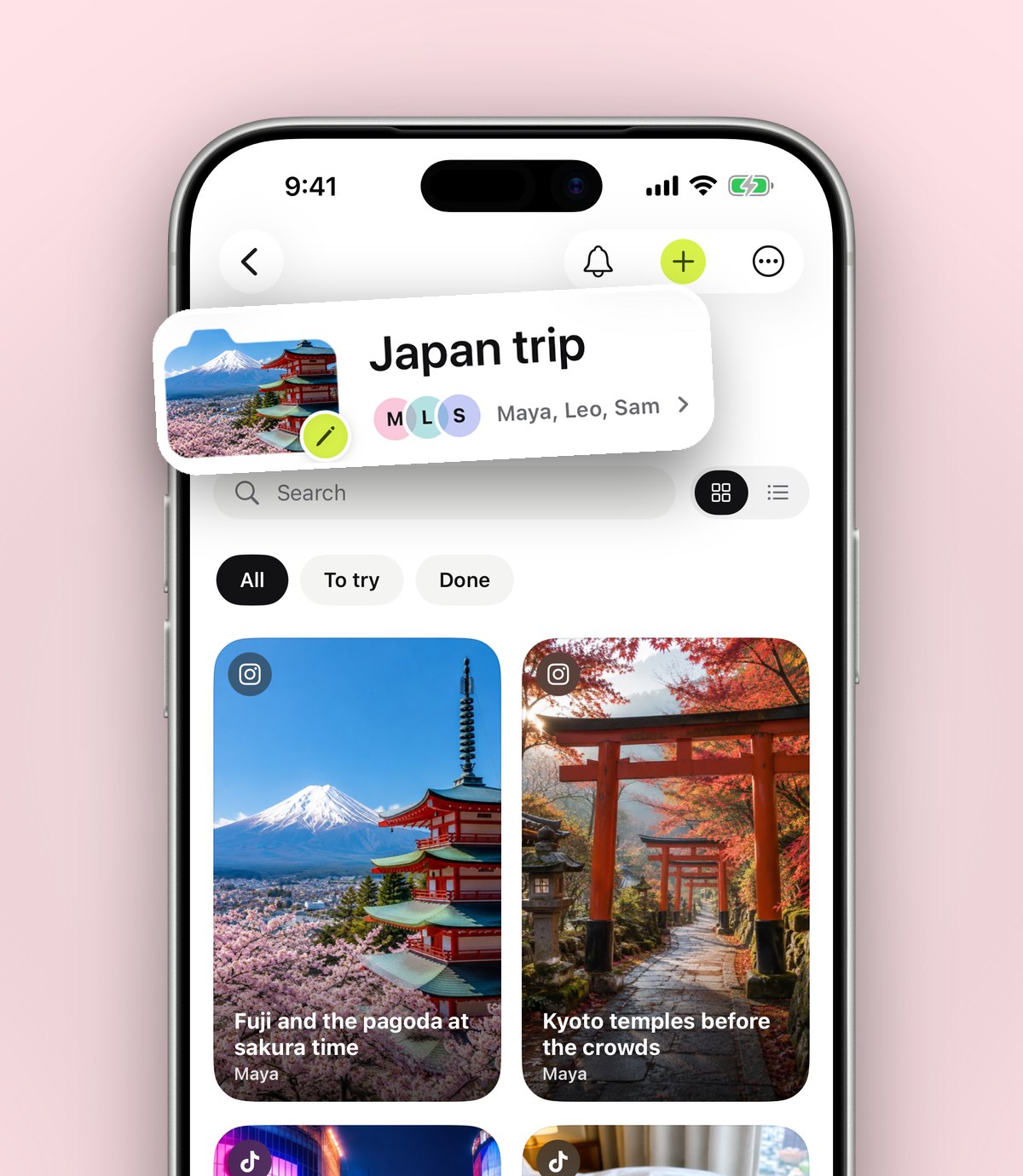
anoli, a free iPhone app that saves posts from Instagram, TikTok and any website into folders, lets you share a folder with your partner. With anoli Pro, you send one link and they're in. Everything either of you saves lands in the folder, each save has reactions and a conversation, and saved places can be seen on a map.
Tip: If one of you uses Android, be aware the app is on iPhone and iPad only for now. Anyone with the link can still view a shared folder on the web, so your partner can see everything, but adding from their phone needs an iPhone.
How do you set up a shared folder with your partner?
It takes about two minutes.
- 1Create a folder called something like Us, Date ideas, or your two names.
- 2Open the folder, tap the three dots and choose Share.
- 3Send the link to your partner. They tap it and they're in.
- 4From now on, when either of you sees something on Instagram, TikTok or a website, tap Share, choose the app and move the save into your shared folder.
The first time you share to it, scroll the share sheet's app row to the end, tap More, then Edit, switch the app on and drag it to the front. After that it's always two taps. If you get stuck, the support page covers the common setup questions.
Which folders should couples share?
One folder is a fine start, but folders inside folders keep it tidy as it grows. Here are the ones most couples end up with:
- Restaurants to try: split by area if you live in a big city. The guide to keeping a London restaurant list has ideas that work anywhere.
- Date ideas: walks, exhibitions, classes, gigs, cosy nights in.
- Trips: a folder per place, from a weekend away to the big one you're saving for.
- Recipes to cook together: for the nights you stay in.
- Home: furniture, paint colours and plants for the flat.
- Films, shows and books: so you stop spending 40 minutes choosing what to watch.
Give each one a cover photo, a colour or an emoji. Each folder shows its three latest saves peeking out, so you can see what your partner added without opening anything.
Tip: Keep a gift ideas folder too, but don't share it. When your partner mentions something they love, save it there. In December you'll look like a mind reader. Our post on keeping a gift ideas list all year shows how.
How do you stop the "where shall we eat?" argument?
Every couple knows this one. You both say "I don't mind" until you both mind quite a lot. A shared list helps, but you still have to choose.
Decide together is in the folder's ⋯ menu. You both swipe on the saves in the folder, and the app shows you where you agree. It works for restaurants, but also for which film to watch, which weekend away to book or which sofa to buy.
A few rules that make it work better:
- 1Narrow it first. Swipe on a small folder, such as Restaurants near us, not on everything you've ever saved.
- 2Agree that a match is final. If you both swiped yes, you go. No reopening the debate.
- 3Take turns choosing the folder you decide from, so neither of you always picks the category.
How do you see your saved places on a map?
Saved places can be seen on a map in anoli. That's handy when you're already out, say near a station on a Saturday afternoon, and want to know which of your saved cafés or bars is close. It's also good for planning a day out, because you can see which spots are near each other and build a little route.
If you're planning a trip, the post on planning a trip from saved posts walks through a trip folder from first idea to the day you arrive. For bigger groups, see planning a trip with friends.
How do you actually do the things on your list?
Lists are easy to fill and easy to ignore. A few small habits turn ideas into dates.
- Set reminders. When you agree on something, set a reminder on that save for the day. A reminder that says "book the Thai place for Saturday" is far more useful than a list of thirty restaurants.
- Talk on the save. Each save has a conversation, so "shall we go for your birthday?" sits next to the place itself, not lost in a chat.
- Mark things as done. After the date, mark it as done. Over time you build up a lovely record of what you've done together.
- Have a monthly pick. Once a month, each of you picks one thing from the shared folder to do that month. Simple, fair and surprisingly effective.
The calendar shows what you saved on any given day, and in December the app shows a look back at what you saved that year, which can be a sweet thing to scroll through together.
What about privacy?
Sharing a folder with someone you love is easy to get comfortable with, so it's worth knowing what's shared. Only the folders you share are shared; everything else stays yours. Folders, links and notes sync to your account. Photos, videos and files stay on your phone unless you put them in a shared folder or use one as a cover. And anyone with a shared folder's link can view it on the web, so only send it to people you'd happily show it to.
Which shared list app should you choose?
Here's a quick summary to help you choose.
- Apple Notes or Google Keep: best for simple checklists like shopping, packing and chores.
- Apple Reminders: best for tasks with dates.
- Pinterest: best for visual planning of a home or a wedding.
- A chat: best for quick back and forth, worst for keeping anything.
- A shared folder in anoli: best for the ideas you find on Instagram, TikTok and websites, because saving is two taps, everything stays sorted, and Decide together and the map help you get out of the door.
Many couples use two: a notes app for the weekly shop and a shared folder for everything fun.
Make your first shared folder tonight
Pick one category you always talk about, probably restaurants, make a folder, share it and each add three places. By the weekend you'll have a shortlist and something to swipe on.
anoli is free to start, with no account and no card. Shared folders are part of anoli Pro, which is £10 a year and can be cancelled any time in your iPhone settings. Get anoli from the App Store, read what other people say, or see more on the home page.
Questions people ask
What is the best shared list app for couples?
For checklists, Apple Notes, Apple Reminders or Google Keep work well. For date ideas, restaurants and trips found on Instagram and TikTok, a shared folder in anoli keeps the posts themselves, sorted, with reactions and a swipe to decide.
Can my partner add to my anoli folder?
Yes. With anoli Pro, share a folder by sending one link. Once your partner joins, everything either of you saves to it lands in the folder.
Can my partner see a shared folder without an iPhone?
Anyone with the link can view a shared folder on the web. Adding saves from the app needs an iPhone or iPad, as anoli isn't on Android yet.
How can we decide where to eat?
Put your restaurant ideas in one shared folder and use Decide together from the folder's ⋯ menu. You both swipe and see where you agree.
Are my other folders private if I share one?
Yes. Only the folder you share is shared. Photos, videos and files stay on your phone unless you put them in a shared folder or use one as a cover.
Try it with your own saves
Free to start on iPhone and iPad. See what people say.