
How to import your TikTok favourites into folders
· 7 min read
THE SHORT ANSWER
To import your TikTok favourites, request your data from TikTok (Settings and privacy, Account, Download your data) in JSON format, download the file to your iPhone, then open it in an app that reads it. anoli, a free iPhone app that saves posts from TikTok, Instagram and any website into folders, imports it from Settings, Import saved posts and sorts every favourite into folders.
If you've used TikTok for a while, your Favourites tab is probably enormous. Recipes from two winters ago, a skincare routine, a hidden beach, forty cleaning hacks, a video your best friend sent that you swore you'd watch again. It's all in one long grid, and finding anything means scrolling and hoping.
Going through them one by one to move them somewhere better would take days. The good news is you don't have to. TikTok lets you download your own data, including your favourites, and that file can be imported in one go. This guide walks through the whole thing on iPhone, start to finish.
Why move your TikTok favourites at all?
Favourites are great for catching something quickly. They're less good as a long term home.
- One long list. Everything is newest first, so older saves sink out of reach.
- Hard to search. You can't easily search your own favourites by a word from the caption.
- Collections need remembering. TikTok lets you make collections, but only if you choose one every time you save.
- Things disappear. If a creator deletes a video or makes it private, it quietly goes from your list.
- Everything stays in TikTok. Your recipes from TikTok and your recipes from Instagram never meet.
If you're not sure where your favourites even are, start with where saved TikToks go and how to keep them.
How do I download my TikTok data on iPhone?
This part happens inside TikTok. It's the same data download TikTok offers everyone, and it only includes your own account's information.
- 1Open TikTok and go to your profile.
- 2Tap the menu in the top corner, then Settings and privacy.
- 3Tap Account, then Download your data.
- 4Choose JSON as the file format. JSON is what import tools read most reliably.
- 5Choose which data to include. All data is the simplest choice and makes sure your favourites are in it.
- 6Tap Request data. TikTok prepares the file in the background, which can take anything from minutes to a few days.
- 7When it's ready, go back to Download your data, open the Download data tab and tap Download. Save it to the Files app on your iPhone.
Tip: TikTok only keeps the finished file available for a limited time, so download it soon after it's ready. If it expires, just request a new one.
There's no need to unzip it. Leave the zip file as it is in Files.
How do I import TikTok favourites into folders?
Now the import. With anoli, a free iPhone app that saves posts from TikTok, Instagram and any website into folders, it takes a couple of minutes.
- 1Open anoli and go to Settings.
- 2Tap Import saved posts.
- 3Tap Choose the download and pick the file from TikTok. The zip file, the unzipped folder or the saved file inside it all work.
- 4The app reads the download and tells you how many saves it found.
- 5Tap Add, and watch the saves go in.
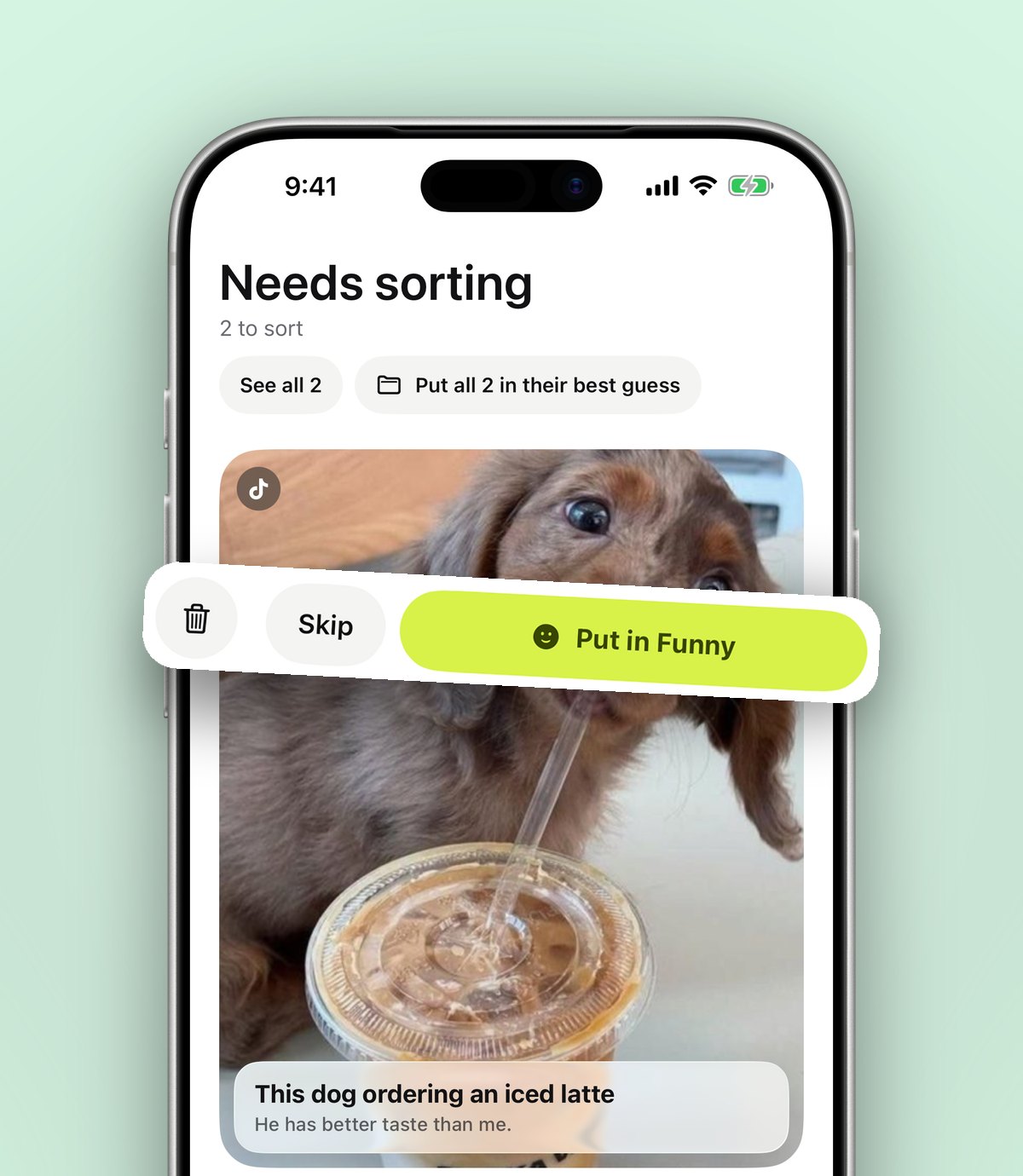
Each favourite is sorted the same way a new save would be: the caption is read, and and puts recipes in Recipes, workouts in Workouts, places in Travel, and so on. Anything it isn't sure about waits in Needs sorting so nothing ends up in the wrong place. Where your download includes collections, they become folders.
What if I import twice?
Nothing breaks. If you import a newer download later, saves that are already in anoli are skipped and only the new ones are added. You'll see a count of how many were skipped, so you know it worked.
What if the import says there are no saved videos?
That usually means the download didn't include your favourites, or the wrong file was picked. Request the data again with everything included, and pick the zip that TikTok gave you. If you're still stuck, the support page has more help.
How do I tidy up after importing?
A big import can bring in hundreds of saves at once. Sorting does most of the work, but ten minutes of tidying makes the result feel properly yours.
Clear Needs sorting
Open Needs sorting and file what's there. Each move takes one tap, and every move teaches the app where similar saves go, so future saves need less help.
Make folders inside folders
If your Recipes folder is huge, split it: Dinners, Baking, Meal prep, Christmas. If Travel is huge, give each city its own folder inside it. Each folder shows its three latest saves peeking out, which makes the home screen easy to scan.
Delete what you'll never use
Be honest. That trend from three years ago, the joke you've seen a hundred times. Deleting the noise makes everything else easier to find.
Add notes to the gems
For the saves you really care about, add a short note: "use half the chilli", "the café opposite the station". Notes are searchable, and they keep the useful bit even if the original video goes.
What can I do with my favourites once they're sorted?
This is the point of the whole exercise. Favourites stop being a pile and start being useful.
- Search them. Search looks inside captions, notes, tags and creator names, and shows the matching line. Type "gochujang" and the recipe turns up.
- Watch them properly. TikToks play inside the app with pause, scrub and speed controls, and slide posts stay swipeable.
- Turn recipes into steps. With Pro, tap Summarise and a recipe caption becomes ingredients and steps. Attach the video and it listens to what's said in it too. More on this in how to save TikTok recipes.
- Plan with friends. Share a folder of restaurants or trip ideas with one link, so everyone can add to it.
- See places on a map. Saved places can be shown on a map, which is handy before a city break.
Do I have to do this every time?
No. The import is for catching up on the past. Going forward, save straight to anoli instead of the Favourites button: tap Share on the TikTok, scroll the app row to the end, tap More, then Edit, switch anoli on and drag it to the front. After that it's one tap, the share sheet closes instantly, and the video is filed. We walked through that in how to save TikTok videos into folders on iPhone.
If you still use Favourites out of habit, that's fine. Request a fresh TikTok download every few months and import it. Anything already in anoli is skipped.
Can I import Instagram and Pinterest saves too?
Yes. The same Import saved posts screen reads Instagram and Pinterest downloads.
- Instagram: Accounts Centre, then Your information and permissions, then Download your information. Choose Some of your information, tick Saved, choose JSON. Collections become folders. The full guide is in how to export your Instagram saved posts.
- Pinterest: profile picture, settings, Privacy and data, Request your data. Each board becomes a folder, or joins your folder with the same name.
Bringing all three in means your recipes from TikTok, Instagram and Pinterest finally live in the same Recipes folder.
Is it safe to download your TikTok data?
Yes. The download comes from TikTok itself and is sent only to you. It contains your own account's information: your profile, your activity, the videos you've liked and favourited, and more. Treat it like any personal file. Keep it on your phone or in your own cloud storage, and don't upload it to websites you don't trust.
When you import it into anoli, the app reads the list of saved videos from the file and adds them as saves. Your folders, links and notes then sync to your account, so they're safe if you change phone. If you ever want to leave, one button exports everything as a zip and another deletes the account.
Once the import is done, you can delete the zip from Files if you don't want to keep it, or keep it somewhere safe as a backup of your TikTok history.
What are the alternatives?
To be fair to the other options:
- TikTok collections are free and built in, and fine if you only save from TikTok and are disciplined about choosing a collection.
- Keeping the data download as a backup is sensible on its own. It's a file you own, though it's not much fun to browse.
- Copying links into a notes app works for a handful of videos, but nobody does it for hundreds.
- Importing into anoli turns the download into sorted, searchable folders that sit alongside saves from every other app.
On the free plan there's a limit on saves, so a very large import may need anoli Pro, which is £10 a year for unlimited saves, summaries and shared folders. You can see more on the home page and read what people say on the reviews page.
Give your favourites a proper home
Request your TikTok data today. By the time the file is ready you'll have the app set up, and in a few minutes years of favourites become folders you'll actually use. Get anoli from the App Store, free to start, with no account or card needed.
Questions people ask
Can you export your TikTok favourites?
Yes. In TikTok go to Settings and privacy, Account, Download your data, and request a JSON file. Your favourite videos are included in the download.
How long does a TikTok data download take?
It can be ready within minutes or take a few days, depending on the account. TikTok keeps the finished file available for a limited time, so download it soon.
Do I need to unzip the TikTok download to import it?
No. In anoli you can pick the zip file as it is, the unzipped folder or the saved file inside it.
Will importing my TikTok favourites twice create duplicates?
Not in anoli. Saves that are already there are skipped, and only new favourites are added.
What happens to TikTok favourites if a video is deleted?
If a creator deletes a video or makes it private, it disappears from your TikTok favourites and can no longer be played. Keeping the caption and your own note means you still keep the key details.
Try it with your own saves
Free to start on iPhone and iPad. See what people say.