
How to save recipes from websites without the life story
· 7 min read
THE SHORT ANSWER
To save a recipe from a website without the long story, save the page to a recipe or save app that pulls out just the ingredients and steps. anoli is a free iPhone app that saves recipe pages from Safari or any browser into a Recipes folder, and with Pro its Summarise button turns the page into a clean ingredients list and steps, ready for cooking mode.
You search for a simple recipe. Banana bread, say. You tap the first result and start scrolling. A story about a grandmother's kitchen. Twelve photos of the same loaf. An advert that jumps the page just as you reach the oven temperature. A pop up asking for your email. By the time you find "250g flour" your hands are already floury and the screen has gone to sleep.
Recipe websites are like that for reasons: the stories help some writers and the adverts pay for free recipes. But when you're cooking, you want the ingredients and the steps, and you want them every time you make it, without searching again. Here's how to save recipes from websites so that's exactly what you get.
Why are recipe websites so long?
It's worth understanding, because it explains which tricks work.
- Adverts pay for the site. More scrolling means more adverts seen, which keeps the recipes free.
- Search engines reward helpful detail. Tips, swaps and step photos can genuinely help, but they push the recipe further down.
- Many writers simply love to write. Some readers enjoy the story. You just don't need it at the hob.
The good news is that most recipe sites also publish a tidy, structured recipe card inside the page, so search engines can show ingredients and cooking times. That card is what the best saving methods use.
What are the quick ways to get to the recipe?
Before saving anything, a few things help you read a recipe page today.
Jump to recipe
Many recipe sites have a "Jump to recipe" button near the top. Tap it and you skip straight to the card. It's the simplest trick and it's worth looking for every time.
Safari's Reader
In Safari on iPhone, tap the page menu in the address bar and choose Show Reader. Reader strips out most adverts and clutter and shows the text. It doesn't always work on recipe sites, and you still get the story, but it's calmer.
Print view
Recipe cards often have a Print button. On iPhone, the print view is usually a clean page with just the recipe, which you can then share or save.
These are fine for cooking tonight. They don't help you find the recipe again next month, which is where saving comes in.
How do I save a recipe from a website on iPhone?
Here's the method that keeps both the page and a clean version, using anoli, a free iPhone app that saves posts from Instagram, TikTok and any website into folders.
- 1Open the recipe page in Safari, Chrome or any browser on your iPhone.
- 2Tap the Share button.
- 3Choose anoli. The first time, scroll the app row to the end, tap More, then Edit, switch anoli on and drag it to the front.
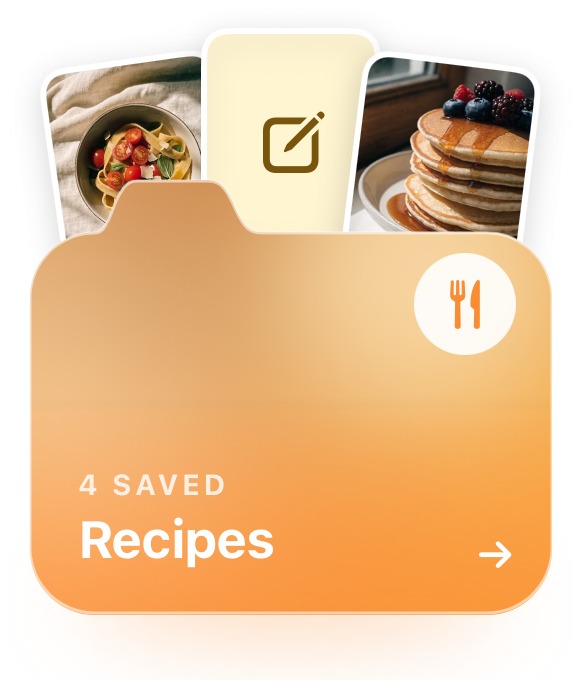
- 4The share sheet saves the page and closes straight away. The app reads the page, sees it's a recipe and files it in your Recipes folder.
- 5When you want it, open the save and tap Summarise. You get the ingredients and the steps on their own, without the story, the photos or the adverts.
Summaries are part of anoli Pro. On the free plan you still keep the page itself, sorted and searchable.
If the app doesn't appear in the share sheet, the support page explains how to fix it.
Tip: on a laptop, the anoli Chrome extension saves a recipe page with one click and it appears on your phone. Find recipes on the big screen at lunch, cook from your phone at dinner.
How does the summary know the real recipe?
This matters, because a summary is only useful if it's accurate. When a page has a proper recipe card, anoli reads it, so the ingredients and amounts come from the recipe itself rather than being guessed. Where an amount isn't given anywhere in the recipe, the summary says it's missing rather than making one up.
The same applies to recipes you save from social media. If an Instagram or TikTok caption links to the creator's own recipe page, that page is read too, so the summary uses the real recipe rather than a rough caption. You can read more about that in how to save TikTok recipes and turn them into ingredients and steps.
How do I cook from a saved recipe?
Saving is only half the point. Cooking from your phone should be easy too.
Use cooking mode
Open the recipe and start cooking mode. You get the ingredients first, then one step per page in big type, with big Back and Next buttons you can tap with a knuckle. The screen stays on, so you're not unlocking your phone with buttery fingers. We wrote about it in detail in cooking from your phone.
Add your own notes
After you've made it, add a note: "used 200g sugar, still sweet enough" or "needs 10 minutes longer in our oven". Next time you'll cook your version, not the original. Notes are searchable too.
Mark it done and set reminders
Mark recipes as done when you've made them, so your folder shows what's tried and what's still to try. Set a reminder on a recipe for the weekend if you need to buy something special first.
How should I organise saved recipes?
A Recipes folder fills up quickly. A little structure makes it pleasant to browse.
- Folders inside Recipes for how you cook: Weeknights, Baking, Meal prep, Sunday lunch, Desserts.
- A Seasonal folder for things you only make once a year. With Christmas coming, a festive folder is worth starting now. See make a Christmas recipe folder.
- A Tried and loved folder for the ones you'll make forever.
- Search instead of folders for ingredients. Search looks inside your saves and notes and shows the matching line, so typing "leeks" finds every recipe with leeks wherever it's filed.
Recipes from websites sit in the same folders as recipes from Instagram, TikTok and YouTube, so you're never checking four apps for one dinner. For planning a week's meals from them, see meal planning from the recipes you saved.
What about recipes from cookbooks and family recipe cards?
Not every recipe worth keeping is on a website. Some of the best are in a cookbook on the shelf, or written in biro on a card in a relative's kitchen. They deserve the same home as everything else.
- 1Take a clear photo of the page or card in good light, flat on the table.
- 2Share the photo from the Photos app into your Recipes folder.
- 3If the recipe runs across several pages, save each photo and combine them into one PDF, so the whole recipe stays together.
- 4Add a note with the recipe's name and the key ingredients, such as "Nan's lemon drizzle, lemons, caster sugar". Your note is what search finds later.
Photos and files you add yourself stay on your phone unless you put them in a shared folder or use them as a cover, so a family recipe stays private unless you choose to share it. The free plan includes a limited number of photos and files, and Pro makes them unlimited.
Tip: if you're photographing a whole notebook of family recipes, make a folder just for them and share it with the rest of the family. It quickly becomes the most treasured folder you have.
Can I share recipes with the people I cook with?
Yes. With Pro you can share a folder with one link, so a partner, flatmate or parent can see your recipes and add their own. Each save has reactions and a short conversation underneath: "can we have this on Sunday?" lives right on the recipe. Anyone with the link can also view the folder on the web.
Which recipe saving method is best?
Different tools suit different cooks. A fair comparison:
- Browser bookmarks are free and quick, but you land back on the full page with the story and adverts every time, and they're hard to organise.
- Screenshots capture the recipe card, but long recipes need several, and you can't search them.
- Apple Notes, copying and pasting the recipe, gives a clean result and is free. It's slow, and the formatting often breaks.
- Dedicated recipe managers, such as Paprika, are very good at importing recipes from websites and scaling or planning them. They're built only for recipes, and most don't hold the reels and TikToks where so many recipes now live.
- anoli saves recipe pages and social media recipes together, sorts them for you, turns them into ingredients and steps with Pro, and has a cooking mode. It's on iPhone and iPad.
You can see how it looks on the home page and what people say on the reviews page. We also compared recipe apps more fully in the best recipe organiser app.
Save tonight's recipe properly
Next time you're scrolling past a grandmother's life story to find the flour, stop and save the page instead. Tap Summarise when you're ready to cook, and you'll never have to scroll through it again.
anoli is free to start with no account or card, and Pro is £10 a year for summaries, unlimited saves and shared folders. Download anoli on the App Store and give your recipes a calmer home.
Questions people ask
How do I save a recipe from a website on iPhone?
Open the recipe in your browser, tap Share and choose a recipe or save app. anoli files the page into a Recipes folder, and with Pro its Summarise button gives you just the ingredients and steps.
How do I get a recipe without the life story?
Look for a Jump to recipe or Print button, or try Safari's Reader. To keep a clean version for later, save the page to an app that extracts the recipe, such as anoli or a recipe manager.
Why are recipe websites so long?
Adverts pay for free recipe sites, and tips and stories can help with search rankings and some readers. Most sites also include a structured recipe card that tools can read.
Can I keep my phone screen on while cooking?
Yes. Cooking mode in anoli keeps the screen on and shows one step per page in big type. You can also change Auto-Lock in your iPhone's Display settings.
What's the best app to save recipes from websites and Instagram?
If your recipes come from both websites and social media, choose an app that saves both. anoli keeps recipe pages, reels and TikToks in the same folders and can turn them into ingredients and steps.
Try it with your own saves
Free to start on iPhone and iPad. See what people say.