
How to save X threads and Reddit posts you want to keep
· 8 min read
THE SHORT ANSWER
To save an X thread or a Reddit post so you can find it again, tap Share on the post and send it to a save app that sorts it into folders, then add a short note with the point you want to remember. anoli is a free iPhone app that saves posts from X, Reddit, Instagram, TikTok and any website into folders and lets you search them later.
Some of the most useful things on the internet are written by strangers in a thread. A long X thread that finally explains pensions. A Reddit comment from someone who fixed the exact boiler fault you have. A list of the best walks in the Peak District, written by a person who has done all of them. You read it, you think "I need this", and you tap bookmark or save.
Then it disappears. X bookmarks pile up in one long list. Reddit's Saved tab mixes posts and comments from every community you have ever visited. When you finally need that boiler fix, you are scrolling back through months of saves, or searching Google and hoping the same thread comes up again. This guide shows you a calmer way to keep the threads and posts that matter.
Why are X bookmarks and Reddit saves so hard to find later?
Both apps let you save things, and both are good at it in the moment. The trouble comes weeks later, when you are looking for one specific post.
- One long list. Everything you save lands in the same place, newest first. A recipe thread sits next to a political argument and a job tip.
- Little or no organising for free. X lets you bookmark posts privately, but bookmark folders are part of its paid Premium plan. Reddit's Saved list has no folders at all.
- Search is limited. Finding one saved item usually means remembering roughly when you saved it, then scrolling.
- Posts can vanish. If the author deletes the post or their account, your bookmark goes with it.
- The useful part is buried. In a thread of twenty posts, the bit you needed might be number fourteen. Your bookmark only remembers the first one.
None of this is a reason to stop using bookmarks. It just means the bookmark is a quick holding pen, not a library. For the things you really want to keep, you need somewhere that sorts, searches and lets you write down why you kept it.
How do you save an X thread on iPhone?
There are three good ways, and they suit different situations.
Option 1: bookmark it on X
Tap the bookmark icon under the post. It is private, so the author is not told who saved it, and it is perfect for things you will read again in the next day or two. If you pay for Premium you can put bookmarks into folders.
Option 2: share it into a save app
This is the option for things you want to keep for months. Every post on X has a Share button, and from there you can send the link to any app in your share sheet. A save app like anoli keeps the link and the text of the post, files it into a folder and makes it searchable.
Option 3: write the point down
For long threads, the most reliable save is a sentence in your own words. A save app that lets you attach a note to the link gives you both: the original thread, and the one line you actually needed.
Step by step: save X threads and Reddit posts into folders
Here is the whole routine with anoli, a free iPhone app that saves posts from X, Reddit, Instagram, TikTok and any website into folders. It takes a few seconds per post once it is set up.
- 1Open the thread on X, or the post or comment on Reddit.
- 2Tap Share. On X it is the arrow icon under the post. On Reddit it is the Share button under the post, or in the three dots menu on a comment.
- 3Choose Share via, then pick anoli from the row of apps. The first time, scroll the app row to the end, tap More, then Edit, switch anoli on and drag it to the front so it is one tap away from then on.
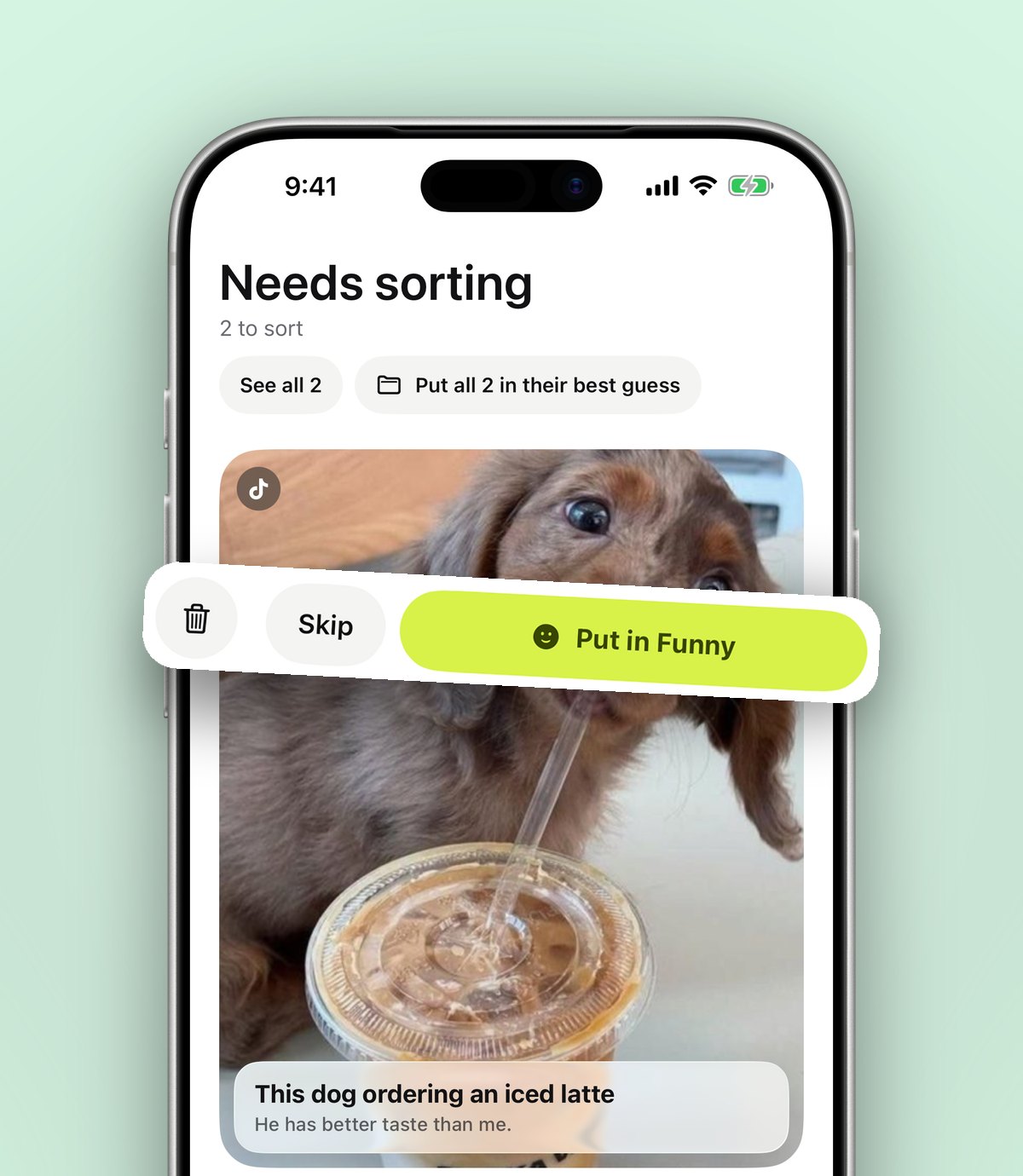
- 4It reads the post and files it into a folder that fits, such as Money, Home or Travel. If it is not sure, the save waits in Needs sorting so you can place it with one tap.
- 5Open the save and add a note with the bit you care about: "Post 14: the reset button is behind the front panel."
- 6If it is something to act on, set a reminder on the save so it comes back to you on the right day.
Tip: if the share sheet does not show anoli at all, follow the setup steps on our support page. It is almost always the More and Edit switch at the end of the app row.
If you have never tidied your share sheet before, our guide to putting the apps you use first in the iPhone share sheet takes two minutes and makes every save faster.
How do you save a Reddit post or comment so you can find it again?
Reddit is different from X because the gold is often in the comments, not the post. Someone asks "what is the best cheap hoover" and the answer with real experience is the third comment down.
You can share a single comment rather than the whole post. In the Reddit app, tap the three dots on the comment, choose Share, then send it to your save app. The saved link opens straight at that comment, so you are not scrolling through two hundred replies to find it again.
For whole posts, such as guides, itineraries or long how to posts, share the post itself. Add a note with the subreddit and the reason you kept it. "r/UKPersonalFinance, explains how ISA allowances work" is much easier to search than a bare link.
What about Threads and Bluesky?
The same steps work for any app with a Share button. Threads, Bluesky, Mastodon apps and forums in Safari all hand a link to the share sheet. If you can share it, you can save it into a folder.
Saving from a laptop
Plenty of long reads on X and Reddit happen at a desk. If you browse on a laptop, the anoli Chrome extension saves the page you are on with one click, and it appears on your phone in the right folder. Our guide to saving pages from your laptop to your phone walks through it.
How do you search saved threads later?
This is where a save app earns its place. In anoli, search looks inside the text of your saves, your notes, tags and the creator's name. So you can type "boiler" or "ISA" or the account name you half remember, and the matching save turns up with the line that matched.
A few habits make search even better:
- Write notes in the words you will search for. If you will look for "pension", use "pension", not "retirement stuff".
- Use the filters. You can narrow search to links, notes, photos, videos or files when you know what kind of thing it was.
- Use the calendar. If you remember saving it the week of a big news story, the calendar shows what you saved on a given day.
We wrote more about this in our post on making saved posts searchable. The same ideas apply to X and Reddit.
Which folders work best for threads and Reddit posts?
Keep it simple at first. Five or six folders cover most of what people save from X and Reddit:
- Money: budgeting threads, tax explainers, pension advice.
- Home: repair fixes, cleaning tips, appliance recommendations.
- Work: career advice, interview tips, tools people recommend.
- Learning: explainers, reading lists, long history threads.
- Travel: itineraries, local tips, "where should I eat in Lisbon" answers.
- Buy later: product recommendations from people who own the thing.
You can put folders inside folders, so Home can hold Kitchen and Garden later if it gets big. Each folder shows its three latest saves peeking out, so you can see what is inside at a glance.
Tip: when a save lands in the wrong folder, just move it. Moving a save teaches it where similar saves should go next time.
X bookmarks, Reddit saves or a save app: which should you use?
Each option is good at something. Here is an honest comparison.
- X bookmarks: quick, private and built in. Great for things you will read again this week. Folders need Premium, and everything stays inside X.
- Reddit Saved: keeps posts and comments in one list on your profile. Fine for a small number of saves, harder once you have hundreds.
- Apple Notes: good for pasting the key text and a link. You do the sorting yourself, and links become plain text in a long note. Our Apple Notes vs a save app post covers this in more depth.
- A save app such as anoli: one place for X, Reddit, Instagram, TikTok and the web, sorted into folders with search, notes and reminders. It is free to start, and you can see what people say on our reviews page.
Many people use both: bookmark on X for the quick stuff, and share into a save app for anything worth keeping beyond next week.
What if the original post gets deleted?
A saved link points to the original post, so if the author deletes it, the link will no longer open the full thread. That is true of every bookmark tool. The best protection is the note you write when you save it. Even if the post goes, your note with the key point stays with the save and stays searchable.
For something you truly cannot lose, like a step by step fix, a screenshot of the important part is worth taking too. You can save the screenshot into the same folder, so the link and the picture sit side by side.
A five minute weekly tidy
You do not need a system. Once a week, while the kettle boils:
- 1Open Needs sorting and place anything waiting there with one tap.
- 2Mark as done anything you have already used, like the fix you applied or the recipe you made.
- 3Skim your newest saves and add a one line note to any thread you might forget the point of.
That is it. Your saved threads stop being a guilty pile and start being a small, useful library.
Start keeping the threads that matter
The internet is full of generous people writing brilliant threads and comments. They deserve better than a bookmark you will never find again. Share them into folders, write down the point, and let search do the remembering.
If you want to try it, get anoli free on the App Store. There is no account and no card needed to start, and you can read more about how it works on the anoli home page.
Questions people ask
Can people see what I bookmark on X?
No. X bookmarks are private, so the author is not told that you bookmarked their post, and other people cannot see your bookmarks list.
Does X have bookmark folders?
Yes, but bookmark folders are part of X Premium. On a free account all bookmarks sit in one list.
Can you save a single Reddit comment?
Yes. Tap the three dots on the comment and choose Save to keep it in your Reddit profile, or choose Share to send a link that opens straight at that comment into an app like anoli.
What happens to a saved thread if the author deletes it?
The link will stop opening the original post. Notes you added in a save app stay, which is why writing down the key point when you save is worth the few seconds.
Can I save X threads from my laptop too?
Yes. With the anoli Chrome extension you can save the page you are reading with one click and it appears on your iPhone in the right folder.
Try it with your own saves
Free to start on iPhone and iPad. See what people say.