
Can you search your saved Instagram posts? How to make them searchable
· 6 min read
THE SHORT ANSWER
At the time of writing, Instagram doesn't let you search inside your saved posts: you can only scroll All posts or open a collection. To make them searchable, save posts to anoli, a free iPhone app that keeps each caption, creator and your notes, or import your old saves from Instagram's data download, then search by any word and see the matching line.
You know you saved it. A pasta recipe with lemon and something green, from a creator whose name started with M, maybe in the summer. You open Instagram, go to Saved, and start scrolling. Twenty minutes later you've found a holiday you forgot about, three outfits and a dog video, but not the pasta.
If you've ever looked for a search bar inside your saved posts, you're not alone. This guide explains what Instagram does and doesn't let you do, the workarounds that help a little, and how to make every saved Instagram post properly searchable by caption, creator or even what was said in the video.
Can you search your saved posts on Instagram?
Not directly. At the time of writing, Instagram's Saved section has no search box. You can browse All posts, newest first, or open one of your collections. The main search bar in Instagram searches accounts, audio, tags and places across the whole app, not the posts you saved.
That's fine if you save a handful of things. If you save something most days, it means the only way to find an old save is to scroll and hope. Instagram does change features from time to time, so it's worth checking now and then, but the approach in this guide works either way.
What are the workarounds inside Instagram?
A few habits make Instagram's Saved section easier to dig through.
Use collections every time
When you tap the bookmark, you can choose a collection, such as Recipes or Travel. If you do this every single time, a collection is much smaller to scroll than All posts. The catch is the every single time part, which is hard to keep up. The post comparing Instagram collections with a save app goes into the pros and cons.
Search for the creator instead
If you remember who posted it, search for their account and scroll their grid. This works if they don't post very often and you remember the name.
Check your likes
If you also liked the post, Instagram's Your activity section lets you see posts you've liked. It's another long scroll, but sometimes a shorter one.
Screenshots and Photos search
Some people screenshot posts because the iPhone Photos app can search for text inside images. Type a word and Photos shows screenshots containing it. It does work, but you lose the video, the full caption and the link to the post, and your camera roll fills with screenshots. If that sounds like you, our guide to organising screenshots on iPhone can help.
For more on finding things inside Instagram, see how to find your saved reels.
How do you make your saved Instagram posts searchable?
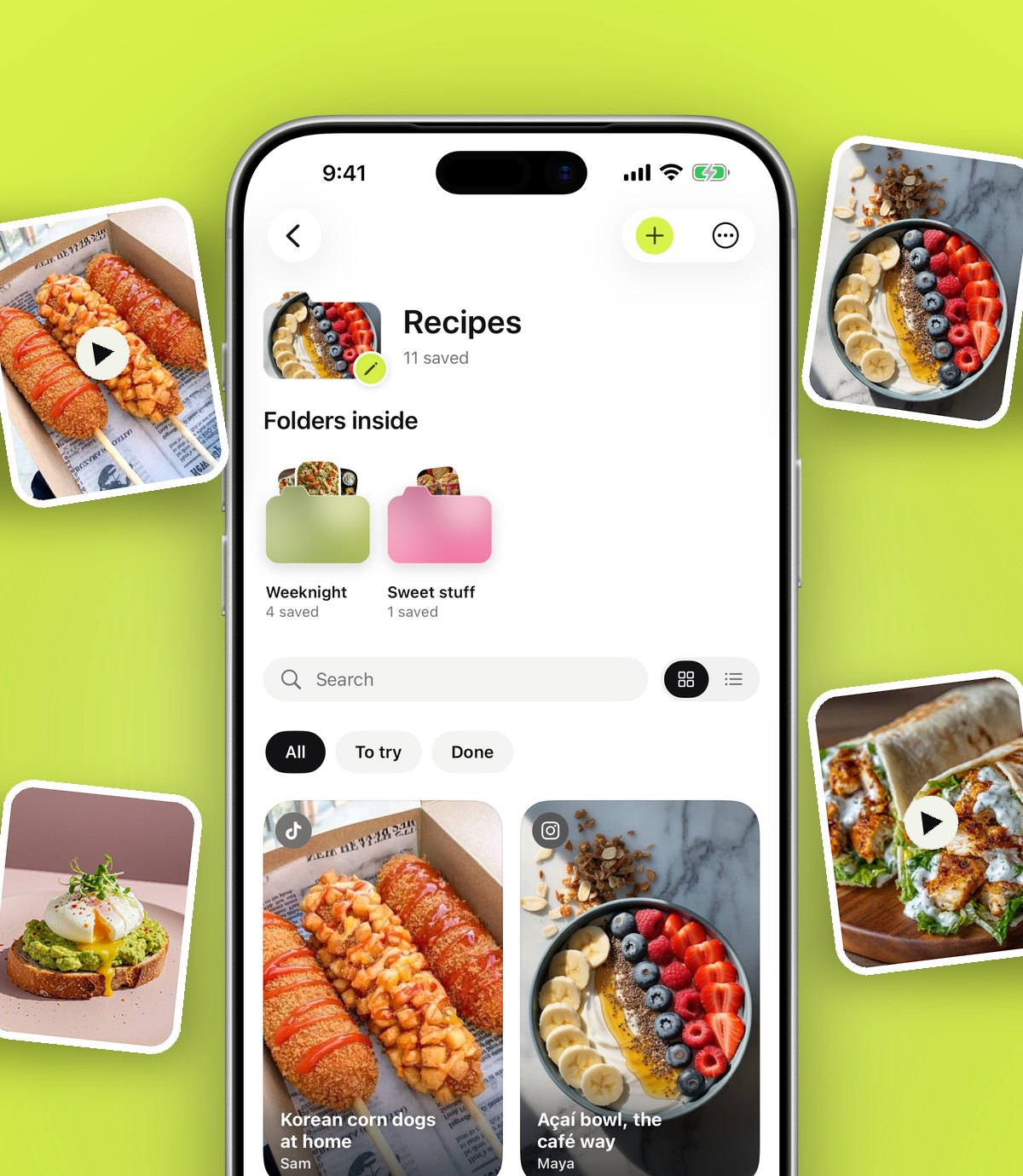
The reliable fix is to keep a copy of each save somewhere that indexes the words in it. anoli, a free iPhone app that saves posts from Instagram, TikTok and any website into folders, does exactly that. It keeps the caption, the creator and any notes you add, and its search looks through all of them.
From now on: share instead of bookmark
- 1On any Instagram post or reel, tap the Share icon, then the option that opens your iPhone's share sheet.
- 2The first time, scroll the app row to the end, tap More, then Edit, switch the app on and drag it to the front.
- 3Tap its icon. The post is saved with its caption and creator, and sorted into a folder such as Recipes or Travel.
- 4If the app isn't sure where it belongs, the save waits in Needs sorting for one tap.
It's the same number of taps as choosing a collection, and you never have to decide where it goes.
For your old saves: import them
You probably have years of saves already. Instagram lets you download your information, and the download includes your saved posts.
- 1In Instagram, request a download of your information. Our step by step guide to exporting your Instagram saved posts shows exactly where to tap.
- 2When Instagram says the download is ready, save the file to your iPhone.
- 3In the app, go to Settings, then Import saved posts, and choose the file.
- 4Your Instagram collections become folders, and everything else is sorted the same way as a new save.
Once they're in, your old saves are searchable too. It's often the moment people find recipes and places they'd completely forgotten.
Tip: Do the import on Wi-Fi when you have a few minutes. Big downloads take a while to arrive from Instagram, so request it first and carry on with your day.
What can you search for once your saves are in one place?
Search in anoli looks much further than the post's title. It checks:
- Captions: every word the creator wrote, including the recipe or the address buried at the bottom.
- Creators: type a handle or name and see everything you saved from them.
- Your notes: anything you wrote on a save, such as "for Mum's birthday".
- Tags: if you like to tag things.
- Transcripts: with anoli Pro, attach a video and the app listens to what's said, so spoken words are searchable too.
- PDFs and files: if you also save documents.
Results show the matching line, so you can see why each result came up without opening it. You can filter by links, notes, photos, videos or files, and a calendar shows what you saved on a particular day, which helps when all you remember is "it was the week I was ill".
How should you search to find things faster?
A few habits make search almost instant.
- 1Search for the unusual word. "Pasta" finds forty posts. "Sumac" or "orzo" finds two.
- 2Search for a place. Neighbourhoods, towns and street names are usually in captions for food and travel posts.
- 3Search for the creator. If you remember even part of the handle, try it.
- 4Search for what was said. If you added the video for a transcript, type a phrase you remember hearing.
- 5Use the calendar when you remember when you saved it but nothing about what it said.
Tip: The ten seconds it takes to add a note when you save something is the best investment you can make in finding it later. Write the word you'll think of, not the word the creator used.
What should you write in a note so you can find a save later?
Search can only find words that are somewhere in the save. Captions often use different words from the ones you'll remember, so a short note fills the gap. Good notes are short and specific:
- Why you saved it: "for the dinner party", "present for Jo", "try on holiday".
- The thing you'll search for: "lemon pasta", "blue sofa", "rooftop bar Lisbon".
- Who it's for or from: "Mum sent this", "Sam recommended".
- A next step: "book for March", "check price in sale".
You don't need a note on everything. Add one when the caption is vague, when the post is mostly a video, or when you know exactly why you're saving it. Those are the saves that are hardest to find later and the easiest to lose.
Folders, links and notes sync to your account, so the same search works on your iPad too. That's handy when you're cooking with the iPad propped up in the kitchen or planning a trip on a bigger screen.
What if the post was deleted?
When a creator deletes or archives a post, it disappears from your Instagram saves. There's nothing to search because it's gone. A save in anoli keeps the caption, any summary and your notes, so you still have the recipe, the address or the tip even if the original post is no longer there.
Which approach is right for you?
Here's a fair summary of the options.
- Instagram collections: free and built in. Best if you save only from Instagram and always remember to choose a collection. No search inside Saved.
- Scrolling a creator's grid: handy when you remember who posted it.
- Screenshots and Photos search: searchable text, but no video, caption or link.
- A save app with search: searches captions, creators, notes and transcripts across Instagram, TikTok and websites. Takes two taps per save, plus a one off import for old saves.
If you're comparing save apps, our round up of the best apps to save Instagram posts looks at what each one is good at.
Make your next save searchable
You don't need to rebuild your Instagram habits overnight. Next time you go to tap the bookmark, tap Share instead. Then, when you have ten minutes, request your Instagram download and bring the old saves over. The next time you're hunting for that lemon pasta, you'll type one word and it'll be there.
anoli is free to start with no account and no card; anoli Pro is £10 a year and adds transcripts and unlimited saves. Download anoli free on the App Store, see reviews or visit the anoli home page.
Questions people ask
Is there a search bar for saved posts on Instagram?
At the time of writing, no. Instagram's Saved section lets you scroll All posts or open a collection, and the main search bar doesn't search your saves.
How do I find an old saved post on Instagram?
Scroll All posts or the right collection, or search for the creator's account and scroll their grid. To search by keyword, import your saves into an app like anoli.
Can I search my Instagram saves by caption?
Not inside Instagram. Once your saves are in anoli, search looks through captions, creators, your notes and, with Pro, transcripts, and shows the matching line.
How do I get my saved posts out of Instagram?
Request a download of your information in Instagram, then in anoli go to Settings, Import saved posts. Collections become folders and everything else is sorted.
Why did a saved post disappear from Instagram?
If the creator deletes or archives a post, it disappears from your saves. Keeping a save in anoli keeps the caption and your notes.
Try it with your own saves
Free to start on iPhone and iPad. See what people say.