
Save YouTube videos to watch later, sorted by topic
· 6 min read
THE SHORT ANSWER
To save YouTube videos to watch later sorted by topic, either make a YouTube playlist for each topic, or share each video to a save app that sorts it for you. anoli is a free iPhone app that saves YouTube videos alongside posts from Instagram, TikTok and websites, files them into folders such as Recipes or Workouts and plays them with pause, scrub and speed controls.
YouTube's Watch Later playlist is a lovely idea. See something interesting, tap save, come back to it when you have time. In practice, it becomes a queue of three hundred videos: a forty minute documentary next to a two minute recipe, next to a guitar lesson, next to a video essay you saved in 2023. Finding the right one at the right moment is almost impossible.
The fix is to sort by topic, so that when you sit down to cook, train or learn, the videos for that are already together. This guide covers how to do that inside YouTube, how to do it with a save app, and which approach suits whom.
Why does Watch Later get out of hand?
Watch Later isn't broken. It's just one list for everything. A few things make it hard to use:
- Topics are mixed. Recipes, workouts, tutorials and entertainment sit in one queue.
- It's ordered by when you saved, not what it is. The video you need is usually somewhere in the middle.
- YouTube is only one source. The workout you want to try might be a YouTube video, a TikTok or a reel, and those live in different apps.
- Opening YouTube means opening the feed. You go to find one video and end up watching five others.
How do you organise YouTube videos by topic inside YouTube?
YouTube's own tools are free and work well if you're consistent. Here's the best way to use them.
Use playlists instead of Watch Later
- 1Under a video, tap Save. On some screens you'll find it in the ⋯ menu.
- 2Instead of Watch Later, tap New playlist and give it a topic name: Cooking, Workouts, Learn Spanish.
- 3Set it to Private so only you can see it.
- 4Next time, tap Save and choose the right playlist.
Clean up Watch Later
- 1Open the You tab and tap Watch Later.
- 2Use the ⋯ menu to remove watched videos. There's an option to remove all watched videos at once.
- 3Move anything worth keeping into a topic playlist.
This works well if almost all your saving happens on YouTube. The limit is that you choose the playlist each time, which is easy to skip in a hurry, and it only holds YouTube videos.
How do you save YouTube videos into folders with anoli?
anoli is a free iPhone app that saves posts from Instagram, TikTok, YouTube and any website into folders. Instead of you choosing a playlist every time, it reads the video's title and description and files it for you.
Add it to the share sheet
YouTube has its own share menu, so there's one extra step the first time:
- 1Under any YouTube video, tap Share.
- 2In YouTube's share panel, tap More to open the iPhone share sheet.
- 3Scroll the row of apps to the end, tap More, then Edit.
- 4Switch it on and drag it to the front, then tap Done.
If it doesn't appear, our support page has a short checklist.
Then save any video in a couple of taps
- 1Tap Share, then More, then anoli.
- 2It reads the title and description and puts the video in the right folder: a recipe in Recipes, a workout in Workouts, a tutorial in its topic folder.
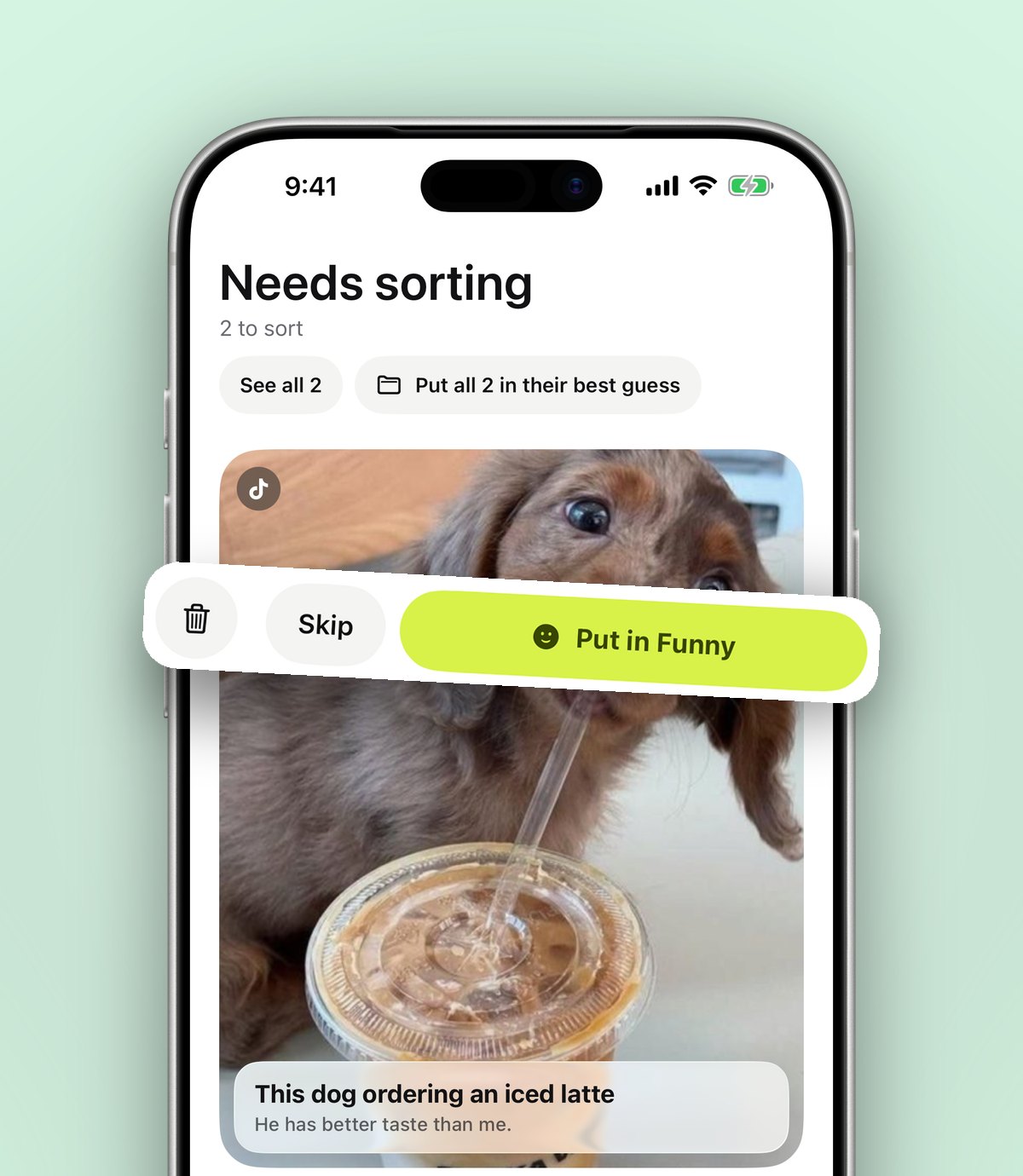
- 3If it isn't sure, the video waits in Needs sorting for a one tap decision.
- 4Move a save once and it learns where similar videos belong next time.
Tip: on a laptop, the Anoli Chrome extension saves the YouTube page you're on in one click, and it's on your phone when you sit down to watch.
Watching your saved YouTube videos
When you open a saved YouTube video, it plays inside the app with proper controls: pause, scrub and change the speed. That's handy for tutorials and recipes, where you want to slow down a tricky bit or skip the intro. And because you're not in YouTube's app, there's no feed tempting you elsewhere.
The same controls work for Instagram, TikTok and Vimeo videos, so your Workouts folder can hold a YouTube routine next to a reel, and both play the same way.
Finding the right video later
Topic folders get you most of the way. Search does the rest. It looks inside captions and descriptions, your notes, tags, creators and transcripts, and shows the matching line so you can see why each result came up. You can filter to videos only.
With Pro, transcripts and summaries go further. Tap Summarise and a long description becomes something usable, such as a recipe's ingredients and steps, and the app can listen to what's said in a video you attach, so the words spoken become searchable too. If you save a lot of how to videos, that's the difference between "I know it's in here somewhere" and finding it in seconds.
Tip: add a short note when you save, like "watch before Saturday's bake" or "starts at 4:30". Notes are searchable and save you rewatching the intro to remember why you saved it.
Setting folders that match how you watch
Folders by topic work best when they reflect real moments in your week. Some that tend to work:
- Cook this week: recipes you plan to make soon.
- Workouts: routines you want to try, from YouTube and elsewhere.
- Learn: tutorials, lectures and how tos, with subfolders per subject.
- Long watches: documentaries and video essays for a quiet evening.
- Fix it: repair and DIY videos for when something breaks.
You can put folders inside folders, and each folder shows its three latest saves peeking out, so you can see what's waiting at a glance.
Actually watching what you saved
A sorted list is only useful if you watch some of it. A few habits help:
- 1Set a reminder on a video you want to watch at a particular time, like a recipe for Sunday.
- 2Mark videos as done once you've watched them, so the folder shows only what's left.
- 3Once a month, clear out anything you're no longer interested in. Saving something is not a promise.
What about YouTube Shorts?
Shorts are easy to lose because they fly past in a vertical feed, much like TikTok. They have a Share button too, so the same steps work: tap Share, then More if YouTube shows its own panel, then the app. Shorts land in the same topic folders as full length videos, which is useful when a quick recipe Short and a longer recipe video belong together.
Saving from YouTube on a laptop
A lot of longer YouTube watching starts on a computer. If you're browsing YouTube in Chrome, the Anoli Chrome extension saves the video page in one click and it appears on your phone, sorted. You can also do the reverse: save on your phone during the day and watch on the big screen in the evening by opening the video from YouTube on your TV or laptop.
A simple weekly routine
- 1During the week, share anything interesting to your folders instead of Watch Later.
- 2On Sunday, open your folders and set reminders on the two or three videos you actually want to watch that week.
- 3Mark them done as you watch, and clear out anything that no longer appeals.
That small routine turns a pile of good intentions into a short list you'll actually get through.
Which approach should you use?
Both are good. Here's an honest comparison.
YouTube playlists
Good for: people who save almost only from YouTube and are happy to pick a playlist each time. Free, built in, works on every device including TV apps.
YouTube Watch Later
Good for: a short, temporary queue you clear regularly. Less good as a long term library.
anoli
Good for: people who save videos from YouTube, TikTok and Instagram and want them sorted by topic automatically, searchable and playable without the feed. You can still use YouTube playlists for things you watch on the TV.
If you're comparing save apps more broadly, our explainer on what a save for later app is covers the main options, and our guide to saving TikTok videos into folders shows the same idea for TikTok.
Start with one topic
Pick the topic you most often go looking for, maybe recipes or workouts. For the next week, share those YouTube videos to the app instead of tapping Watch Later. When you next want one, open the folder and it's there.
It's free to start, with no account and no card, and Pro is £10 a year for unlimited saves, summaries and transcripts. Get anoli for iPhone and iPad, read our reviews, or see more on the anoli home page.
Questions people ask
How do I organise my YouTube Watch Later?
Make private playlists for each topic and save new videos to those instead of Watch Later. Clear watched videos from Watch Later regularly, or share videos to an app like anoli that sorts them into folders for you.
Is there a limit to YouTube Watch Later?
YouTube playlists, including Watch Later, have a maximum size of several thousand videos. Most people find the list hard to use long before reaching it.
How do I share a YouTube video to another app on iPhone?
Tap Share under the video, then tap More in YouTube's share panel to open the iPhone share sheet, and choose the app, such as a save app.
Can I watch saved YouTube videos without the YouTube feed?
In anoli, a free iPhone app, saved YouTube videos play inside the app with pause, scrub and speed controls, so you can watch without being pulled into recommendations.
Can I search inside YouTube videos I've saved?
A save app can. anoli searches titles, descriptions, notes and transcripts, and with Pro, summaries and transcripts make the spoken content of videos searchable too.
Try it with your own saves
Free to start on iPhone and iPad. See what people say.