
How to save workouts from Instagram and TikTok and actually do them
· 7 min read
THE SHORT ANSWER
The easiest way to save workouts from Instagram and TikTok is to tap Share on the reel and send it to a save app that sorts it into folders, instead of tapping the bookmark. anoli is a free iPhone app that files workouts into a Workouts folder, keeps the caption searchable, lets you slow the video down to check form, and lets you set a reminder for the day you plan to do it.
You save a glute workout on Instagram on Sunday night, a ten minute core routine on TikTok on Monday and a mobility flow a friend sent you on Tuesday. Then you walk into the gym on Wednesday, can't find any of them, and do the same three machines you always do.
The problem usually isn't motivation. It's that saved workouts are scattered across apps, buried between memes and recipes, and awkward to follow with sweaty hands and a phone that keeps locking. This guide shows you how to save workouts from Instagram and TikTok so they are sorted by type, easy to follow mid set, and turned into a simple weekly plan you actually do.
Why do saved workouts never get done?
Most of us have dozens of workouts saved and do almost none of them. That isn't a character flaw. The way social apps store saves works against you:
- No order. Instagram's Saved tab and TikTok's Favourites show everything newest first, so the workout you saved in September sits under two months of other things.
- The details are hidden. Sets, reps and rest times are often in the caption or said out loud in the video, not on screen, so you can't see them from the grid.
- Hard to follow mid workout. Reels loop fast, there's no obvious way to slow them down, and you can't check form while you're holding a dumbbell.
- A pile is not a plan. Two hundred saved workouts don't tell you what to do on Thursday.
- Posts vanish. If a creator deletes or archives a post, it disappears from your saves too.
Fix those five things and saved workouts become useful. You need a home for them outside the feed, a way to read the details at a glance, and a light routine for picking what to do each week.
What's the best way to save workouts from Instagram?
The bookmark icon keeps the workout inside Instagram, in the same grid as everything else. A better habit is to tap Share instead and send the post to a save app that sorts it for you.
anoli, a free iPhone app that saves posts from Instagram, TikTok and any website into folders, does exactly this. It reads the caption, sees that the post is a workout and files it into your Workouts folder. You don't choose anything, and it closes straight away so you're back in the feed.
Set up the share button once
- 1Open any reel or post on Instagram and tap the Share icon, then the option that opens your iPhone's share sheet.
- 2Scroll the row of apps all the way to the end and tap More.
- 3Tap Edit, find anoli in the list, switch it on and drag it to the front.
- 4Tap its icon. The post is saved and sorted, and you're back where you were.
From then on it's two taps. TikTok works the same way: tap the Share arrow on a video, choose the option that opens the share sheet, and pick the app. If it doesn't appear, the support page walks through the most common setup problems.
Let the sorting happen
If the app isn't sure where a post belongs, it doesn't guess. The save waits in Needs sorting, where you can file it with one tap. When you move a save into a different folder, it learns from that, so similar workouts go to the right place next time.
Tip: Save from TikTok and Instagram the same way, with Share. Once both land in one place, you stop needing to remember which app a workout came from.
How should you organise a workout folder?
You can put folders inside folders, so your Workouts folder can hold smaller folders that match how you train. Pick the structure that answers the question you ask yourself when you start a session.
By body part
- Legs and glutes
- Upper body
- Core
- Mobility and stretching
This works well if you follow a split, such as legs on Monday and upper body on Wednesday.
By time or place
- Ten minutes or less
- Home, no kit
- Gym
- Running and cardio
This works better if your question is "what can I do with the time and space I've got?" Parents, students and anyone who trains at home usually prefer it.
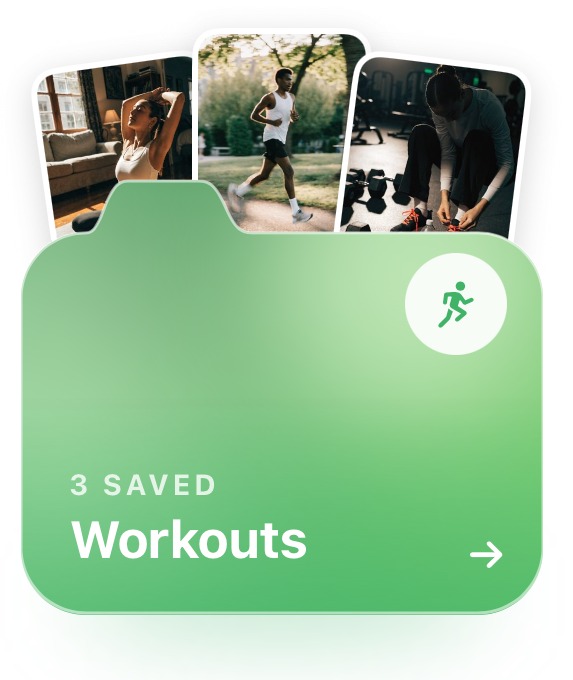
Each folder shows its three latest saves peeking out, so you can see what's in it without opening it. Give each one a cover photo, a colour or an emoji and you'll find the right one in a second, even between sets.
How do you follow a saved workout mid session?
This is where most saved workouts fall apart. A reel that looked easy on the sofa is hard to follow on a gym floor. A few things help.
Slow the video down
anoli plays Instagram, TikTok, YouTube and Vimeo videos inside the app with proper controls. You can pause, scrub back to the start of a movement and change the speed. Slowing a movement down is the easiest way to see where the creator's knees, hips and elbows go before you try it.
Carousel workouts, the ones where each slide is an exercise, stay swipeable, so you can move from slide to slide as you finish each move.
Turn the caption into a list
Long captions are hard to read between sets. With anoli Pro, tap Summarise and the caption becomes something usable: a short list you can glance at instead of a wall of text. If the sets and reps are spoken rather than written, attach the video and the app listens to what's said in it too, so the cues from the voiceover end up in the save as a transcript you can search.
Write your own numbers
Add a note to the save with the weight you used and how it felt. Next time you open the workout, your numbers are right there, so you know whether to go heavier. Notes are searchable too, so "20kg" or "too easy" will find them.
Tip: Doing the same saved workout for a few weeks and adding a little weight or a few reps each time usually beats trying a brand new reel every session. Your notes make that easy to track.
How do you turn saved workouts into a weekly plan?
You don't need a coach or a spreadsheet. You need about ten minutes on a Sunday and a few saves you trust.
- 1Decide how many sessions you'll realistically do this week. Three you finish beats five you skip.
- 2Open your Workouts folder and pick one saved workout for each session.
- 3Set a reminder on each save for the day you plan to do it. When the reminder arrives, the workout is one tap away.
- 4After the session, mark the save as done and add a quick note with your weights.
- 5Next Sunday, look at what you did, keep the workouts you liked and swap the ones you didn't.
The calendar shows what you saved on any given day, which is handy when you remember a workout from "that Tuesday in October" but nothing else about it. Search helps as well: type "kettlebell", "hamstring" or a creator's name and you get the matching line from the caption, the transcript or your notes.
If you're new to training or coming back from an injury, it's worth checking a routine with a qualified coach or physio before you add weight. A saved reel can't see your form.
Can you bring in workouts you already saved?
Yes. You don't have to start from nothing. In the app, go to Settings and Import saved posts. It reads the data download from Instagram, TikTok favourites and Pinterest. Your Instagram collections and Pinterest boards become folders, and everything else is sorted the same way as a new save, so old workouts land in Workouts.
If you haven't downloaded your data before, our guide to exporting your Instagram saved posts goes through it step by step. For TikTok, the post on why TikTok favourites are hard to find explains where they live and how to get them out.
Instagram collections, notes or a save app: which is best for workouts?
There's no single right answer. Here's what each option is genuinely good at.
- Instagram collections: free and built in. Good if you only ever save from Instagram and remember to choose a collection each time. There's no search inside Saved, and nothing from TikTok or YouTube.
- TikTok collections: the same idea for TikTok. Fine for one app, but your Instagram workouts live somewhere else.
- Screenshots: quick, but you lose the video, which is the part that shows you how to move.
- A notes app: great for writing your own programme. Links pasted into a note don't show the video, though, and nothing sorts itself.
- Workout logging apps: excellent at tracking sets, runs and personal bests. They aren't built to keep the reel that inspired the session.
- anoli: saves from every app into one place, sorts workouts for you, plays the video with speed controls and keeps captions, transcripts and notes searchable. It's for keeping and finding workouts, not for logging every set.
Plenty of people use two: a logging app for the numbers and a save app for the workouts themselves. If you also save a lot of long YouTube programmes, our guide to saving YouTube videos to watch later covers how to sort them by topic.
Start with one folder and one week
You don't need to reorganise two years of saves tonight. Set up the share button, save the next five workouts you like, and pick one to do this week with a reminder on it. Once you've finished one saved workout, the rest of the system makes sense.
anoli is free to start, with no account and no card. If you want summaries, transcripts and unlimited saves, anoli Pro is £10 a year. You can download anoli on the App Store, read what people say about it, or see more of what it does on the anoli home page.
Questions people ask
How do I save a workout from Instagram to a folder?
Tap Share on the reel, open the share sheet and choose anoli. It reads the caption and files the workout into your Workouts folder; if it isn't sure, it waits in Needs sorting for one tap.
Can I slow down an Instagram or TikTok workout video?
Inside Instagram there's no simple speed control, but anoli plays Instagram, TikTok, YouTube and Vimeo videos with pause, scrub and speed controls, so you can watch a movement slowly.
Why did a workout disappear from my saved posts?
If the creator deletes or archives a post, it disappears from your Instagram saves too. Saving to anoli keeps the caption and your notes, so you still have the details to search.
Can I get reminders to do a saved workout?
Yes. In anoli you can set a reminder on any save for the day you plan to do it, then mark it as done afterwards.
Is anoli free for saving workouts?
anoli is free to start with no account and no card. anoli Pro, £10 a year, adds unlimited saves, summaries, transcripts and folders with friends.
Try it with your own saves
Free to start on iPhone and iPad. See what people say.