
Cosy winter recipes from TikTok worth saving this year
· 6 min read
THE SHORT ANSWER
The winter recipes most worth saving from TikTok are the ones you'll cook on a dark weeknight: soups, stews, one pot pasta, traybakes, slow cooker meals and simple bakes. Save them into one Winter folder as you scroll so they're ready in December. anoli is a free iPhone app that saves TikTok and Instagram recipes into folders, can turn a caption into ingredients and steps with Pro, and has a cooking mode with big type and the screen kept on.
It's December, it's dark by four, and your For You page has quietly turned into a stream of bubbling pots, cheesy bakes and steaming bowls of soup. Every one looks like exactly what you want for dinner. You tap save on a dozen of them, and by January you've cooked none.
That isn't a willpower problem. Winter recipes on TikTok are easy to find and hard to find again. This guide looks at which kinds of cosy recipes are genuinely worth saving, how to search for good ones, and how to keep them somewhere you'll actually cook from when it's cold outside.
What makes a winter recipe worth saving?
Not every beautiful video is a good recipe. Before you save, ask four quick questions.
- Would I make this on a Tuesday? The recipes you'll use most are the ones that work on a tired weeknight, not just a lazy Sunday.
- Is the method actually shown? Some videos are mostly mood. Look for quantities in the caption, the comments or on screen.
- Do I have most of the ingredients? A recipe that needs three specialist shops is a weekend project.
- Will it freeze or keep? Winter cooking is at its best when one pot feeds you twice.
If a video passes two or three of these, save it. If it passes none, enjoy it and scroll on.
The kinds of cosy winter recipes worth saving
Rather than chase a single viral dish, it helps to save across a few categories. That way you'll have something for every kind of cold evening.
Soups
Soup is the most practical winter food there is: cheap, easy to batch and good for using up vegetables. Look for blended soups like roasted tomato, squash or leek and potato, and chunkier ones with beans, lentils or pasta. Search TikTok for terms like winter soup, lentil soup or one pot soup.
Stews and slow cooker meals
If you have a slow cooker, winter is its season. Stews, chilli, curries and pulled meats can go in before work and be ready when you get home. Search for slow cooker dinner or dump and go slow cooker for the easiest ones.
One pot and one tray dinners
Fewer pans means more likely to happen. One pot pasta, orzo bakes and sheet pan traybakes are reliable weeknight savers. Search for one pot pasta, orzo bake or traybake dinner.
Baked and cheesy comfort food
Pasta bakes, gratins, pies and anything with a crispy top. Not every night, but exactly right for a cold Friday. Search for pasta bake or cottage pie.
Simple bakes and warm drinks
Crumbles, gingerbread, sticky puddings, cinnamon buns and proper hot chocolate. They're also lovely to make with kids or friends on a dark afternoon.
Batch cooking and freezer meals
Some of the most useful winter content on TikTok is people cooking several meals at once. Save one good batch cooking video and you've saved a whole week. Search for batch cooking or freezer meals.
Tip: When you find a creator whose recipes keep working for you, save a couple of their videos and note their name. In anoli, search looks at creator names, so you can pull up everything you've saved from them later.
Why do saved TikTok recipes get lost?
TikTok favourites are one long list, with recipes mixed in with everything else you've liked. Collections help, but you have to pick one each time. You can't search your favourites by ingredient, and the recipe is often split between the video, the caption and the comments. If the creator deletes the video, it disappears from your favourites too.
We looked at this in more detail in our guide to saving TikTok recipes. The short version: keep the recipes somewhere that's built for finding them again.
How to build a winter recipe folder in ten minutes
Here's a simple setup that works for the whole season.
- 1Make a folder called Winter inside your Recipes folder. Give it a cover photo or a colour so it stands out.
- 2Add smaller folders if you like: Soups, Slow cooker, Bakes. Keep it to three or four.
- 3Save as you scroll. On any TikTok, tap Share and choose anoli. The first time, scroll the app row to the end, tap More, then Edit, switch anoli on and drag it to the front.
- 4Let it sort. anoli reads the caption and files recipes into Recipes for you. Move the winter ones into your Winter folder, and anoli learns from the move.
- 5Add a note to each save. Doubled the garlic, needs an hour, freezes well. Future you will be grateful.
- 6Bring in old saves. If you liked lots of recipes last winter, request your data from TikTok and use Settings > Import saved posts in anoli. Your TikTok collections become folders and everything else is sorted.
Instagram works the same way, so recipe reels and TikToks end up side by side. If you've saved festive dishes too, keep them apart in a Christmas recipe folder so your everyday winter list stays easy to scan.
How do you turn a TikTok video into a recipe you can cook from?
The hardest part of cooking from a video is that the quantities and steps fly past. A few ways to make it easier:
- Check the caption and comments first. Many creators write the full recipe there.
- Slow the video down. In anoli, TikTok, Instagram and YouTube videos play inside the app with pause, scrubbing and speed controls, so you can watch the tricky part at your own pace.
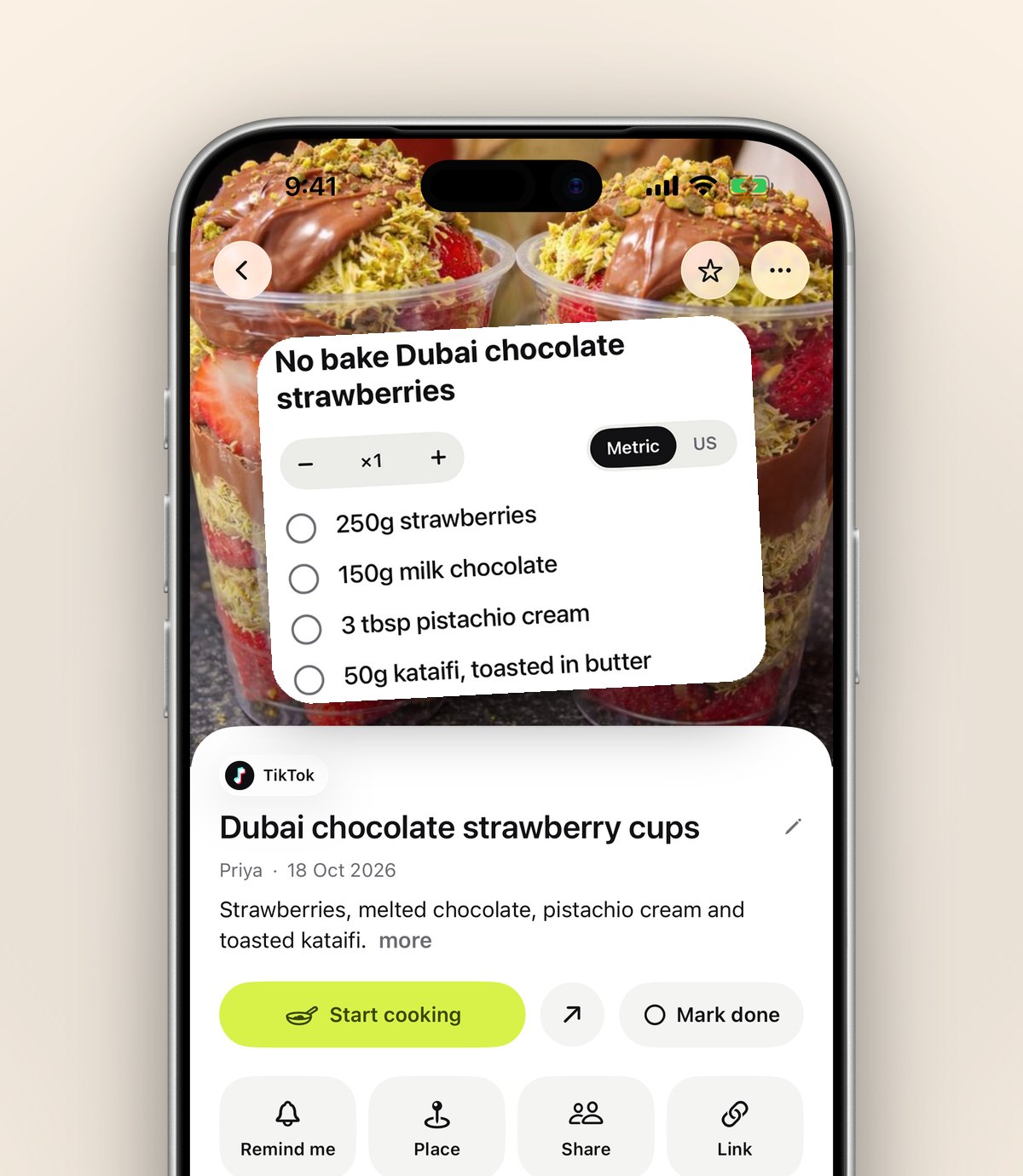
- Use Summarise. With anoli Pro, tap Summarise and a recipe caption becomes a list of ingredients and steps. Attach the video and anoli also listens to what's said in it, which helps when the recipe is only spoken aloud.
- Write it down once. If you cook a recipe and love it, add the method to the save's note so it's there for good.
Cooking on a winter night: make it easy on yourself
When it's time to cook, open the recipe and turn on cooking mode. anoli shows the ingredients first, then one step per page in big type, with big Back and Next buttons. The screen stays on, so you're not unlocking your phone with wet hands every two minutes. We wrote a whole post on cooking from your phone if you'd like more kitchen tips.
Tip: Prop your phone up at eye level, away from the hob. A small stand or a mug does the job, and it keeps splashes off the screen.
Plan a week of winter dinners from your saves
Saving recipes is only half the job. The other half is deciding what to cook. Once a week, open your Winter folder and pick:
- One big batch meal, like a stew or soup, that covers two dinners or lunches.
- Two quick weeknight meals, like a one pot pasta or a traybake.
- One slower, cosier meal for the weekend.
- One bake or pudding, if you fancy it.
Write the shopping list in a note in the folder. If you live with someone, share the folder, so you both see the plan and either of you can add a recipe. Shared folders are part of anoli Pro. For a fuller method, our guide on meal planning from saved recipes goes step by step.
Where else can you keep winter recipes?
Every option has its strengths, so pick the one that matches how you cook.
- TikTok collections: free and right there. Fine for a small number of recipes, hard to search.
- Instagram collections: the same, and only for Instagram posts.
- A recipe website account: great if you mostly cook from one site, like BBC Good Food.
- A notebook: lovely for recipes you've perfected, slow for collecting new ones.
- anoli: keeps recipes from TikTok, Instagram, YouTube and websites in one sorted place, with search, summaries and cooking mode.
If you'd like a broader comparison, read our round up of the best recipe organiser app.
Make this the winter you cook what you save
Winter is the best season for saving recipes, because it's the season you most want to cook. Save a handful across soups, stews, one pots and bakes, keep them in one folder, and look at that folder once a week. That's all it takes for the bubbling pot on your screen to end up on your table.
When you're ready, download anoli free from the App Store. There's no account or card needed to start, and anoli Pro is £10 a year if you want summaries and unlimited saves. Learn more on the anoli home page or read the reviews.
Questions people ask
What are good winter recipes to save from TikTok?
Recipes you'll cook on a weeknight are the most useful: soups, stews, slow cooker meals, one pot pasta, traybakes, pasta bakes and simple bakes like crumble. Batch cooking videos are especially good value.
How do I find winter recipes on TikTok?
Search for specific terms such as winter soup, slow cooker dinner, one pot pasta, orzo bake or batch cooking, then save the ones whose caption or comments include the full recipe.
How do I save TikTok recipes so I can find them later?
Tap Share on the video and choose anoli. It files the recipe into your Recipes folder, keeps the caption and lets you search by ingredient or creator later.
Can anoli turn a TikTok recipe into ingredients and steps?
Yes, with anoli Pro. Tap Summarise and the caption becomes ingredients and steps, and if you attach the video anoli listens to what's said in it too.
Does anoli keep my screen on while I cook?
Yes. Cooking mode shows the ingredients, then one step per page in big type with large Back and Next buttons, and the screen stays on.
Try it with your own saves
Free to start on iPhone and iPad. See what people say.