
New year goals ideas from the posts you saved this year
· 7 min read
THE SHORT ANSWER
A good way to find new year goals is to look back at what you saved this year: the recipes, workouts, places and skills you kept coming back to show what you actually want. Group your saves into a few themes, pick one small, specific goal from each, and put the saves that support it in its own folder. anoli, a free iPhone app that saves posts from Instagram, TikTok and any website into folders, makes that review quick because your saves are already sorted.
Every January the same thing happens. You sit down with a blank page, write "get fit, read more, save money, travel", and by February the list is forgotten. The goals weren't wrong. They were just vague, and they came from what you thought you should want rather than what you actually do.
There's a better starting point hiding on your phone. All year, without thinking about it, you've been saving things: recipes, runs, cafés, courses, flats, hobbies, quotes. Those saves are an honest record of what caught your attention and what you hoped to do one day. Late November is the perfect time to look at them, before the festive rush, with a cup of tea and half an hour to spare.
Why use your saved posts to set goals?
Most goal setting advice asks you to imagine your ideal life. That's hard, and it tends to produce the same five resolutions everyone writes. Your saves are different, because they're evidence.
- They show repeated interest. One saved pottery reel is a whim. Twenty is a hobby waiting to happen.
- They're specific. You didn't save "get fit", you saved a 20 minute kettlebell routine and a beginner running plan.
- They come with the how. The recipe, the route, the course link and the creator are already there.
- They're yours. Nobody told you to save them, so the goals that come from them feel natural rather than imposed.
How do I review a year of saves?
The aim is to notice patterns, not to reread everything. Give yourself 30 to 45 minutes and follow these steps.
- 1Gather your saves in one place. If they're split across Instagram, TikTok, Pinterest and browser tabs, bring them together first. Most apps let you download your saved posts, and anoli can import Instagram, TikTok and Pinterest downloads from Settings, then Import saved posts.
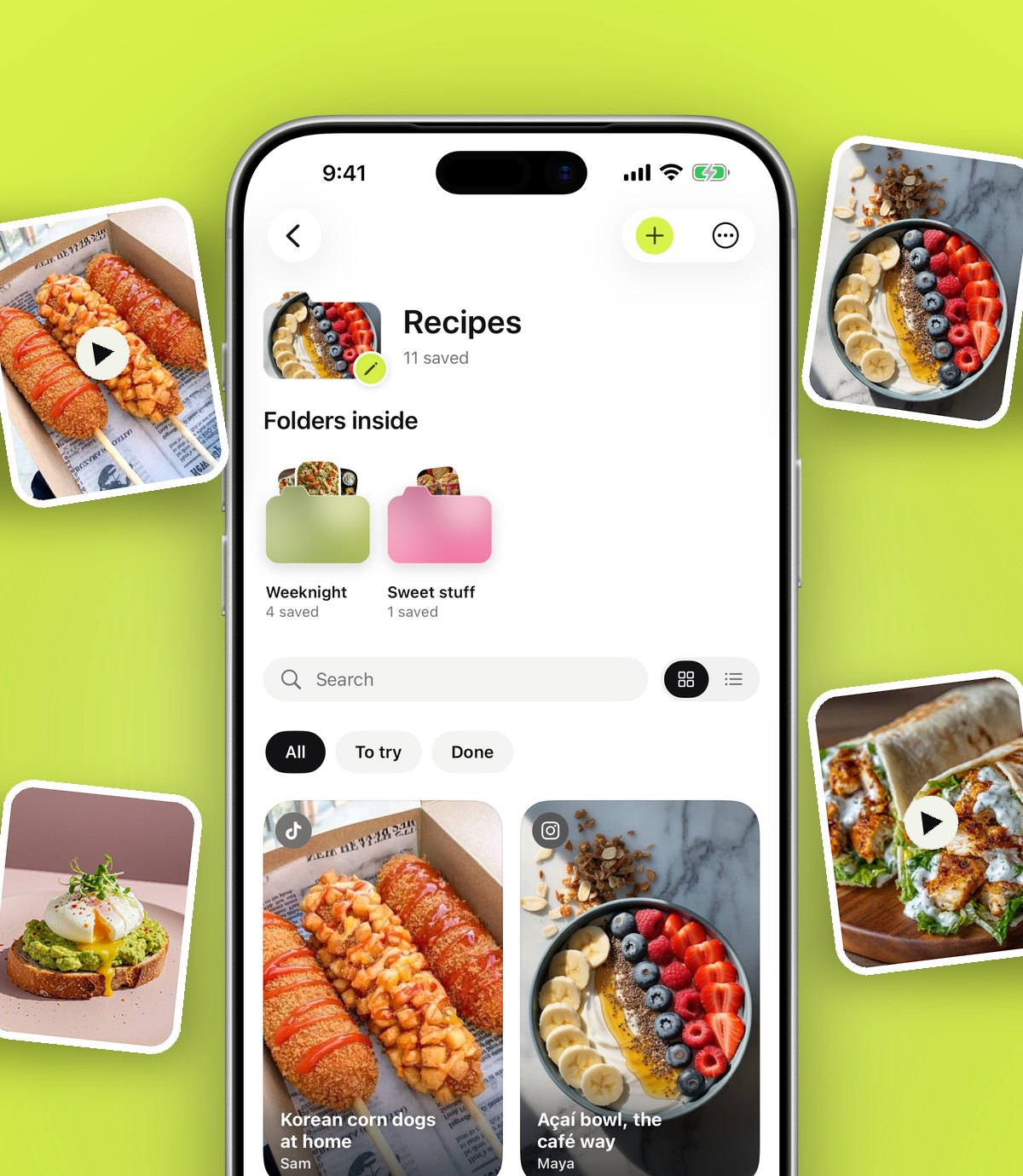
- 2Look at the folder sizes. Which folders grew the most? A huge Recipes folder and a tiny Workouts folder tells you something.
- 3Scroll each big folder quickly. Don't open everything. Just notice what keeps repeating: the same cuisine, the same city, the same kind of exercise.
- 4Write down three to five themes. For example: cooking at home more, a trip to Japan, strength training, decorating the bedroom, learning to draw.
- 5Mark what you already did. It's encouraging to see how many saves turned into real meals, trips and evenings. Mark them as done.
- 6Delete the noise. Trends you've moved on from and things you'll never do. A lighter folder is easier to act on.
Tip: the calendar view in anoli shows what you saved on each day. Scrolling through it month by month is a surprisingly good way to remember what you cared about in March, or what you were planning in the summer.
In December, anoli also shows a look back at what you saved during the year, which is a nice, quick way to see your biggest themes at a glance.
How do I turn themes into goals I'll keep?
This is where most resolutions fail. A theme is a direction, not a goal. Turn each one into something small, specific and easy to start.
Make it specific
"Cook more" becomes "cook one new recipe from my saves every Sunday". "Travel" becomes "go to Lisbon in May with Sam". "Get stronger" becomes "do the 20 minute routine I saved twice a week".
Make it small
If you've never run, the goal isn't a marathon. It's three short runs a week for a month. Goals that fit into a normal week survive past January.
Tie it to your saves
Each goal gets its own folder, and the saves that support it go inside. The recipes for Sunday cooking. The Lisbon cafés. The routine. When it's time to act, you don't search, you open the folder.
Limit the number
Three goals you actually do beat ten you abandon. Keep the other themes in a Someday folder so the ideas aren't lost.
Goal ideas that come from common saves
Here are some examples of how typical saved folders turn into realistic goals. Use them as a starting point and change them to fit your life.
- A big recipe folder: cook one saved recipe a week, or plan weekday dinners from your saves. Our guide to meal planning from saved recipes shows how.
- Lots of workouts: pick two saved routines and do each once a week for six weeks. See how to save workouts and actually do them.
- Travel saves everywhere: choose one trip and one weekend away, and give each a folder with dates.
- Home and decor: finish one room before starting another.
- Courses, articles and books: read one saved book a month, or finish one course before the summer.
- Money and budgeting tips: pick one habit from a saved post and try it for a month.
- Hobbies: try the craft, instrument or plant you saved most often, once, before deciding whether to keep going.
- People and gifts: keep a running list of gift ideas so birthdays stop being a scramble. We covered that in keep a gift ideas list all year.
How do I keep going after January?
Setting goals is easy. Remembering them in March is hard. A few small systems do the remembering for you.
Set reminders on the saves
A reminder on a saved recipe for Sunday morning, or on a workout for Tuesday evening, brings the goal back at the moment you can act on it. It's much gentler than an alarm that just says "exercise".
Make it visible
Give each goal folder a cover photo, colour or emoji, so it stands out when you open the app. Each folder shows its three latest saves peeking out, so you see what's next without tapping.
Mark things done
Every time you cook the recipe or do the routine, mark it as done. Watching the done count grow is a quiet, steady motivation.
Do it with someone
Goals are easier with company. With anoli Pro you can share a goal folder with a friend or partner using one link: a running plan with your flatmate, a cooking challenge with your mum, a trip fund with friends. You both add saves, react and leave little comments, which keeps you both going.
Keep collecting, with purpose
You'll still save things all next year. That's fine. When you save something that fits a goal, move it into that goal's folder. anoli learns where similar saves go, so it gets easier over time.
What if last year's goals didn't work?
Most people's didn't, so you're in good company. Before setting new ones, spend five minutes looking at what happened, without judging yourself.
- Was the goal too big? "Run a half marathon" from nothing is a lot. "Run three times a week in January" is a start.
- Was there no plan? A goal without a recipe, a route or a routine relies on willpower on a tired Tuesday. Saves give you the plan.
- Did it clash with real life? If evenings are chaos, a goal that needs evenings won't last. Move it to the weekend or the commute.
- Did you stop noticing it? Out of sight is out of mind. Reminders and a visible folder fix that.
Keep whatever still matters to you and shrink it. A goal you carry over, made smaller and tied to a few good saves, has a much better chance the second time round.
What if I don't have many saves?
That's useful too. It might mean you mostly save for fun, or you save in lots of different apps. A few ideas:
- Spend a week saving deliberately. Anything that makes you think "I'd like to do that", share it to one place.
- Look at your screenshots and old browser tabs as well. They're saves in disguise.
- Ask yourself which saved posts you've already acted on. Those are the strongest signs of what you'll really do.
Which tools help with goal setting?
There's no need for anything fancy. Honest options:
- Pen and paper or a journal is brilliant for reflecting and writing goals down. It can't hold the recipe or the workout video.
- A notes app is fine for a simple list of goals and works on every phone.
- A habit tracker is good for ticking off daily habits once you've chosen them.
- anoli is for gathering the saves behind each goal, from every app, into folders you can search, share and set reminders on. It's on iPhone and iPad.
Many people use two: a journal or notes app for the goals themselves, and a save app for everything that helps them happen. If you like the idea of one place for everything you collect, read build a simple second brain on your phone.
Start your review this week
Pick an evening before December gets busy. Open your saves, find three themes, and turn each into one small goal with its own folder. When January comes, you won't be staring at a blank page. You'll already have the plan, and the recipes, routes and routines to go with it.
anoli is free to start, with no account and no card, and Pro is £10 a year. You can see how folders look on the home page and what people say on the reviews page. If you'd like to try it, download anoli on the App Store.
Questions people ask
How do I come up with new year goals?
Look at what you already spend time on and save, then pick a few themes and turn each into one small, specific goal. Your saved posts are a good source because they show what you keep coming back to.
How many new year resolutions should I make?
Fewer is better. Two or three specific goals that fit into a normal week are far easier to keep than a long list.
Why do most new year resolutions fail?
They're often vague, too big and not tied to a plan or a time. Making goals specific and small, and setting reminders for when to act, helps them last.
Can I see everything I saved this year?
Instagram and TikTok let you scroll your saves and download your data. In anoli, the calendar shows what you saved each day, and in December the app shows a look back at your year of saves.
What's a good way to track goals with a friend?
Share a folder or list you both add to, and check in on it each week. Shared folders in anoli Pro let you both add saves, react and comment.
Try it with your own saves
Free to start on iPhone and iPad. See what people say.