
Wedding planning: keep every dress, venue and idea in one place
· 7 min read
THE SHORT ANSWER
The simplest way to organise wedding inspiration is one main wedding folder with smaller folders for venues, flowers, food and suppliers, plus a separate private folder for anything your partner shouldn't see. anoli is a free iPhone app that saves wedding ideas from Instagram, TikTok, Pinterest and supplier websites into folders, keeps quotes and PDFs alongside them, and with Pro lets you share a folder with your partner or bridal party.
The moment you get engaged, your feed knows. Suddenly it's all barn venues, sugared almond favours, string quartets playing pop songs and dresses with impossible sleeves. You save everything, because it's all lovely, and within a month you have hundreds of wedding ideas spread across Instagram, TikTok, Pinterest, email and your camera roll.
Planning a wedding is mostly a series of decisions, and decisions are much easier when the options are in one place. This guide shows you how to set up a wedding planning folder that holds every dress, venue, quote and idea, how to share the right parts with the right people, and how to keep a few things secret.
Why does wedding inspiration get so messy?
A wedding pulls ideas from more places than almost anything else you'll plan.
- Inspiration comes from Instagram, TikTok and Pinterest.
- Venues and suppliers have their own websites, brochures and PDFs.
- Quotes arrive by email, often as attachments.
- Your own photos from venue visits, fittings and tastings sit in your camera roll.
- Opinions come from your partner, family and friends, usually in different chats.
None of these places talk to each other. So when you sit down to choose a florist, you're opening five apps and trying to remember which quote went with which photos.
How should you set up a wedding planning folder?
Make one main Wedding folder. anoli lets you put folders inside folders, so you can split it into the parts of the day. A structure that works for most weddings:
- Venues
- Ceremony
- Flowers
- Food, drink and cake
- Decor and tables
- Music and entertainment
- Hair and makeup
- Stationery
- Suppliers and quotes
- Honeymoon
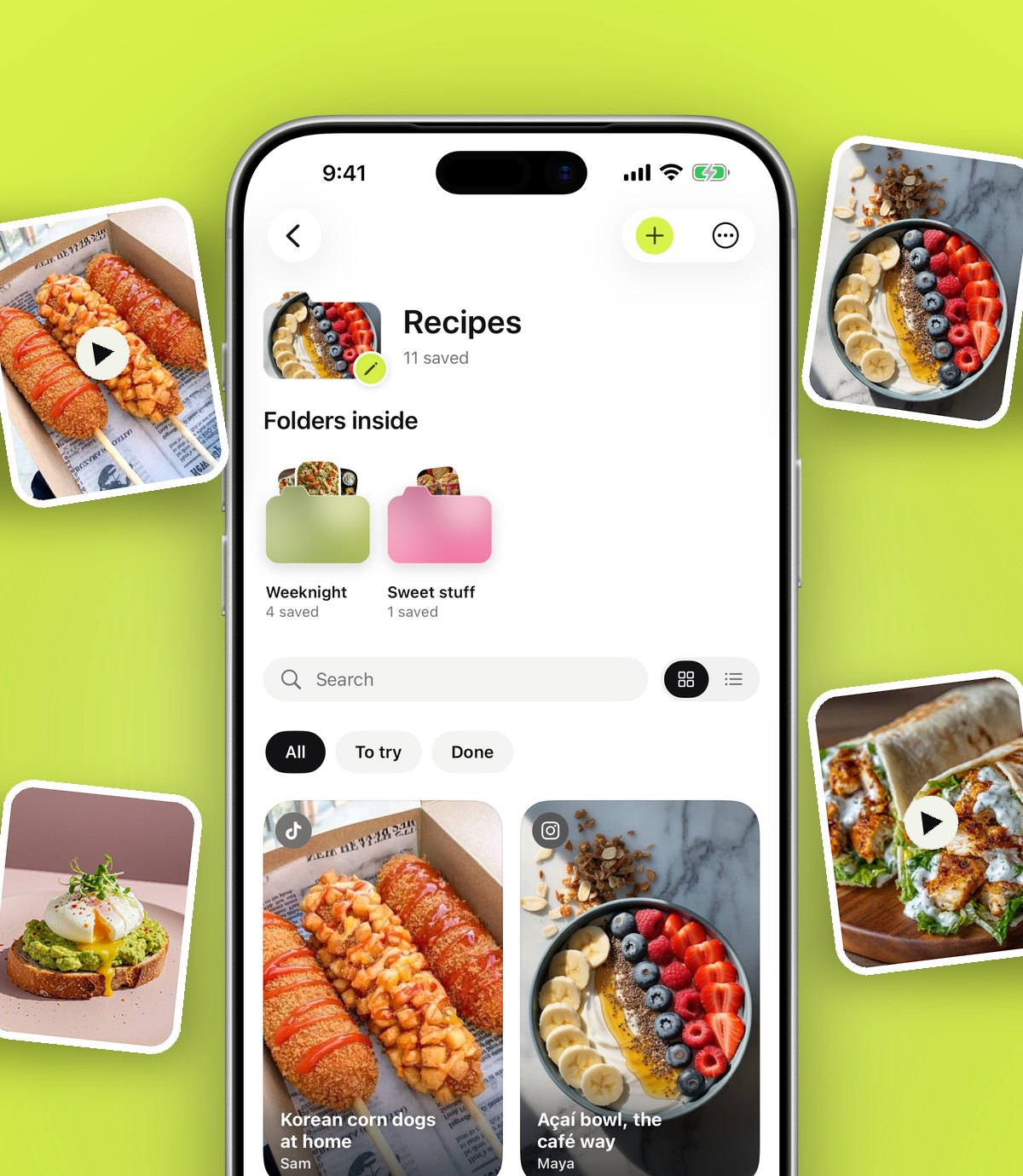
Give the main folder a cover photo you love, perhaps a picture of the two of you, and give each smaller folder a colour or emoji so you can find it in a second. Each folder shows its three latest saves peeking out, which is a nice way to watch the day take shape.
Tip: Start with only the folders you need right now. Most couples begin with Venues, because the date and place decide everything else. Add the others as you get to them.
How do you keep the dress and other surprises secret?
If you share your Wedding folder with your partner, keep anything they shouldn't see in a completely separate folder that you don't share, such as Dress, Outfit or Surprises. Don't put it inside the shared Wedding folder.
It's also worth knowing how photos are handled. Photos, videos and files you save stay on your phone unless you put them in a shared folder or use one as a cover. So fitting photos in your private Dress folder stay with you. Just don't pick one as a cover for a shared folder.
For more on organising looks, the guide to organising outfit inspiration works just as well for wedding outfits, bridesmaids and guests.
How do you save wedding ideas from every app?
The same two taps work everywhere: Share, then the app.
- 1On an Instagram post, TikTok or Pinterest pin, tap Share and open your iPhone's share sheet.
- 2The first time, scroll the app row to the end, tap More, then Edit, switch the app on and drag it to the front.
- 3Tap its icon. The app reads the caption and files the save. If it isn't sure, it waits in Needs sorting for one tap.
- 4On a venue or supplier website in Safari or any browser, tap Share and save the page the same way.
- 5On a laptop, the Anoli extension for Chrome saves any page with one click, and it appears on your phone.
If you already have a Pinterest board full of ideas, you don't have to leave it behind. In Settings, Import saved posts reads your Pinterest data download, and boards become folders. The post on Pinterest alternatives for saving ideas explains when it makes sense to keep using both.
Where do you keep quotes, brochures and contracts?
This is where a wedding folder becomes properly useful, because the inspiration and the paperwork can live side by side.
- Save PDFs of brochures, menus and quotes to the right folder. Search looks inside PDFs, so typing "canapés" or "minimum numbers" finds the right page.
- Combine PDFs and photos into one file, for example a venue's brochure plus the photos you took on your visit.
- Add notes to each supplier with the price, what's included, the deposit and the date it's due.
Unlimited notes, photos and files are part of anoli Pro. For contracts and anything legal, keep the original email and a copy somewhere safe too; your wedding folder is for planning, not your only record.
How do you compare and shortlist venues?
Venues are the biggest decision, and comparing them is much easier with a simple routine.
- 1Save every venue you're interested in to the Venues folder, from Instagram, TikTok or its website.
- 2Add a note to each with the things that matter to you: capacity, price per head, available dates, whether you can stay over, and how far it is for guests.
- 3Open the map. Saved places can be seen on a map, so you can see at a glance which venues are close to family, stations or hotels.
- 4Visit your top few and save your own photos to each one.
- 5Use Decide together from the folder's ⋯ menu so you and your partner swipe on the shortlist and see where you agree.
Decide together works for any choice where there are a few good options: the cake, the band, the first dance song or the honeymoon destination.
How do you share planning with your partner and wedding party?
Folders with friends, part of anoli Pro, lets you send one link and the other person is in. Everything either of you saves lands in the folder, and every save has reactions and a conversation. So your partner can save a band they love, you can react, and the discussion stays on the band rather than lost in a chat.
You can share different folders with different people. Share the whole Wedding folder with your partner, a Hen do folder with your bridesmaids and the Food folder with whoever's helping with the cake. Anyone with a folder's link can view it on the web, which is handy for parents or a planner who doesn't want another app.
If you're planning together as a couple more generally, the post on a shared list app for couples has more ideas for keeping shared folders tidy.
How do you keep track of deadlines?
Wedding planning has a lot of dates: deposits, final numbers, fittings, menu tastings, RSVP deadlines.
- Set a reminder on the relevant save, such as the venue's quote, for when the next payment is due.
- Mark things as done when they're booked or paid, so you can see what's left.
- Use the calendar to see what you saved on a given day, which is handy when a supplier says "as we discussed on the 3rd".
Tip: Make a folder called Booked and move each supplier into it once the contract is signed. On a stressful week, it's very reassuring to see it fill up.
How do you avoid inspiration overload?
Wedding inspiration never runs out, and that's part of the problem. The more you save, the harder it is to choose, and the more it can feel like your wedding has to include everything you've ever liked.
A simple rule helps: once you've booked something, stop saving ideas for it. When the venue is booked, archive the Venues folder by moving it into Booked. When the flowers are chosen, do the same. Your active folders then only hold the decisions still to make, which keeps the whole thing feeling manageable.
It also helps to agree a few words with your partner that describe the day you want, such as relaxed, green and lots of good food. Add them as a note at the top of the Wedding folder and check new saves against them. If an idea doesn't fit any of the words, it might be lovely for someone else's wedding.
Which wedding planning tools should you use?
No single app does everything, so it helps to know what each type of tool is best at.
- Pinterest: wonderful for discovering styles and building a mood board.
- Wedding planning websites and apps: many offer guest list managers, budget trackers and supplier directories. Use them for the logistics.
- A spreadsheet: still the best tool for a detailed budget and seating plan.
- Your email: where contracts and invoices officially live.
- anoli: the place for inspiration from every app, alongside quotes, PDFs, photos and notes, with shared folders, a map of venues and a way to decide together. It isn't a budget or guest list tool.
Using two or three tools is normal. What matters is that the inspiration has one home, so you're not hunting through five apps for the florist you loved.
After the wedding
Keep the folder. Move your favourite saves into a Memories folder, and send the link to a friend who gets engaged next year. Plenty of people find their honeymoon folder becomes a travel folder for anniversaries, and if you're planning one now, the post on planning a trip with friends works for two as well.
anoli is free to start with no account and no card, and anoli Pro is £10 a year. Download anoli on the App Store, read reviews, or find out more on the anoli home page. Congratulations, and enjoy the planning.
Questions people ask
What is the best app for wedding inspiration?
Pinterest is great for discovering styles. To keep ideas from Instagram, TikTok, Pinterest and supplier websites together with quotes and photos, a save app like anoli puts them in one set of folders.
How do I organise wedding ideas from Instagram?
Share each post to anoli instead of tapping the bookmark, and keep a Wedding folder with smaller folders for venues, flowers, food and suppliers.
How do I keep my wedding dress secret from my partner?
Keep dress saves in a separate folder that you don't share. Photos stay on your phone unless you put them in a shared folder or use one as a cover.
Can I share wedding planning with my partner and bridesmaids?
Yes. With anoli Pro, share a folder with one link. You can share different folders with different people, and anyone with the link can view it on the web.
Can I save venue brochures and quotes as PDFs?
Yes. You can save PDFs and files, search inside them, and combine PDFs with photos. Unlimited files are part of anoli Pro.
Try it with your own saves
Free to start on iPhone and iPad. See what people say.