
How to organise outfit inspiration from Instagram, TikTok and shops
· 7 min read
THE SHORT ANSWER
To organise outfit inspiration, save every look to one place with folders by season, occasion and a separate wishlist, and add a note on what you liked. anoli is a free iPhone app that saves posts from Instagram, TikTok, Pinterest and shop websites into folders, sorts them for you and keeps captions and notes searchable, so you can find a look when you're actually getting dressed.
Your outfit inspiration is everywhere. A coat from a TikTok try on haul, a layering idea in someone's Instagram stories, a Pinterest board from three winters ago, a dress open in a browser tab, and forty screenshots of people on the street in Copenhagen. When you stand in front of your wardrobe on a Monday morning, none of it helps.
The fix isn't saving less. It's giving style saves a home that matches how you get dressed and how you shop. Here's how to organise outfit inspiration from every app into one place, add the details you always forget, and turn it into outfits you wear and things you buy on purpose.
Where does outfit inspiration end up?
Most people's style saves are split across at least four places:
- Instagram Saved, mixed in with recipes and memes, with no search.
- TikTok Favourites, a long scroll of try ons and hauls.
- Pinterest boards, often from years ago, half of them for a style you've moved on from.
- Screenshots and open tabs, from shops and street style accounts.
Each one is fine on its own. The problem is that you can't look at them together, so you can't spot what you keep coming back to. That pattern, the colour or shape you save over and over, is the most useful thing your saves can tell you.
How do you work out your style from your saves?
Before you set up a single folder, try this. Gather your last fifty or so style saves in one place and scroll through them without stopping. You'll notice repeats very quickly: maybe it's always wide trousers, always navy and cream, always one bold shoe. Those repeats are your real style, as opposed to the style you think you should have.
Write the three or four repeats down in a note and pin it somewhere you'll see it, such as the top of your Style folder. When you're about to buy something, check it against the note. If it fits two of the repeats, it'll probably go with what you own. If it fits none, it may be a lovely thing for someone else's wardrobe. This one exercise saves more money than any folder structure.
How should you set up an outfit inspiration folder?
Start with one Style folder. You can put folders inside folders in anoli, so you can split it as it grows. Here's a structure that suits how most people dress.
By season
- Autumn and winter outfits
- Spring and summer outfits
Seasons matter more than anything else when you're getting dressed. In November you don't want to scroll past linen sets to find a coat idea.
By occasion
- Work
- Weekend
- Going out
- Weddings and events
- Holiday
For shopping
- Wishlist: things you'd like to buy
- Brands to check: shops and small labels you discovered
- Already bought: so you remember what you got and where
Pick the folders you need now and add others later. Give each one a cover photo of a look you love, or a colour or emoji, so your style folders are easy to spot. Each folder shows its three latest saves peeking out, which is also a nice way to see your style at a glance.
Tip: Keep a folder called Outfit formulas for looks you can copy with what you already own, such as "long coat, straight jeans, loafers". It's the folder you'll use most on busy mornings.
How do you save outfits from Instagram, TikTok, Pinterest and shops?
The same two taps work everywhere: Share, then anoli.
- 1On Instagram, TikTok or Pinterest, tap Share on the post and open the share sheet.
- 2The first time, scroll the app row to the end, tap More, then Edit, switch the app on and drag it to the front.
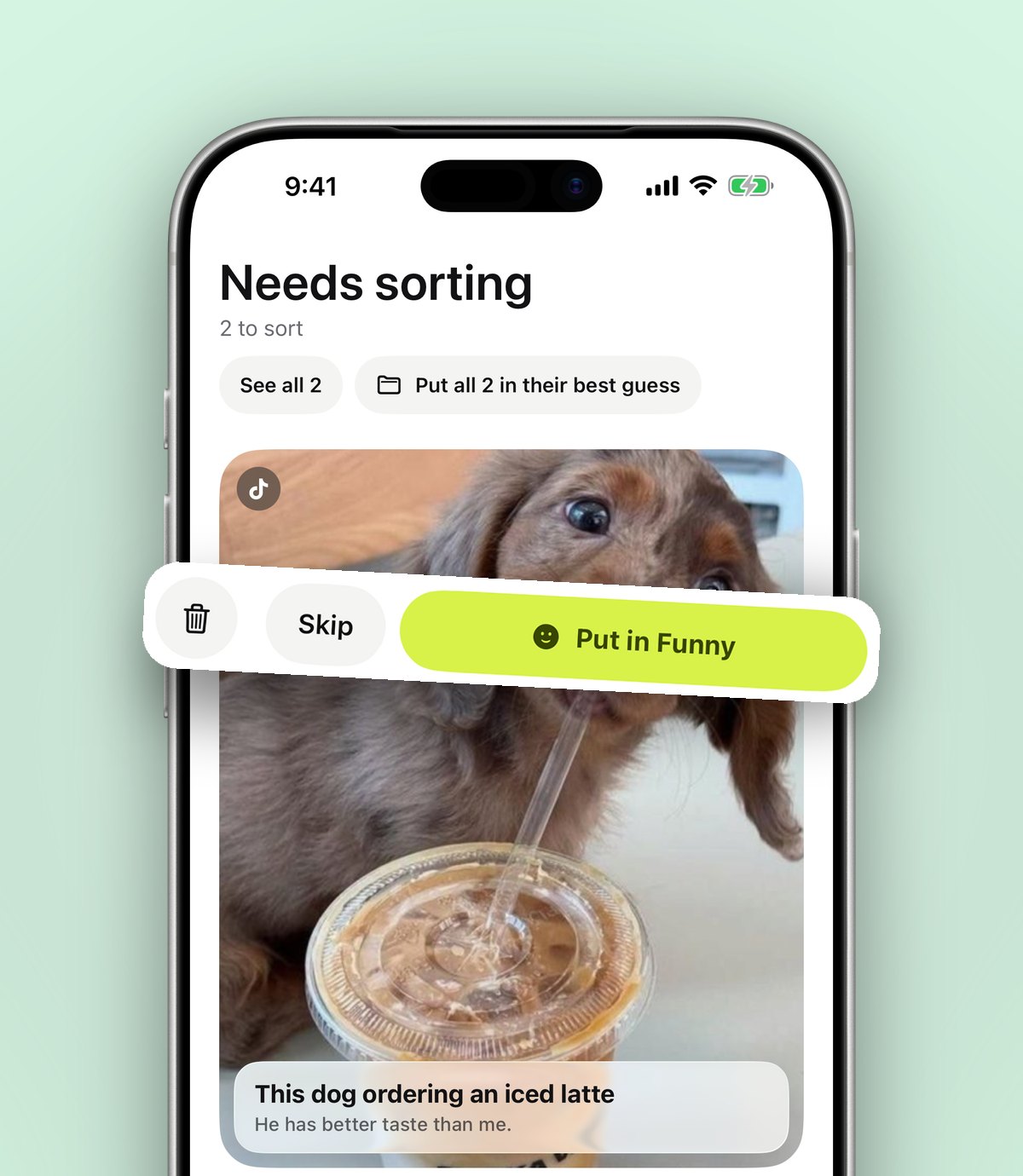
- 3Tap its icon. It reads the caption and files the post. Style posts land in your style folders, and anything it isn't sure about waits in Needs sorting.
- 4On a shop's website in Safari or any other browser, tap Share and choose the app the same way. The product page is saved with its title and picture.
- 5On a laptop, the Anoli extension for Chrome saves the page you're on with one click, and it appears on your phone.
You can also save photos, such as a picture you took in a changing room or a screenshot from a friend. Photos and videos you save stay on your phone unless you put them in a shared folder or use one as a cover. Unlimited photos, notes and files are part of anoli Pro.
If you're moving from Pinterest, the import is worth doing. Settings, Import saved posts reads your Pinterest data download, and your boards become folders. Instagram collections and TikTok favourites come in the same way. Our post on Pinterest alternatives for saving ideas explains what Pinterest is still best at and when it makes sense to use both.
How do you remember why you saved an outfit?
Three weeks after saving a look, you often can't tell what caught your eye. Was it the trousers? The colours? The way the scarf was tied? A note fixes that.
Add a short note to the save, for example:
- "The bag, not the outfit"
- "Try with my grey coat"
- "Size 12 fits, £45 at the time"
- "Same jumper in cream exists"
Notes are searchable, along with captions, tags and creators. Type "loafers", "burgundy" or a creator's name and you see the matching line, so you can find the look without scrolling. You can filter search to photos or links too, which helps when you only want your own pictures or only shop pages.
How do you turn inspiration into outfits you actually wear?
Saving looks is the fun part. Using them is where most folders go quiet. A simple weekly routine helps.
- 1On Sunday, open your current season folder and pick three looks you want to recreate this week.
- 2For each one, find the closest pieces you already own. If you can make it, move the save into Outfit formulas.
- 3If you can't make it because you're missing one piece, move the save into Wishlist with a note on what's missing.
- 4Mark looks as done once you've worn them, so you can see which ideas you really use.
After a month, your Outfit formulas folder shows the looks that suit your life, and your Wishlist shows the gaps worth filling. That's far more useful than a board of beautiful outfits you'll never wear.
How do you use a wishlist without overspending?
A wishlist can help you shop less, not more, if you treat it as a waiting room.
- Save the product page to Wishlist instead of buying on the spot.
- Set a reminder for a week later. If you still want it when the reminder arrives, it's probably a good buy.
- Add a note with the size and price at the time, so you can see if it goes into a sale.
- Before buying, search your Already bought folder for something similar.
This works especially well before big sales. Our guide on making a Black Friday wishlist goes through it step by step, and the gift ideas list post shows how to keep ideas for other people in the same way.
Can you get a second opinion on an outfit?
Yes. Folders with friends, part of anoli Pro, lets you send one link and a friend is in. Everything either of you saves lands in the folder, and every save has reactions and a conversation. It's ideal for picking a wedding guest outfit together or helping a sibling with a capsule wardrobe.
If you genuinely can't choose between three dresses, Decide together is in the folder's ⋯ menu. Everyone swipes on the saves and you see which one wins. Anyone with the link can also view the folder on the web, which is handy for a friend who just wants to look.
Pinterest, Instagram collections or a save app?
Each has strengths, and you might keep more than one.
- Pinterest: the best place to discover new looks and browse by aesthetic. Boards are visual and easy to share. Reels and TikToks don't live there.
- Instagram collections: free and quick if most of your inspiration comes from Instagram. There's no search inside Saved, and nothing from TikTok or shops.
- Screenshots: fast, but you lose the link to the creator or shop, and they get lost in your camera roll. Our post on organising screenshots on iPhone has some tips if this is you.
- Shop wishlists: handy inside one shop, useless across ten.
- anoli: gathers posts from every app and product pages from any shop in one place, sorts them, and keeps captions and your notes searchable.
Start with this season
You don't need to sort every look you've ever saved. Make an Autumn and winter folder, save the next ten looks you like, and add a note to each. By the end of the month, you'll know exactly what your style is this winter, and what you're missing.
anoli is free to start with no account and no card, and anoli Pro is £10 a year. Get anoli on the App Store, read what people think of it, or see more on the anoli website.
Questions people ask
How do I organise outfit ideas from Instagram?
Share each post to a save app like anoli instead of tapping the bookmark. It sorts style posts into folders, and you can split them by season and occasion with folders inside folders.
Can I save clothes from shop websites and Instagram in one place?
Yes. In anoli, tap Share on a shop page in Safari or any browser and choose anoli; it sits alongside posts from Instagram, TikTok and Pinterest.
Can I move my Pinterest boards into anoli?
Yes. In anoli, go to Settings, Import saved posts and use your Pinterest data download. Your boards become folders.
How do I stop impulse buying from my saved outfits?
Save the item to a wishlist folder instead of buying it, and set a reminder for a week later. If you still want it then, it's a considered buy.
Can friends help me choose an outfit in anoli?
With anoli Pro you can share a folder with one link. Friends can react and comment on each save, and Decide together lets everyone swipe to pick a favourite.
Try it with your own saves
Free to start on iPhone and iPad. See what people say.