
Reminders for saved posts: actually do the things you save
· 6 min read
THE SHORT ANSWER
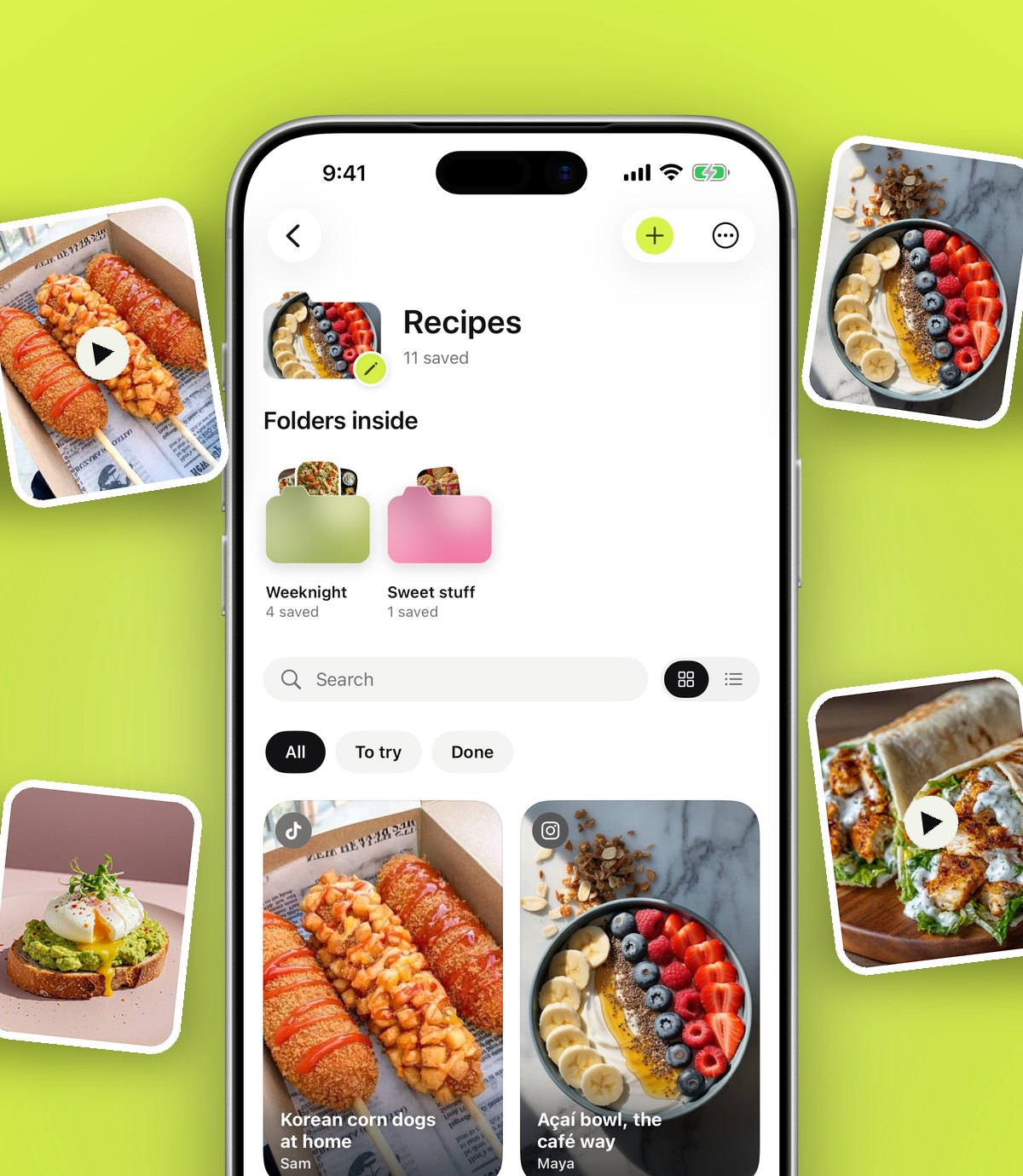
The simplest way to actually use what you save is to set a reminder on the save itself, timed for when you can act on it: tonight for a recipe, Saturday morning for a walk, next week for a booking. anoli is a free iPhone app that saves posts from Instagram, TikTok and any website into folders, and each save has a Remind me button with quick times or a date of your own, which can repeat every day or week.
Saving something feels like doing something. You see a recipe, a stretching routine, an exhibition that closes in January, and you tap save. There's a little moment of satisfaction, and then the post disappears into a list you'll rarely open again.
The problem isn't the saving. It's that nothing brings the save back at the moment you could use it. This guide is about fixing that: how to use reminders on the things you save so they reappear at the right time, how to choose good times, and how to avoid drowning in notifications.
Why do we save posts and never look at them again?
There are a few reasons, and they're very human.
- Out of sight, out of mind. Instagram's Saved tab and TikTok favourites don't nudge you. They wait.
- The moment is wrong. You see a dinner recipe at 11pm in bed. By tomorrow at 6pm, you've forgotten it.
- Too much to choose from. When you finally open your saves, there are hundreds. It's easier to scroll something new.
- Saving feels like progress. It feels like you've started, so the urge to actually start fades.
A reminder fixes the first two problems directly. It brings back one save, at a time you chose, when you can do something about it.
What kinds of saves are worth a reminder?
Not everything needs one. Reminders work best on saves with a natural moment to act.
- Recipes: remind yourself on the afternoon you'll shop, or at the time you start cooking.
- Workouts: remind yourself on the morning you'll do it.
- Events and exhibitions: remind yourself a week before they close.
- Restaurants and bookings: remind yourself on the day bookings open, or a few weeks before a birthday.
- Things to buy: remind yourself on payday, or before a sale ends.
- Articles and long videos: remind yourself on a quiet evening or a train journey.
- Habits: a skincare routine or a stretch can remind you every day or every week.
Things you saved just because you liked them, like a funny video or a beautiful photo, rarely need a reminder. Let them be.
How to set a reminder on a saved post in anoli
anoli is an iPhone app that keeps the things you save online in one place and sorts them into folders. Every save has a Remind me button.
- 1Save the post. In Instagram, TikTok, Safari or any app with a Share button, tap Share and choose anoli. anoli files it into a folder like Recipes or Workouts.
- 2Open the save in anoli.
- 3Tap Remind me.
- 4Choose a time. Quick options include Tonight, Tomorrow morning, This weekend and Next week. You can also pick your own date and time.
- 5Repeat if you like. For habits, choose to repeat every day or every week.
- 6Allow notifications the first time, so anoli can ring. If you said no earlier, turn notifications on for anoli in the iPhone Settings app.
When the reminder arrives, tap it and you're straight back on the save: the video, the caption and any notes you added. To remove a reminder, open the save, tap the reminder and choose Remove reminder.
Tip: Set the reminder for when you can act, not when you'll have time to think. A recipe reminder at 5pm on a Wednesday beats one at 9am on a Monday.
Picking the right time for a reminder
The difference between a reminder you act on and one you swipe away is almost always timing. Some rules of thumb:
- Tonight works for things you could do this evening: a recipe, a film, a long read.
- Tomorrow morning works for things you'd do before work or at the weekend breakfast table: a workout, a booking, a call.
- This weekend suits walks, days out, markets, DIY and bigger cooking projects.
- Next week suits anything with a little lead time, like a restaurant booking or a gift to order.
- A custom date is best for anything tied to a real date: exhibition closing days, ticket releases, birthdays.
Using reminders without notification overload
Reminders only work if you don't start ignoring them. Keep them few and meaningful.
- 1One reminder per plan, not per save. If you have five recipes for the week, remind yourself about the Recipes folder on Sunday, not about each recipe.
- 2Use repeats sparingly. A daily repeat suits a five minute stretch. A daily repeat for something you do once a month just teaches you to ignore it.
- 3Clear old reminders. If you're not going to do it, remove the reminder or delete the save. No guilt.
- 4Mark things as done. When you've cooked the recipe or done the workout, mark the save as done. It's satisfying, and it keeps your folders honest.
Other ways to bring saves back to the surface
Reminders are the most direct nudge, but a few other habits help too.
A weekly look at one folder
Pick one folder a week to browse properly. Recipes on Sunday, Days out on Friday. Ten minutes is enough to choose a few things and set reminders for them.
The calendar of what you saved
anoli has a calendar that shows what you saved on a given day. It's surprisingly useful for finding the thing you saw on holiday or the evening of the party, and for noticing ideas you'd forgotten.
Search when you need it
Sometimes the moment comes to you: a friend asks for a restaurant, or you've got leftover spinach. anoli's search looks inside captions, notes, transcripts, PDFs, tags and creator names, so you can find the save by any word you remember. Our guide to searching saved Instagram posts shows how.
A look back at the year
In December, anoli shows a look back at what you saved that year. It's a good prompt to pick a few things you still want to do and give them a reminder for January.
Reminders in a save app vs Apple Reminders
Apple's own Reminders app is excellent, and it's fair to ask why you'd use anything else. Here's how they compare for this job.
- Apple Reminders is great for tasks, shopping lists and shared household lists. It can remind you at a time or when you arrive somewhere. You can paste a link into a reminder, but the post itself lives elsewhere.
- A reminder on the save brings you back to the post with everything attached: the video playing in the app, the caption, the summary and your notes. You don't have to find it again.
- Calendar events suit things with a fixed time and place, like a booked table.
Many people use all three: Calendar for appointments, Reminders for tasks, and reminders on saves for the ideas they want to act on. If you're building a bigger system, our post on a simple second brain on your phone explains how the pieces fit together.
Examples: reminders that actually work
Here are some reminder setups people find useful.
- A Sunday batch cook. Save three recipes during the week. On one of them, set a reminder for Saturday morning so you shop in time.
- A new workout routine. Save a short routine and set it to remind you every weekday morning. When it stops being useful, remove the reminder. Our guide to saving workouts from Instagram and TikTok has more ideas.
- An exhibition closing soon. Set a custom reminder one week before the last day.
- A gift with a long delivery time. Set a reminder in early December so it arrives before Christmas.
- New Year plans. Saves you collected for your goals can each get a reminder for the first week of January. See our post on turning saved posts into New Year goals.
Tip: When a reminder fires and the timing isn't right after all, set a new one straight away instead of dismissing it. Moving it to the weekend is better than losing it.
Saving is the start, not the finish
A save is a note to your future self. A reminder makes sure your future self actually gets the message. Keep reminders few, time them for when you can act, and mark things as done when you do them. You'll be surprised how many saved ideas turn into real meals, walks and plans.
To try reminders on your own saves, download anoli from the App Store. It's free to start, with no account and no card. Find out more on the anoli home page or read the reviews.
Questions people ask
Can I set a reminder for a saved Instagram post?
Instagram doesn't offer reminders on saves. If you share the post to anoli, you can tap Remind me on it and pick a time, and the notification takes you straight back to the post.
How do I get reminders for things I saved on TikTok?
Share the TikTok to anoli, open the save and tap Remind me. Choose tonight, tomorrow morning, this weekend, next week or your own date.
Can anoli reminders repeat?
Yes. When you set a reminder on a save you can choose to repeat it every day or every week, which suits habits like a short workout or a skincare routine.
Why am I not getting anoli reminders?
anoli needs permission to send notifications. Open the iPhone Settings app, find anoli under Apps, and turn notifications on.
Should I use Apple Reminders or reminders on my saves?
Apple Reminders is great for tasks and lists. A reminder on the save itself is better for ideas you saved, because it opens the post with its video, caption and notes.
Try it with your own saves
Free to start on iPhone and iPad. See what people say.