
Family life folders: baby ideas, kids activities and school info
· 7 min read
THE SHORT ANSWER
A good family organiser keeps the ideas, links and letters of family life in a few clear folders that both parents can open, such as Baby, Kids activities and School. anoli is a free iPhone app that saves posts, links, photos and PDFs into folders, searches inside them, and lets you share a folder with your partner in Pro.
Family life runs on a hundred small bits of information. A reel about baby led weaning. A TikTok with ten rainy day activities. The school's email about the nativity costume, a PDF of term dates, a screenshot of the swimming timetable, the link to the pushchair everyone recommends. They arrive from every direction, at the worst possible moments, usually while you are holding a child.
Most parents end up with the information scattered across Instagram saves, WhatsApp groups, email, screenshots and a notes app, with one parent quietly carrying the rest in their head. This guide shows you how to set up a handful of family folders that hold all of it, and that both of you can open.
What should a family organiser app actually do?
There are lots of family apps, and many are built around a shared calendar. Calendars are brilliant for dates and times. But a lot of family life is not a date. It is an idea you want to try, a product you are comparing, a letter you need to read again, or an activity for a wet Sunday.
For that kind of information, a good organiser should:
- Take things from anywhere: Instagram, TikTok, websites, email attachments, photos and screenshots.
- Sort without effort: you do not have time to file things carefully, so the app should do most of it.
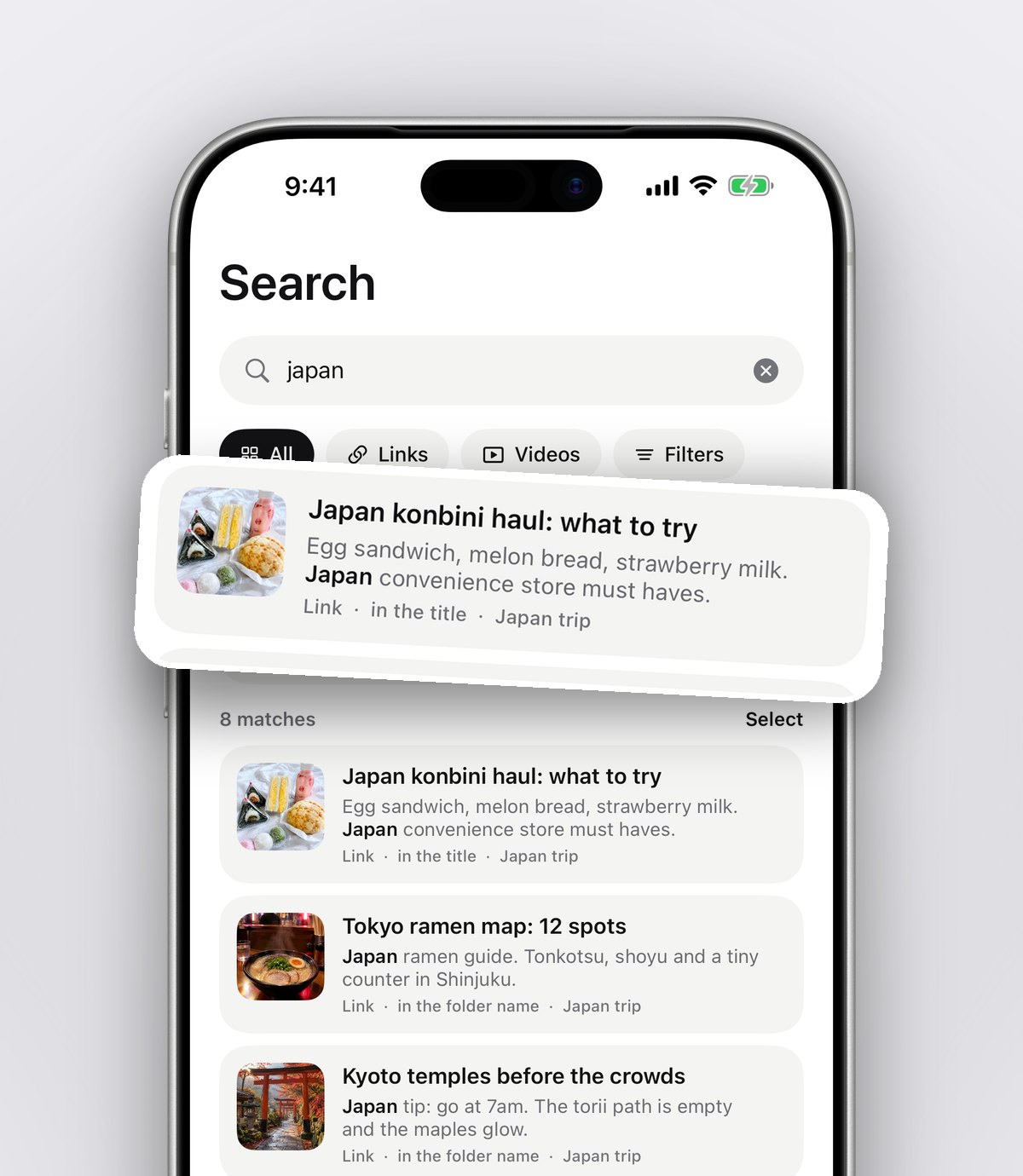
- Search properly: "costume" should find the school letter about the costume, even if it was a PDF.
- Share with your partner: both parents should see the same folder, not forward things to each other.
- Remind you: some things need doing by Friday.
anoli, a free iPhone app that saves posts from Instagram, TikTok and any website into folders, covers this side of family life well. Pair it with whatever calendar you already use for dates, and the two together cover most of it.
Which family folders should you set up?
Start with three or four. You can always add more, and you can put folders inside folders when one grows.
Baby
If you are expecting or have a little one, this folder fills fastest. Useful folders inside it:
- Nursery: cot ideas, storage hacks, colour schemes you liked.
- Kit to compare: pushchairs, car seats, baby carriers, monitors. Save the product pages and the honest review videos side by side.
- Feeding and weaning: first food ideas, recipes for little hands, batch cooking for the freezer.
- Sleep and routines: posts from health visitors and parents that made sense to you.
Tip: for anything health related, treat social posts as ideas to discuss, not advice to follow. The NHS website and your health visitor or GP are the places to check.
Kids activities
This is the folder that saves a long half term. Fill it with:
- Rainy day crafts and indoor games.
- Baking projects that are fun with children.
- Days out: farms, soft plays, museums, walks with a café at the end.
- Christmas and holiday activities, so they are ready when the season comes round.
Places you save can be seen on a map, which is surprisingly useful on a Saturday morning when you want something within half an hour of home. Our post on seeing saved places on a map explains how it works.
School
School information is mostly letters, PDFs and dates. Keep it in one folder per child if you have more than one:
- Term dates and inset days.
- Letters and newsletters (save the PDF, not just the email).
- Uniform and kit lists, with links to where you buy them.
- Club timetables and the contact details for each one.
When a letter arrives, take ten seconds to add a note to the save with the one thing it asks of you: "non uniform day, bring £1, Friday 12th". The note is what you will search for later, and it means the other parent can see what is needed without opening the whole letter.
Family home and food
Many families also keep a Family dinners folder for quick weeknight recipes everyone will eat, and a Gifts folder for birthdays and Christmas. Both stop the same question being asked every week.
How do you set it up in ten minutes?
Here is the whole setup, step by step.
- 1Download anoli free on the App Store. You can start without an account or a card.
- 2Create your folders: Baby, Kids activities, School, Family dinners. Give each a colour, an emoji or a cover photo so you can spot it at a glance.
- 3Add anoli to your share sheet: on any post, tap Share, scroll the app row to the end, tap More, then Edit, switch anoli on and drag it to the front.
- 4From now on, when you see something useful, tap Share and choose anoli. It reads the post and files it into the folder that fits. If it is not sure, it waits in Needs sorting for you to place with one tap.
- 5For school letters, open the PDF in Mail, tap Share and choose anoli. Files and PDFs can be saved too, and search looks inside them.
- 6For screenshots of timetables or club details, share them from Photos into the right folder.
If the share sheet step gives you trouble, our support page has the setup with pictures.
How do you share family folders with your partner?
This is where the mental load gets lighter. With Folders with friends, part of anoli Pro, you send your partner one link and they are in the folder. Everything either of you saves lands in the same place, so the person who saw the school letter is no longer the only one who knows about it.
Each save also has reactions and a conversation, which is handy for quick decisions. "This pushchair or the other one?" can be answered right on the save, instead of getting lost in a chat thread. Our guide to shared lists for couples has more ideas for how two people can keep things in one place.
Grandparents or a regular childminder can be added to a folder too, for example a Kids activities folder they can dip into when they have the children.
Tip: think about what goes into a shared folder. Photos, videos and files you put in a shared folder are uploaded so others can see them, and anyone with the folder's link can view it on the web. Keep personal photos of your children in private folders, where they stay on your phone.
How do you stop forgetting things?
Saving is only half the job. The other half is remembering at the right time. Two features help here:
- Reminders: set a reminder on a save. The costume letter can remind you on Monday, the half term activity on the Friday before. Our post on reminders for saved posts goes through it.
- Mark as done: once you have used something, mark it done. The folder then shows what is still to do, not everything you have ever saved.
And when you need something quickly, search does the remembering. Type "swimming" and you get the timetable screenshot, the club's link and the note you wrote about the kit, with the line that matched.
Family organiser apps compared: which one do you need?
Different tools are good at different jobs. Most families use two or three of them.
- A shared calendar (Apple, Google or a family calendar app): the best place for dates, times and who is doing pick up. Not built for ideas, links and letters.
- WhatsApp family group: great for quick messages. Terrible for finding the photo of the timetable from September.
- Apple Notes or Reminders: good for lists and to do items. Links and screenshots sit in notes, but you do the sorting yourself.
- A save app like anoli: one place for ideas, links, screenshots and PDFs from every app, sorted into folders, searchable and shareable with your partner.
In practice: dates go in the calendar, quick chat goes in WhatsApp, and everything you want to keep and find again goes into family folders.
Keep it light
The point of a family organiser is to take things off your mind, not to give you another job. You do not need to file everything perfectly. Save things as they come, let them sort themselves, and spend five minutes on a Sunday evening glancing through Needs sorting and the week's school folder.
If you have more interests that need a home of their own, our post on a folder for every hobby has more ideas, and the screenshots that clog up your camera roll can be tamed with our screenshot organising guide.
Start with one folder
If ten folders feels like a lot, start with the one that hurts most right now. For new parents that is usually Baby. For school age children it is usually School. Once it is working, add the next.
You can read what other people think of anoli on our reviews page, or find out more on the anoli home page.
Questions people ask
What is the best family organiser app for iPhone?
It depends on the job. A shared calendar is best for dates, while a save app like anoli is best for ideas, links, screenshots and school PDFs that you want to sort, search and share with your partner.
Can my partner and I share the same folders?
Yes. With anoli Pro you send a link and your partner joins the folder, and everything either of you saves lands in it.
Can I save school letters as PDFs?
Yes. Share the PDF from Mail or Files into anoli, and search will find words inside it later.
Are photos of my children uploaded?
In anoli, photos, videos and files stay on your phone unless you put them in a shared folder or use them as a cover. Anyone with a shared folder's link can view it on the web, so keep personal photos in private folders.
Can I get reminders for things I saved?
Yes. You can set a reminder on any save in anoli, so a letter or activity comes back to you on the day you need it.
Try it with your own saves
Free to start on iPhone and iPad. See what people say.